Apple Releases Critical Security Updates for Older Devices: Immediate Action Required
On May 11, 2026, Apple issued a series of essential security updates targeting older iPhone, iPad, and Mac devices. These updates address significant vulnerabilities in WebKit, Wi-Fi, and the kernel, underscoring the importance of maintaining device security through regular updates.
Overview of the Security Updates
Apple’s latest security patches are designed to fortify devices against potential exploits that could compromise user data and system integrity. The updates encompass fixes for:
– WebKit Vulnerabilities: WebKit, the engine powering Safari and other applications, had multiple flaws that could allow malicious web content to execute arbitrary code. These vulnerabilities have been addressed to prevent unauthorized access and potential data breaches.
– Wi-Fi Security Issues: Certain weaknesses in the Wi-Fi subsystem could enable attackers within range to execute code or cause system crashes. The updates include patches to mitigate these risks, enhancing the security of wireless communications.
– Kernel Flaws: The kernel, which is the core of the operating system, had vulnerabilities that could allow applications to execute arbitrary code with kernel privileges. By resolving these issues, Apple aims to prevent potential system takeovers and ensure overall device stability.
Devices Affected
The security updates are available for a range of older devices, including:
– iPhones: Models preceding the iPhone 11 series.
– iPads: Various models, particularly those not supporting the latest iPadOS versions.
– Macs: Systems running macOS versions prior to macOS Tahoe 26.5.
Users of these devices are strongly encouraged to install the updates promptly to safeguard against potential exploits.
The Importance of Regular Updates
Regular software updates are crucial for maintaining device security. They not only introduce new features but also address vulnerabilities that could be exploited by malicious entities. By keeping devices updated, users can protect their personal information and ensure optimal performance.
How to Update Your Device
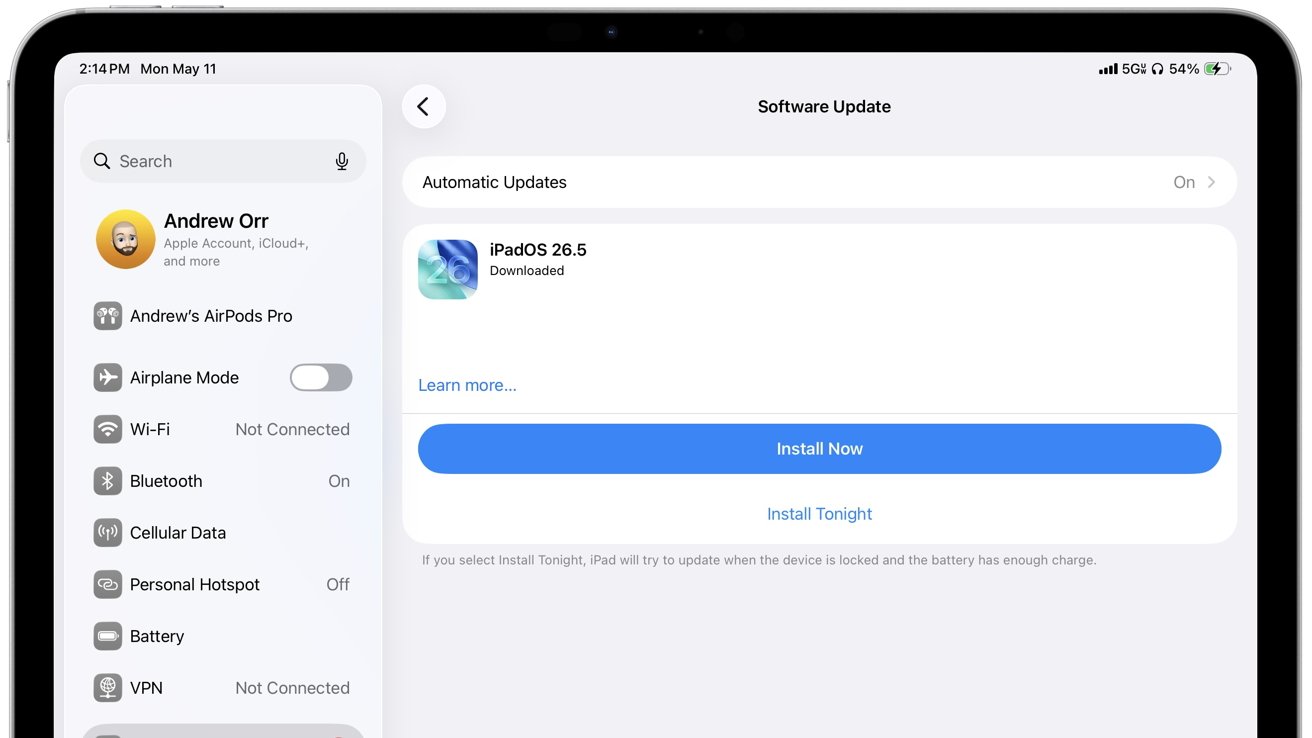
To update your device:
1. For iPhones and iPads:
– Navigate to Settings > General > Software Update.
– If an update is available, tap Download and Install.
2. For Macs:
– Click on the Apple menu in the top-left corner.
– Select System Preferences > Software Update.
– If an update is available, click Update Now.
Ensure your device is connected to a reliable Wi-Fi network and has sufficient battery life or is plugged into a power source during the update process.
Conclusion
Apple’s recent security updates highlight the company’s commitment to user safety, even for older devices. By addressing critical vulnerabilities in WebKit, Wi-Fi, and the kernel, these updates play a vital role in protecting users from potential threats. Users are urged to install these updates without delay to maintain the security and functionality of their devices.