The iPhone Keyboard Dilemma: Balancing Innovation with User Experience
In the ever-evolving landscape of smartphone technology, the iPhone’s keyboard remains a focal point of user discussion. A recent keyboard concept has ignited debates about potential enhancements, such as integrating a permanent number row, a dedicated @ key, and more accessible punctuation marks. While these additions seem straightforward, they underscore the intricate challenges Apple faces in refining its keyboard design.
The Genesis of the Debate
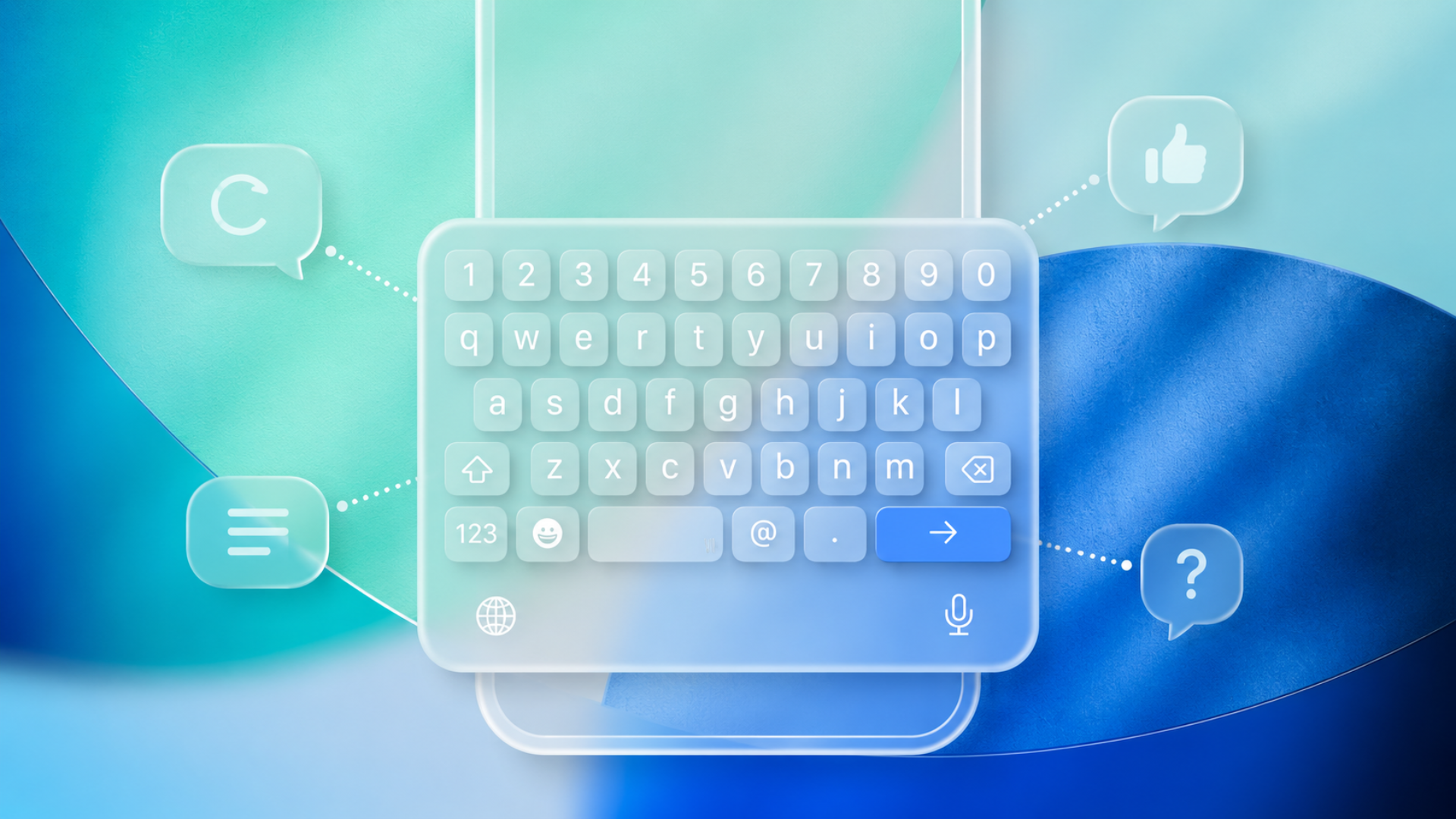
The conversation was sparked by a mockup showcasing a compact keyboard layout featuring a top number row and always-visible . and @ keys adjacent to the space bar. At first glance, this design was lauded for potentially eliminating the need to toggle between letters and symbols when composing emails, entering passwords, or typing URLs.
However, upon closer examination, concerns emerged. A primary issue identified was the reduction of the space bar’s size to accommodate the new keys. Users highlighted that a smaller space bar could compromise typing accuracy, especially for those who rely on thumb typing. One user described the diminished space bar as a nightmare to use, while others pointed out existing challenges with accidental taps in Safari due to the period key’s proximity to the space bar in URL fields.
The Significance of Muscle Memory
Apple’s keyboard design is deeply rooted in consistency, fostering muscle memory among users. Even minor alterations can disrupt established typing habits. This commitment to consistency explains why Apple opts for contextual shortcuts in specific applications rather than overhauling the entire keyboard layout. For instance, Safari introduces a dedicated period key for web addresses, and email fields automatically present the @ symbol. This adaptive approach prevents the keyboard from becoming cluttered with permanent additional keys.
Some users advocate for this method, emphasizing that contextual keyboards are a hallmark of touchscreen devices. Conversely, others argue that iOS lags behind Android keyboards like Gboard and SwiftKey, which offer more flexibility.
Contrasting with Android Keyboards
Android keyboards, particularly Gboard, address these challenges by increasing keyboard height and incorporating long-press shortcuts. Android users are accustomed to dedicated number rows, symbol overlays, and swipe gestures, enhancing typing efficiency.
Implementing similar features on iPhones is more complex due to Apple’s emphasis on a streamlined interface and system uniformity. Even third-party keyboards on iOS face limitations compared to their Android counterparts, leading to ongoing dissatisfaction among users transitioning from Android devices.
Apple’s Incremental Enhancements
Recognizing the demand for quicker access to symbols and numbers, Apple has incrementally introduced features such as swipe typing, predictive text, haptic feedback, and contextual keys in recent iOS updates.
However, each additional button on the iPhone keyboard reduces the size of touch targets, a tradeoff that becomes more pronounced on smaller devices. This delicate balance between functionality and usability explains Apple’s cautious approach to keyboard redesigns. Even a slight reduction in the space bar’s size can lead to significant usability issues.
The Broader Context of iOS Keyboard Challenges
The discussion about keyboard layouts is part of a larger narrative concerning iOS keyboard performance. Users have reported issues such as typing errors, lag, incorrect characters, and unpredictable autocorrect behavior. These problems have persisted across multiple iOS updates, prompting Apple to release fixes aimed at improving typing accuracy and overall keyboard functionality.
Conclusion
While innovative keyboard layouts offer promising solutions to enhance typing efficiency, they also reveal the complexities involved in modifying a system deeply ingrained in user habits. Apple’s commitment to consistency and user experience necessitates a careful, measured approach to any keyboard redesigns. As technology advances, the challenge remains to balance innovation with the intuitive usability that iPhone users have come to expect.