Google has officially released Android 17, introducing a suite of new features and improvements for Pixel devices. This update brings enhancements to user interface elements, privacy controls, and device performance.
Key Features in Android 17
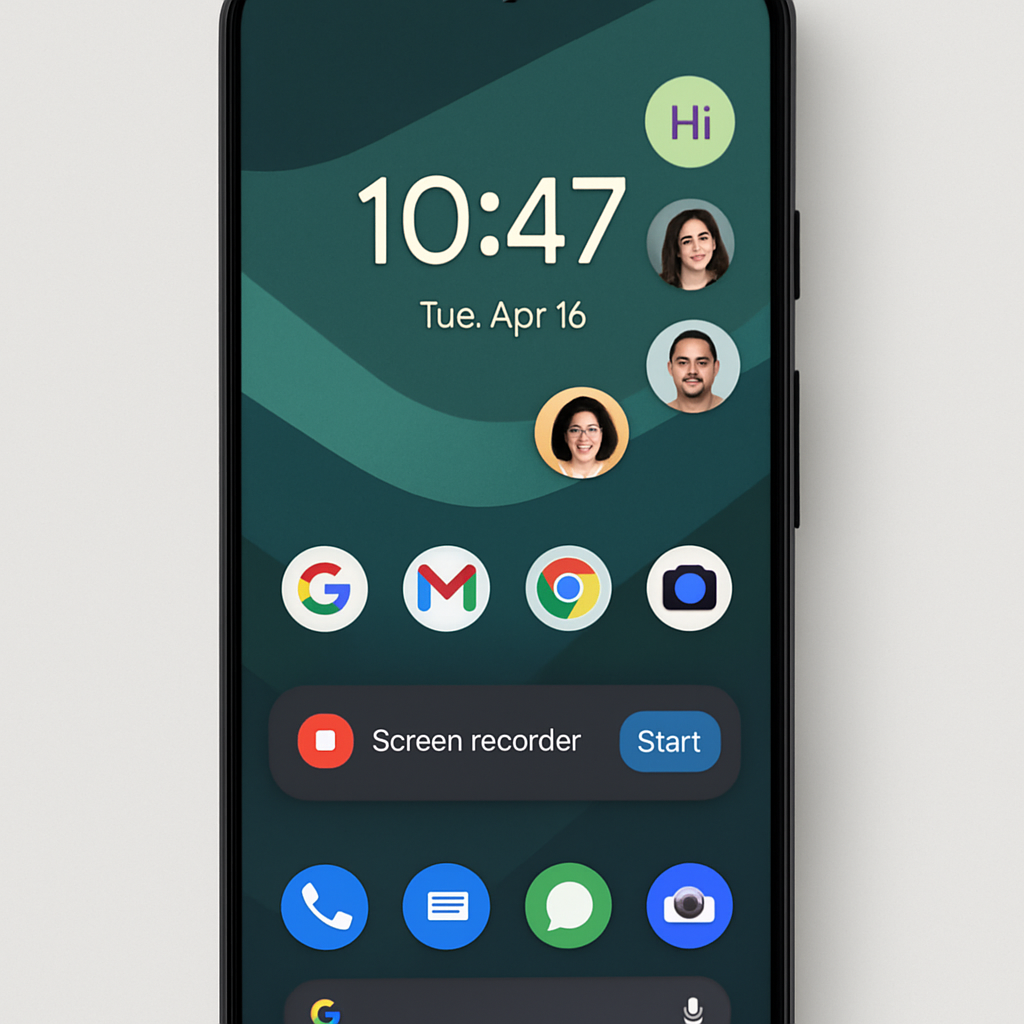
One of the standout additions is the ability to create app Bubbles for any application. Previously limited to messaging apps, this feature now allows users to generate floating icons for any app by long-pressing its homescreen icon and selecting the new option. This functionality is particularly useful for multitasking, enabling users to keep essential apps accessible without cluttering the screen.
The screen recording tool has been redesigned with a floating interface, offering a more intuitive user experience. Users can now add a selfie video overlay to their recordings, enhancing the tool’s versatility for tutorials and presentations.
Privacy enhancements include a new ‘location button’ that provides one-time precise location access to apps, ensuring that applications do not retain unnecessary location permissions. Additionally, the update introduces a more private ‘Approximate’ location algorithm, further safeguarding user data.
Visual and Performance Improvements
Android 17 incorporates increased use of blur effects across the system UI, transitioning from solid backgrounds to translucent ones that reveal underlying content. This change offers a more dynamic and visually appealing interface.
Performance optimizations include app memory limits designed to prevent applications from consuming excessive RAM, thereby improving device responsiveness and battery life.
Availability
The Android 17 update is rolling out to a range of Pixel devices, including the Pixel 6 series and newer models. Users can check for the update by navigating to Settings > System > System update on their devices.
With these enhancements, Android 17 aims to provide a more user-friendly and secure experience, reflecting Google’s commitment to continuous improvement in its mobile operating system.