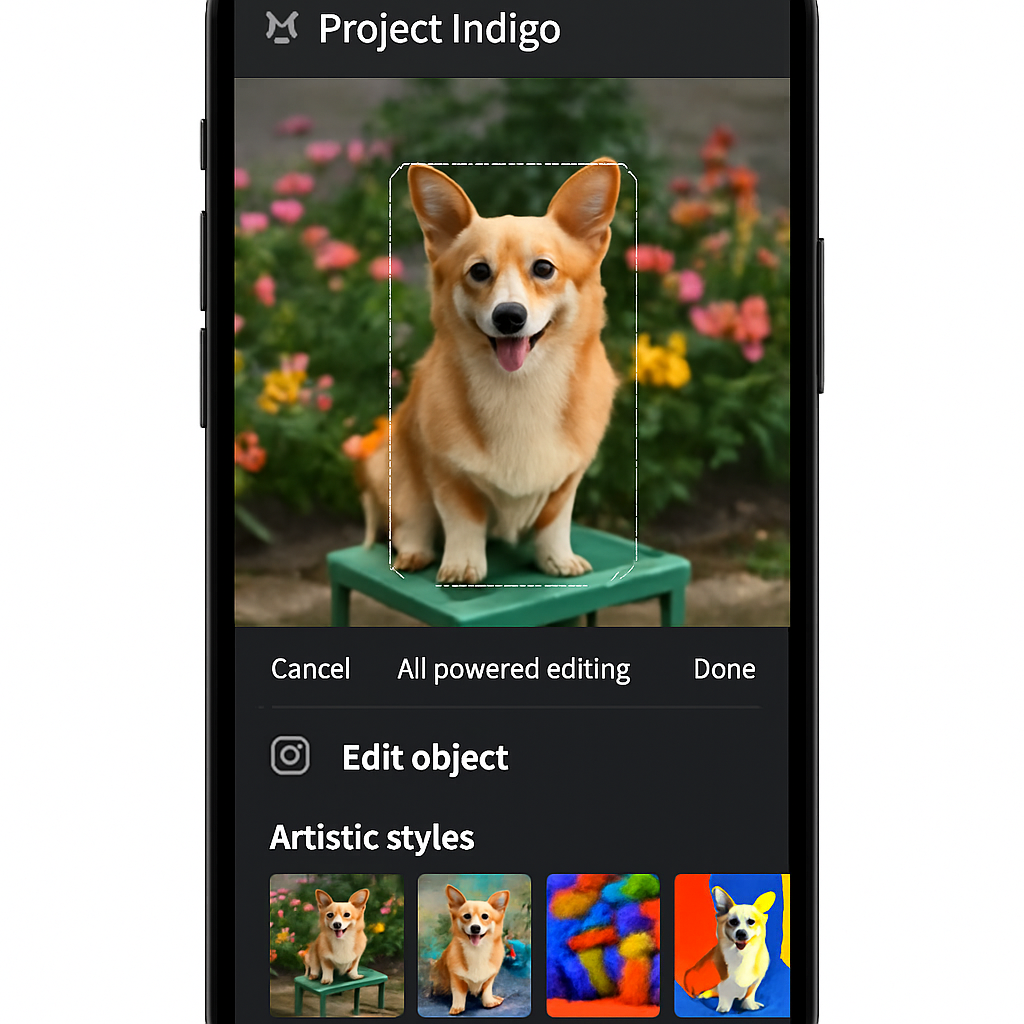
Adobe has unveiled a new feature within its Project Indigo camera app, introducing an AI Playground that offers users experimental generative AI-powered photo editing tools. This development marks a significant step in integrating advanced AI capabilities into mobile photography.
Project Indigo, launched over a year ago, is a free experimental iPhone camera app designed to provide full manual controls and a natural, SLR-like approach to computational photography. In April, Adobe expanded the app’s compatibility to include select iPads and the iPhone 17e, enhancing its accessibility and functionality.
The newly introduced AI Playground is currently available to a limited number of users for a few weeks. Adobe aims to gather insights on how users interact with generative AI-powered editing. Depending on the experiment’s success, the company may extend the trial period, expand the user base, or develop follow-up experiments. If the feature proves popular, a paid version may be offered in the future.
Users granted access to the AI Playground will encounter a splash screen inviting them to participate in the experiment. Participation is optional, and Adobe assures that it will only collect data on button presses within the Playground. The company emphasizes that it will not access user prompts, images, or upload them to its servers, nor will it use them to train AI models. Additionally, since there is no sign-on requirement, the analytics gathered are anonymous.
The AI Playground introduces four main features:
Object Editing
This feature includes tools for removing distracting elements from photos and defocusing the background to create a shallow depth of field. Users can select predefined categories of distractors to remove or add custom categories by typing or dictating their preferences. These custom categories can be saved or deleted as needed.
Styles
Leveraging state-of-the-art generative AI models, the Styles feature allows users to re-render their photos using various artistic techniques. The provided options represent techniques that have been most successful when applied to everyday snapshots.
Photo Guidance
This tool offers AI-driven analysis to help users improve their photography skills. Since Project Indigo is a camera app, the AI analysis can provide suggestions for both reshooting and editing, assisting users in enhancing their photographic outcomes.
Custom Edit
While the AI Playground offers buttons for many common generative editing operations, the Custom Edit feature unlocks additional capabilities, allowing users to apply more personalized edits to their photos.
Adobe’s introduction of the AI Playground within Project Indigo reflects the company’s commitment to exploring the integration of generative AI in photo editing. By offering these experimental tools, Adobe aims to understand user interactions with AI-powered editing and gather feedback to inform future developments. This initiative highlights the growing trend of incorporating advanced AI technologies into consumer applications, potentially transforming how users engage with and edit their photographs.