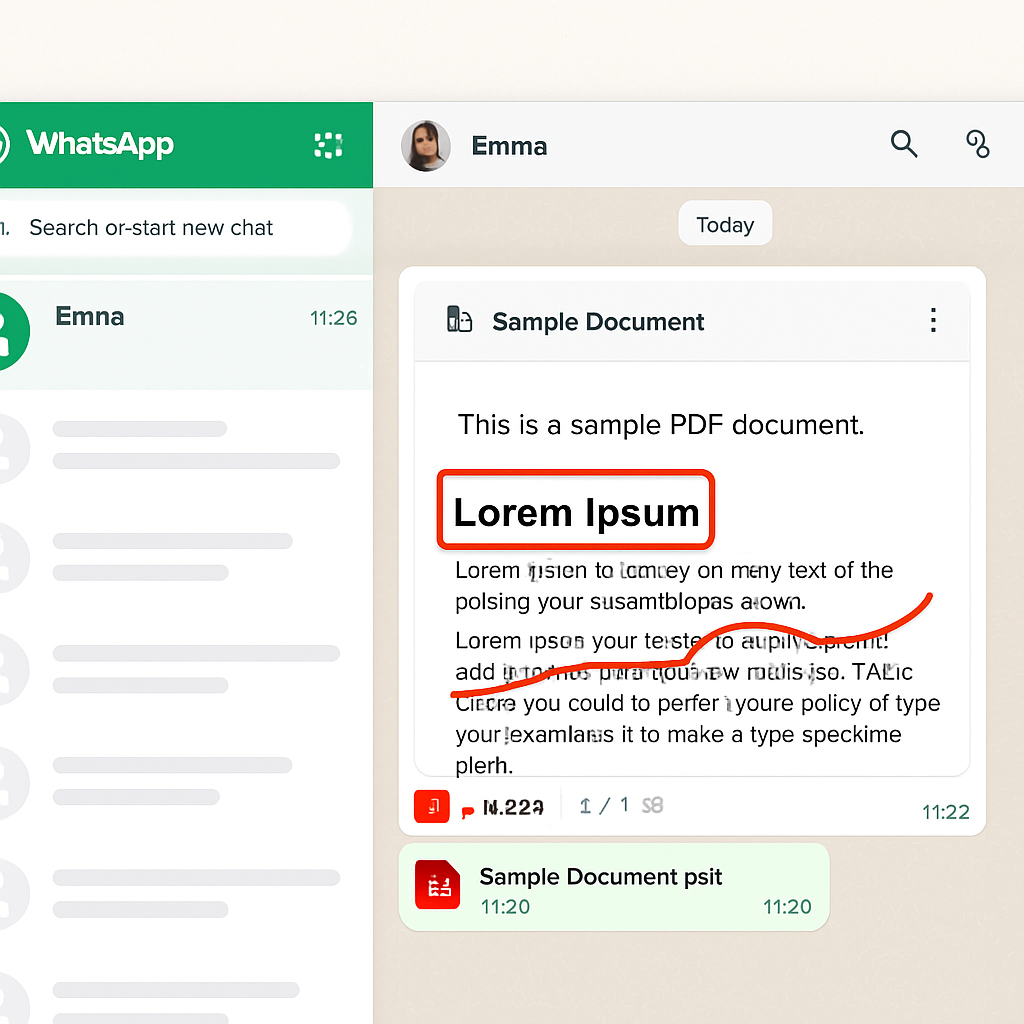
WhatsApp Web users can now seamlessly view, review, and annotate PDF documents directly within their chats, thanks to Adobe’s integration of its Acrobat PDF tools into the platform. This enhancement eliminates the need to download files or switch between applications, streamlining document handling within conversations.
Previously, interacting with PDFs on WhatsApp required downloading the file and using external applications for viewing or editing. With this new integration, users can open PDFs instantly within the chat interface, preserving the document’s original layout and formatting. This functionality extends to password-protected files, ensuring that sensitive information remains secure and accessible only to intended recipients.
Adobe emphasizes that documents shared through WhatsApp continue to benefit from the platform’s end-to-end encryption, maintaining the confidentiality of user communications. This integration is part of Adobe’s broader strategy to embed Acrobat’s capabilities into widely used platforms, enhancing productivity without disrupting user workflows.
In addition to viewing and annotating PDFs, users can access advanced features by selecting the ‘Edit in Acrobat’ option. This allows for tasks such as filling out forms, adding comments, and making more substantial edits. Once modifications are complete, the updated document can be shared back into the same WhatsApp conversation, ensuring all participants have the latest version.
Adobe’s move to integrate Acrobat with WhatsApp Web reflects the growing trend of conducting professional and personal tasks within messaging platforms. By bringing robust PDF tools directly into the chat environment, users can manage documents more efficiently, reducing the need to switch between multiple applications and enhancing overall productivity.