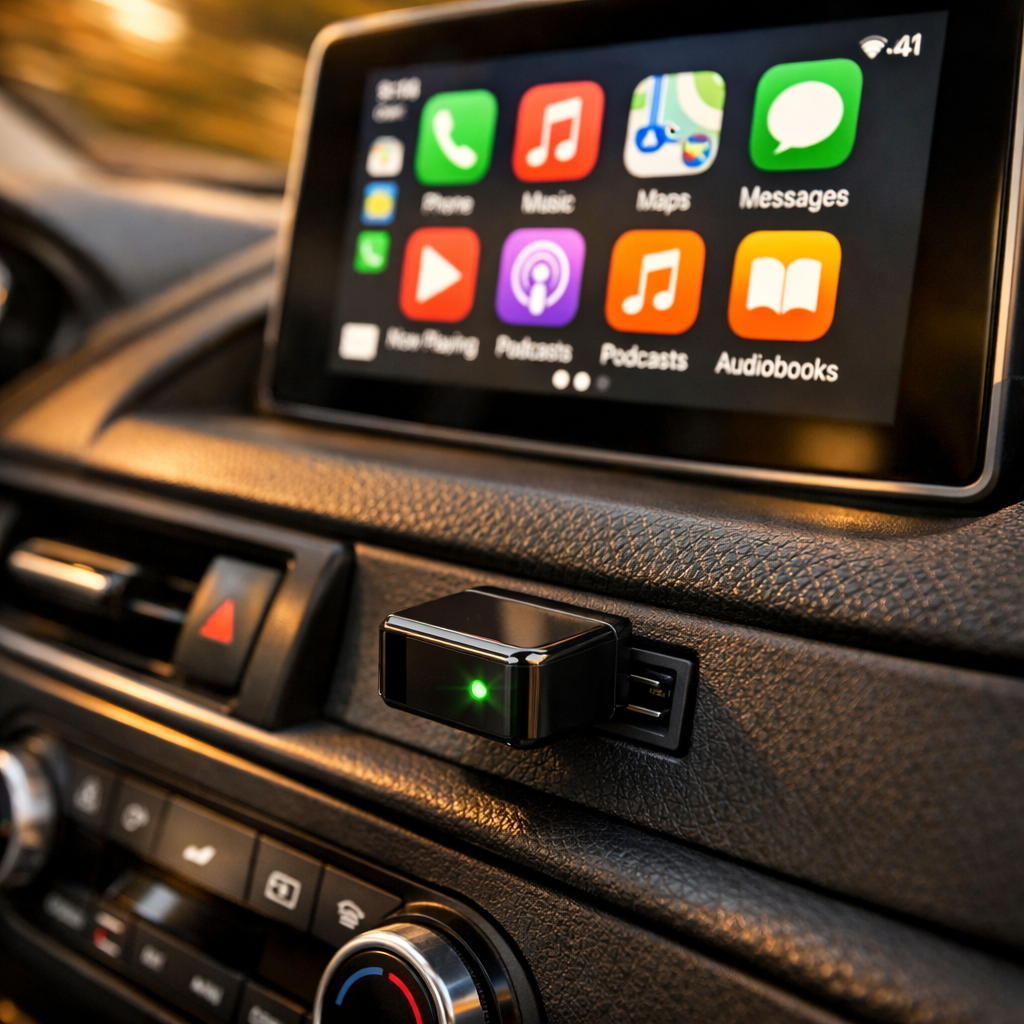
CarPlay users tired of cables now have a strong contender. Twelve South’s AirFly Drive delivers wireless CarPlay at a bargain, but only if you’re mostly driving solo. It handles single-user setups with ease; add a second driver and things get trickier.
Setup, Basics, and the Experience
The AirFly Drive plugs directly into your car’s USB-CarPlay port (USB-A) and comes with a USB-C adapter for compatibility where needed. Once installed, it stays there—no need to swap it in and out between trips. After the one-time pairing, wireless CarPlay kicks in when you start the car—your phone can even remain in your pocket. Infotainment, Maps, Music, messages—all work just like when wired in.
In testing, the experience was consistently reliable. It’s only when navigation comes into play, especially with your iPhone buried in thick clothing or operating in dense urban areas, that the GPS signal struggles. The system begins to flicker between possible routes or display confusing prompts until signal or placement improves.
The Two-Driver Challenge & Minor Issues
AirFly Drive supports pairing with two phones. In theory, when you start your car it connects briefly to the last used device, switching to the second if not present—either automatically after 15–30 seconds or instantly via a button. In practice, this function feels less polished. Pressing the button sometimes triggers the setup screen instead; auto-switching is inconsistent. One driver reported that, while their phone was in the pocket, the system reverted to the other’s, so Apps from the wrong phone appeared without warning.
Another quibble is latency: CarPlay controls lag by roughly three seconds. Not a dealbreaker for most, but noticeable if you’re used to wired responsiveness. Likewise, navigation is affected not by the adapter itself but by signal availability—your phone can’t be too shielded, or Maps becomes unreliable.
Value and Verdict
At $40 retail ($32 on Amazon at times), AirFly Drive undercuts many wireless CarPlay adapters, many of which cost significantly more. For a single user, it provides excellent value: simple installation, reliable wireless connection, familiar CarPlay experience. Problems mainly arise under specific conditions: two drivers, obstructed GPS signal, and occasional setup inconsistencies.
Overall, it earns a solid 4 out of 5. It’s just short of perfect, mostly when expectations are set against what wired CarPlay delivers. If you’re the only driver, or don’t mind occasional quirks, this is one of the better wireless solutions out there.
PROS: affordable price; solid single-driver experience; easy initial setup. CONS: switching between two phones feels clunky; minor delays in control response; navigation can suffer when signal is weak or phone positioning is restrictive.
Should you buy it? If you average solo drives, hate seeing your charging cable, and want the luxury of CarPlay without the wire, the AirFly Drive is a worthwhile investment. If your driving experience involves multiple drivers who expect seamless transitions—or if you often rely on navigation with your iPhone tucked away—none of this is fatal but expect to work around those limitations.
Why this matters: wireless CarPlay has been a long-awaited feature for many, with varying levels of reliability among adapters. AirFly Drive brings much of the promise at a fraction of the cost but exposes existing trade-offs. As car infotainment shifts toward hands-free and wireless solutions, designers will need to address multi-user smoothness, GPS issues, and latency to truly match the wired experience. Keep an eye on how other adapter makers respond in the next year—this could spur a round of improvements across the category.