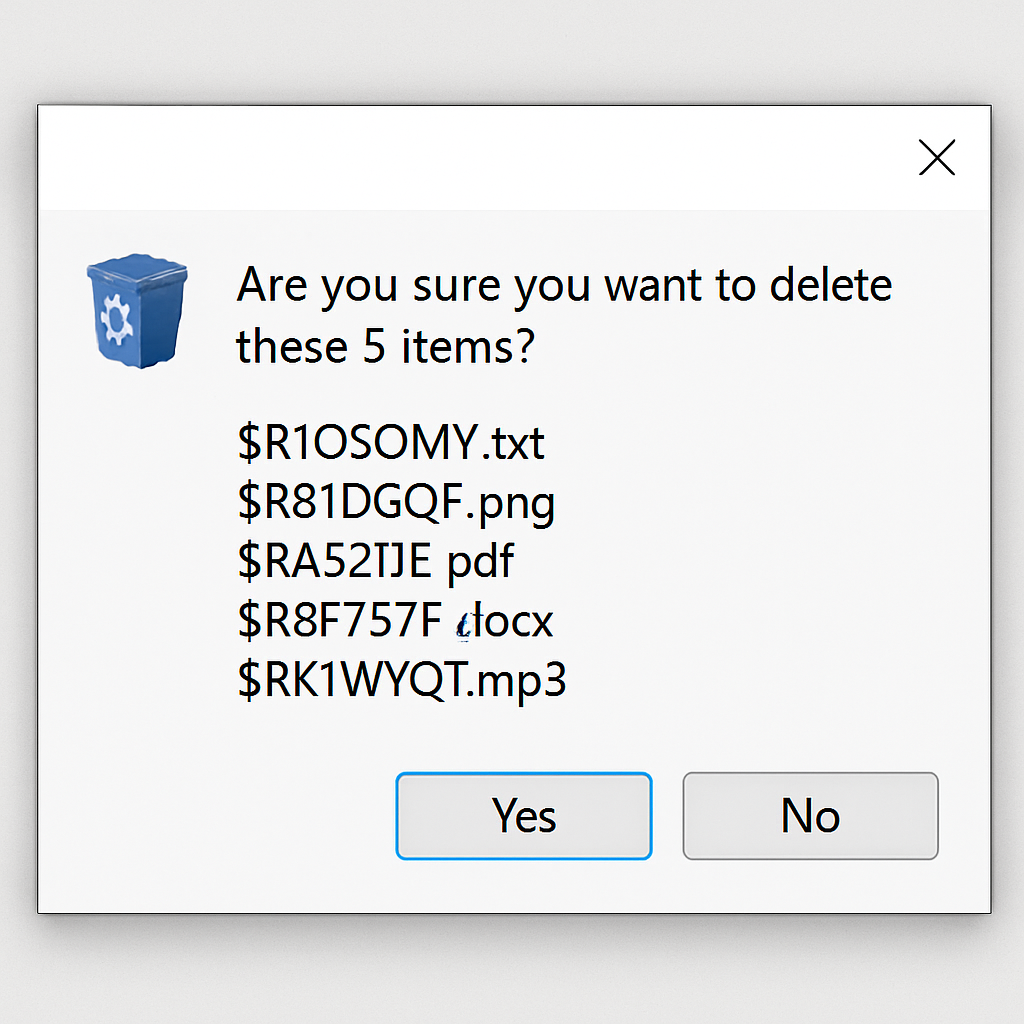
Microsoft has acknowledged a new issue introduced by the June 2026 Patch Tuesday security update (KB5094125), which causes Windows to display internal Recycle Bin filenames instead of the original user-facing filenames in file deletion confirmation dialogs.
After installing the update released on June 9, 2026, users attempting to permanently delete a single item from the Recycle Bin encounter a confirmation dialog showing the file’s internal system name, such as $Rxxxxx.ext, rather than the original filename. This issue is purely cosmetic; the Recycle Bin’s file listing and restore functionality continue to display and recover the original filenames correctly, ensuring no data loss.
Microsoft officially confirmed the bug on June 18, 2026, tracking it under OS Build 26100.32995 associated with KB5094125. The Known Issue entry was last updated on June 18, 2026, at 19:27 PT.
Affected Platforms
The bug affects a wide range of Windows client and server versions, including:
- Windows 11: versions 26H1, 25H2, 24H2, and 23H2
- Windows 10: version 22H2, Enterprise LTSC 2021, Enterprise LTSC 2019, and Enterprise LTSB 2016
- Windows Server: 2025, 2022, 2019, 2016, 2012 R2, and 2012
This extensive platform impact means both consumer and enterprise environments are affected, including long-term servicing channel (LTSC/LTSB) deployments often used in critical infrastructure and regulated industries.
While the bug does not result in data loss, corruption, or security vulnerabilities, the exposure of internal Recycle Bin naming conventions (using the $R prefix format) can cause user confusion. This is particularly concerning in enterprise environments where help desk staff or end users may be uncertain about which file is being targeted for deletion. In managed environments, this issue could also interfere with automated deletion workflows or scripts that parse dialog output.
Microsoft has acknowledged that a workaround is available for enterprise-affected devices; however, organizations must contact Microsoft Support for Business directly to obtain and apply it, as no self-service fix has been publicly released. The company is working to provide a permanent resolution in a future Windows update but has not specified a timeline.
System administrators are advised to monitor the Windows Release Health dashboard for updates and inform end users about the cosmetic discrepancy to prevent confusion during routine file management.
This incident highlights the importance of thorough testing before deploying updates, especially in environments where user experience and operational efficiency are critical. While the issue is cosmetic, it underscores the need for vigilance in update management to maintain user trust and system reliability.