iPhone Users Beware: Viral Storage Hack May Erase Your Messages
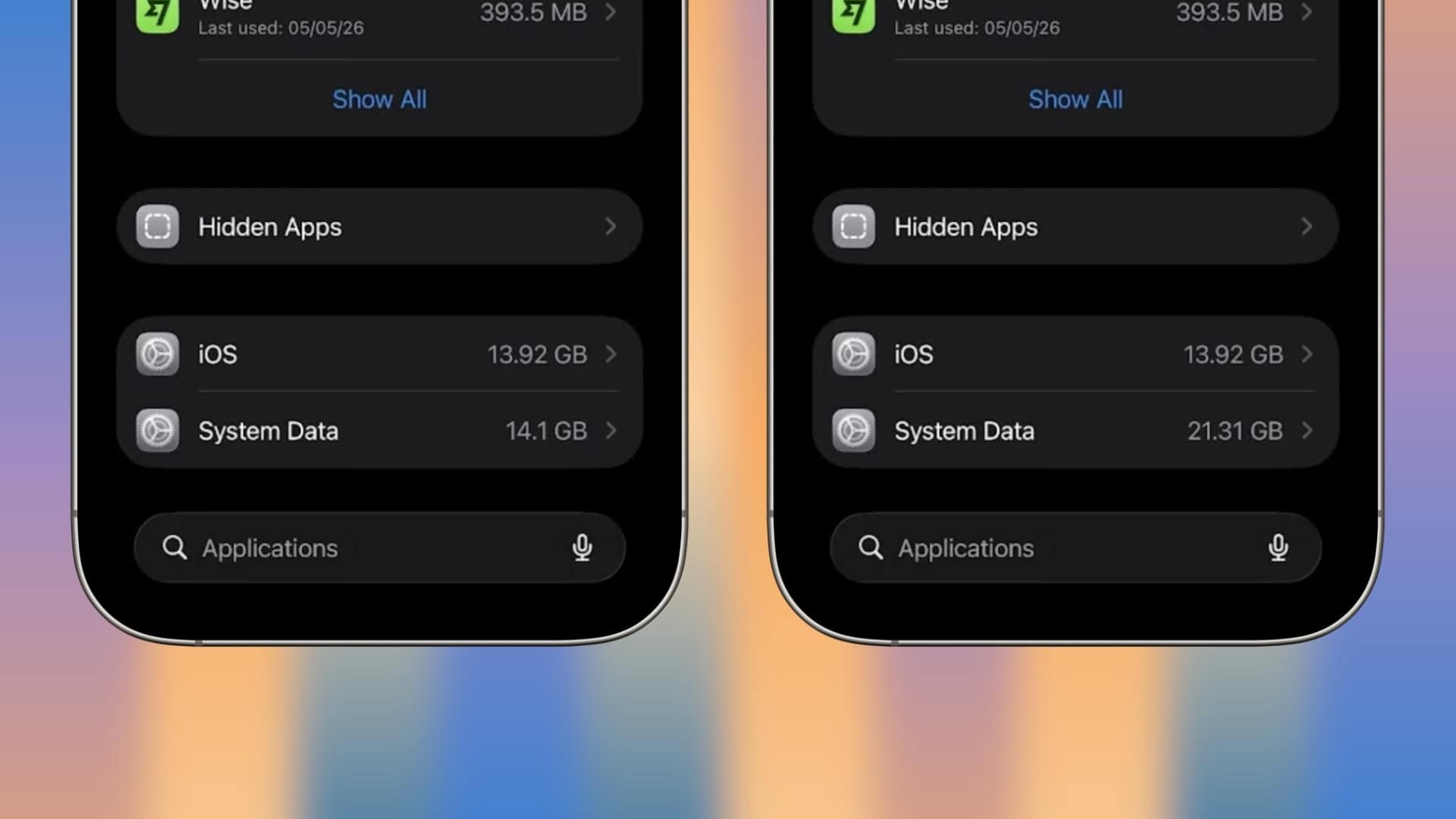
A new iPhone storage-saving method has recently gained traction on social media platform X, with users claiming it effectively reduces excessive storage usage. This technique involves manually setting the iPhone’s date to a future year, specifically 2027, waiting briefly, and then reverting to the current date. While some report significant storage recovery, this approach carries a substantial risk to your message history.
Understanding the Viral iPhone Storage Hack
The procedure circulating online suggests the following steps:
1. Activate Airplane Mode.
2. Navigate to Settings > General > Date & Time.
3. Disable Set Automatically.
4. Manually adjust the date to a point in 2027.
5. Leave the device idle for approximately two minutes.
6. Reset the date and time to the current settings.
7. Re-enable Set Automatically.
8. Deactivate Airplane Mode.
9. Check storage usage via Settings > General > iPhone Storage.
Users have reported that this method clears gigabytes of storage previously occupied by system data or temporary files. The rationale is that altering the date prompts the system to perform maintenance tasks, thereby reducing storage consumption.
The Hidden Danger: Automatic Message Deletion
However, this storage-saving trick comes with a significant caveat concerning your iMessage history. iPhones offer an option to automatically delete messages after a set period—30 days, one year, or never. By advancing the device’s date, you may inadvertently trigger these deletion protocols prematurely, leading to the loss of older conversations and attachments. If you have Messages in iCloud enabled, these deletions could synchronize across all your Apple devices, resulting in irreversible data loss.
Safeguarding Your Messages Before Attempting the Hack
Before considering this method, it’s crucial to verify your message retention settings:
1. Open Settings.
2. Scroll to Messages.
3. Tap on Keep Messages.
Ensure that Forever is selected to prevent automatic deletion of your message history.
Is the Storage Hack Worth the Risk?
While some users have found success with this technique, it’s important to note that Apple has not officially endorsed it. The potential loss of valuable messages and attachments may outweigh the benefits of reclaimed storage space. If you decide to proceed, it’s advisable to back up your device beforehand to safeguard your data.
Alternative Methods to Manage iPhone Storage
If you’re hesitant to use the date-changing method, consider these safer alternatives:
1. Clear Safari Cache:
– Go to Settings > Safari.
– Tap Clear History and Website Data.
2. Offload Unused Apps:
– Navigate to Settings > General > iPhone Storage.
– Select apps you rarely use and tap Offload App.
3. Delete Old Messages and Attachments:
– Open Messages.
– Delete conversations or specific attachments that are no longer needed.
4. Manage Photos and Videos:
– Review your photo library and remove duplicates or unnecessary media.
– Consider using cloud storage services to free up local space.
5. Update iOS:
– Ensure your device is running the latest iOS version, as updates often include storage optimization improvements.
Conclusion
While the viral iPhone storage hack may offer a quick fix for storage issues, the potential risk to your message history is considerable. By exploring alternative methods and regularly managing your device’s storage, you can maintain optimal performance without jeopardizing your valuable data.