Google Introduces Seamless Gmail Address Change Feature
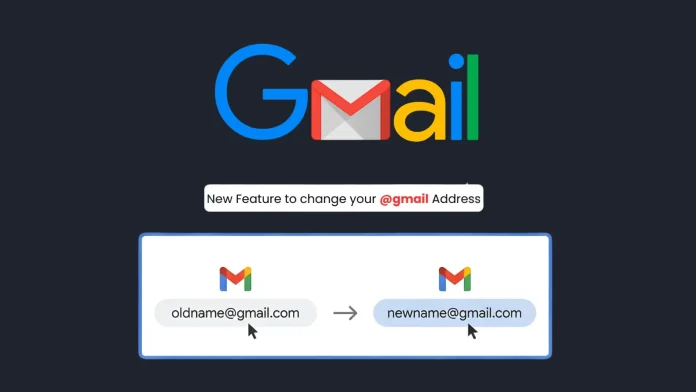
For over two decades, Gmail users faced a significant limitation: the inability to change their primary email address without creating a new account. This often led to cumbersome data migration processes and the risk of losing important information. Recognizing this challenge, Google has now introduced a groundbreaking feature that allows users to change their @gmail.com email addresses while retaining all associated data and services.
Understanding the New Feature
Historically, altering a Gmail username required users to set up a new Google Account, followed by the tedious task of transferring emails, contacts, and other data. This process was not only time-consuming but also prone to errors and data loss. With the latest update, Google has streamlined this process, enabling users to modify their email addresses directly within their existing accounts.
Key Aspects of the Update:
– Data Preservation: All emails, contacts, Google Drive files, Google Photos, and purchase histories remain intact during the transition.
– Email Aliasing: The previous email address is automatically converted into an alias. This ensures that emails sent to both the new and old addresses are delivered to the same inbox.
– Consistent Access: Users can sign in to Google services using either the new or old email address, ensuring uninterrupted access.
How to Change Your Gmail Address
To take advantage of this new feature, follow these steps:
1. Access Your Google Account:
– Sign in to your existing Google Account.
2. Navigate to Personal Information:
– Click on the Personal Info tab in the account management dashboard.
3. Edit Your Email Address:
– Under the Contact Info section, select your current email address.
– Choose the option to edit your Google Account email.
4. Enter New Email Address:
– Input your desired new @gmail.com address.
5. Verify and Confirm:
– Follow the on-screen prompts to verify and finalize the change.
Important Considerations
While the transition is designed to be seamless, there are several factors to keep in mind:
– Third-Party Services: Your Google Account often serves as the primary recovery email for various platforms, including banking services and social media accounts. After changing your Gmail address, it’s essential to update your contact information on these external platforms to ensure continued access and security.
– Single Sign-On (SSO) Protocols: If you use Sign in with Google for third-party applications, be aware that authentication tokens will automatically bridge to the new email address. However, it’s advisable to monitor connected apps for any session invalidations and re-authenticate if necessary.
– Security Alerts: Changing your primary email address will trigger automated security notifications to your recovery email and phone number. This measure is in place to prevent unauthorized access and ensure the security of your account.
Limitations and Restrictions
To prevent misuse of this feature, Google has implemented certain restrictions:
– Frequency of Changes: Once you change your email address, you cannot create another new @gmail.com address for the same account for the next 12 months.
– Reverting Changes: Users have the option to revert to their original email address at any time.
– Third-Party Service Compatibility: Some third-party services may require re-authentication or adjustments after the email change. It’s recommended to review and update settings on these platforms accordingly.
Security Implications
From a cybersecurity perspective, this update offers several benefits:
– Reduced Attack Surface: By allowing users to update their email addresses without creating new accounts, the risk associated with abandoned or unmonitored accounts is minimized.
– Enhanced User Control: Users gain greater control over their digital identities, enabling them to update their email addresses to reflect name changes, professional branding, or other personal preferences.
Conclusion
Google’s introduction of the ability to change Gmail addresses without creating new accounts marks a significant advancement in user convenience and digital identity management. By preserving data integrity and ensuring seamless integration across services, this feature addresses longstanding user concerns and enhances the overall Gmail experience.