Microsoft is rolling out updates for Windows 11 Insiders that overhaul File Explorer to sharpen performance, reduce clutter, and offer deeper control over context menus. The revamp affects how users right-click files and manipulate context menus, adding flexible customization for both built-in commands and third-party app extensions.([cybersecuritynews.com](https://cybersecuritynews.com/windows-11-file-explorer-gets-faster/))
The company has focused improvements on reducing delays, visual glitches, and freezes that commonly plague actions like opening Explorer, renaming files, and navigating folders. Windows 11 now launches File Explorer more swiftly and navigates more reliably without stalling during common tasks.([cybersecuritynews.com](https://cybersecuritynews.com/windows-11-file-explorer-gets-faster/))
Smoother & Cleaner Right-Click Menu
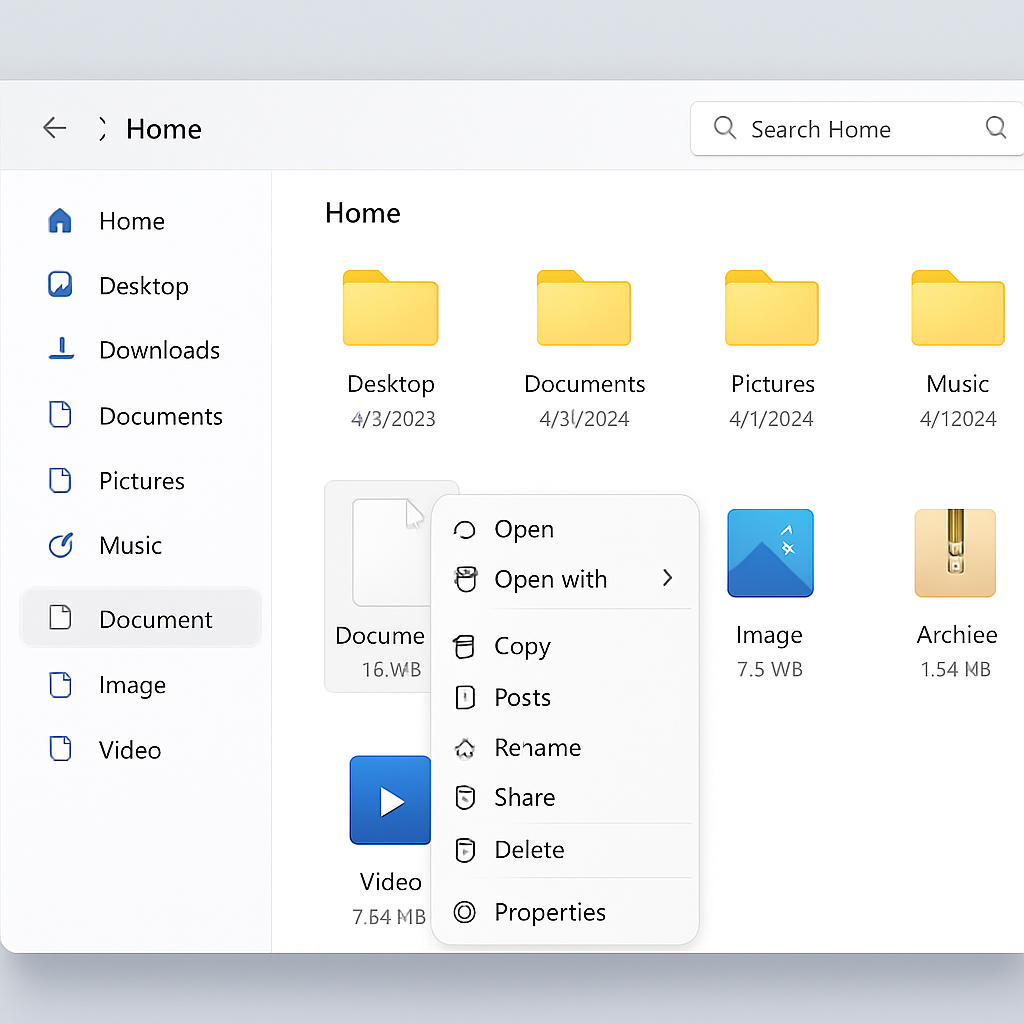
One of the most visible changes is a redesigned right-click (context) menu. The aim: make it faster to open, less cluttered, and easier to manage. Context menus can get bogged down when many installed apps add their own items, slowing down the right-click experience. The new design trims default top-level options to what most users need, while other items get tucked away unless explicitly enabled.([cybersecuritynews.com](https://cybersecuritynews.com/windows-11-file-explorer-gets-faster/))
A “Customize menu” option now appears at the bottom of the context menu. This opens a settings page under Personalization, where users can toggle built-in Windows commands like “Send to” or “Create shortcut,” and even restore the “Print” option, which was previously removed. Third-party app extensions gain more granular control too: they can appear directly in the main menu or be hidden inside a single submenu — or turned off altogether.([cybersecuritynews.com](https://cybersecuritynews.com/windows-11-file-explorer-gets-faster/))
Other Usability Upgrades
Alongside the context menu overhaul, there are tweaks for faster, more intuitive navigation. File Explorer now accepts address-bar inputs enclosed in quotes and those using double backslashes. Also expanded is middle-click behavior: users can open folders in new tabs directly from the Address Bar or from the Home page.([cybersecuritynews.com](https://cybersecuritynews.com/windows-11-file-explorer-gets-faster/))
File size labels have been refined to use more recognizable units (KB, MB, GB), and the Details pane has been reorganized so users can more quickly view file properties.([cybersecuritynews.com](https://cybersecuritynews.com/windows-11-file-explorer-gets-faster/))
These updates are currently in testing with Windows Insiders. Microsoft says it will solicit feedback before deploying the features more broadly.([cybersecuritynews.com](https://cybersecuritynews.com/windows-11-file-explorer-gets-faster/))
This effort fits into a wider push by Microsoft to improve the everyday usability of Windows by targeting friction points — those small delays and inconsistencies that cumulatively affect user satisfaction.
What this means is that File Explorer is gradually becoming more streamlined and modular. For power users, the ability to shape the context menu and control third-party extension behavior brings welcome control; for regular users, fewer delays and simpler menus should reduce frustration. As these updates move from Insiders to public builds, how Microsoft balances simplicity with power will be worth watching closely.