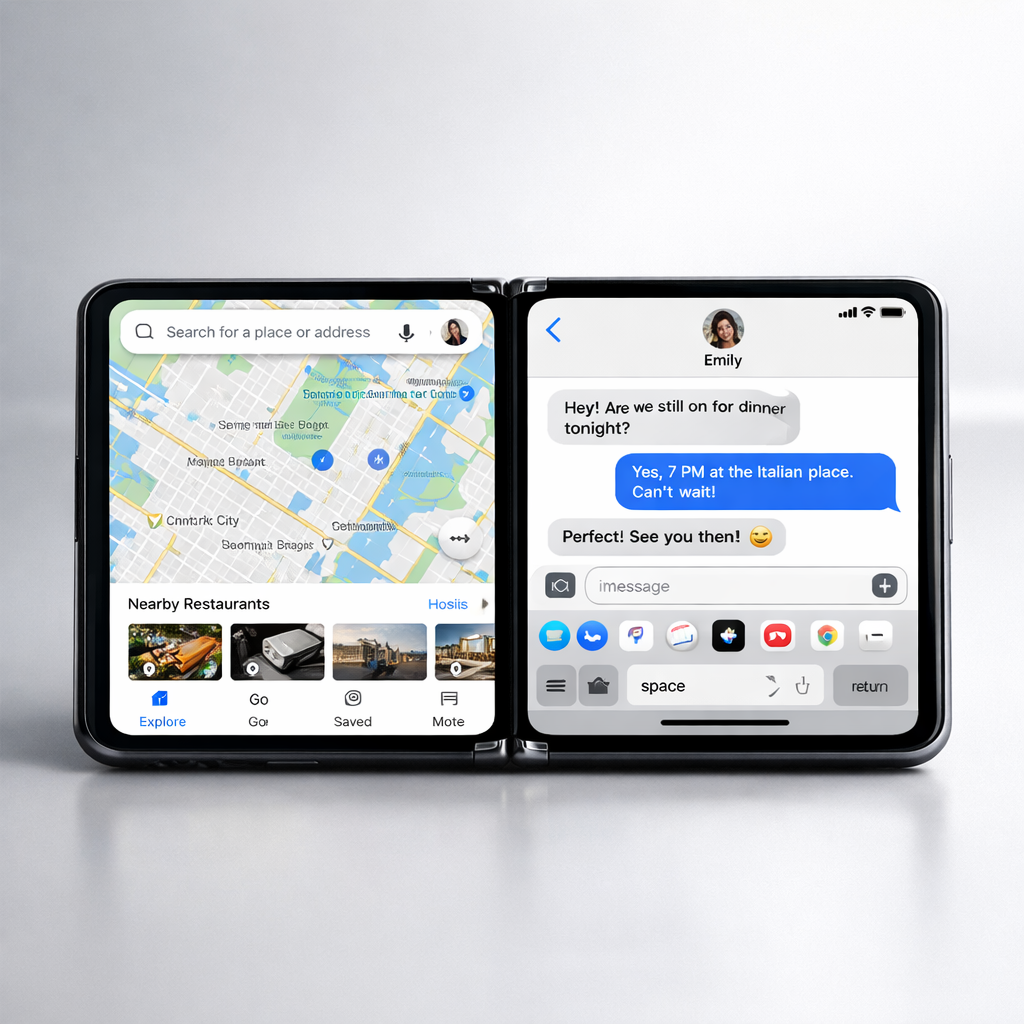
Apple’s new iPhone Duo introduces its first taste of multitasking—but don’t expect full iPad-style power just yet. With the Duo, you can run two apps side-by-side in a Split View on its inner foldable display, or even two windows of the same app if it supports multiple windows. It’s a step up from any regular iPhone; still, its barriers keep it from being a true multitasking powerhouse.
How multitasking works on the Duo
Split View lets you place any two apps side-by-side—or use two separate windows of the same app—for example, two notes open at once, or referencing one email while composing another. To do so, you can either open one app, pull it partly from the bottom of the screen into the center, then choose another app to complete the split; or long-press an app icon and select “Open in Split View,” then choose the second app. Once in use, you can swap sides by dragging apps across the divider.
You can also pair two apps you often use together. Locking the divider between them binds the pair so tapping one launching shortcut opens both apps simultaneously—though activation feedback is minimal. To break the pairing, dragging the divider one way or the other dismisses one app off-screen.
Another multitasking mode appears when watching a video. If you’re in portrait orientation and using picture-in-picture, you can dock the video in the top third of the display. The remaining bottom two-thirds support another app—but that app can’t be another video player. This lets you follow along with visual content while using something else with plenty of screen left over.
How it compares—and what’s missing
The Duo’s multitasking builds on what single-screen iPhones have done for years. But when compared with foldables from Samsung—like the Galaxy Z Fold 8 and Fold 8 Ultra—it lags behind. Samsung’s models let you run three apps at once, move floating windows around, and even resize apps in ways the Duo won’t allow. Apple’s decision to limit multitasking to two apps reflects a cautious bridge between iPhone convenience and the larger, more flexible experience of an iPad.
The hardware isn’t holding it back—Apple fitted the Duo with the A20 Pro, its fastest chip to date. Rather, the limitations seem tied to display size and how Apple defines the Duo’s role. Apple doesn’t appear to see it as replacing tablets, but as an iPhone with more spacious screen real estate. That said, the door is open for expanding capabilities—iOS updates may unlock more advanced multitasking in the future.
Why this matters: The Duo marks Apple’s entry into foldable multitasking territory. It delivers solid incremental upgrades—useful side-by-side apps, video multitasking—but also signals the tech giant isn’t yet ready to surrender its tight control over UI complexity. For power users hoping this is an iPad replacement, specifically for pro workflows, it probably isn’t. Keep an eye on forthcoming iOS releases: they’ll determine whether the Duo will evolve beyond its current middle-ground approach.