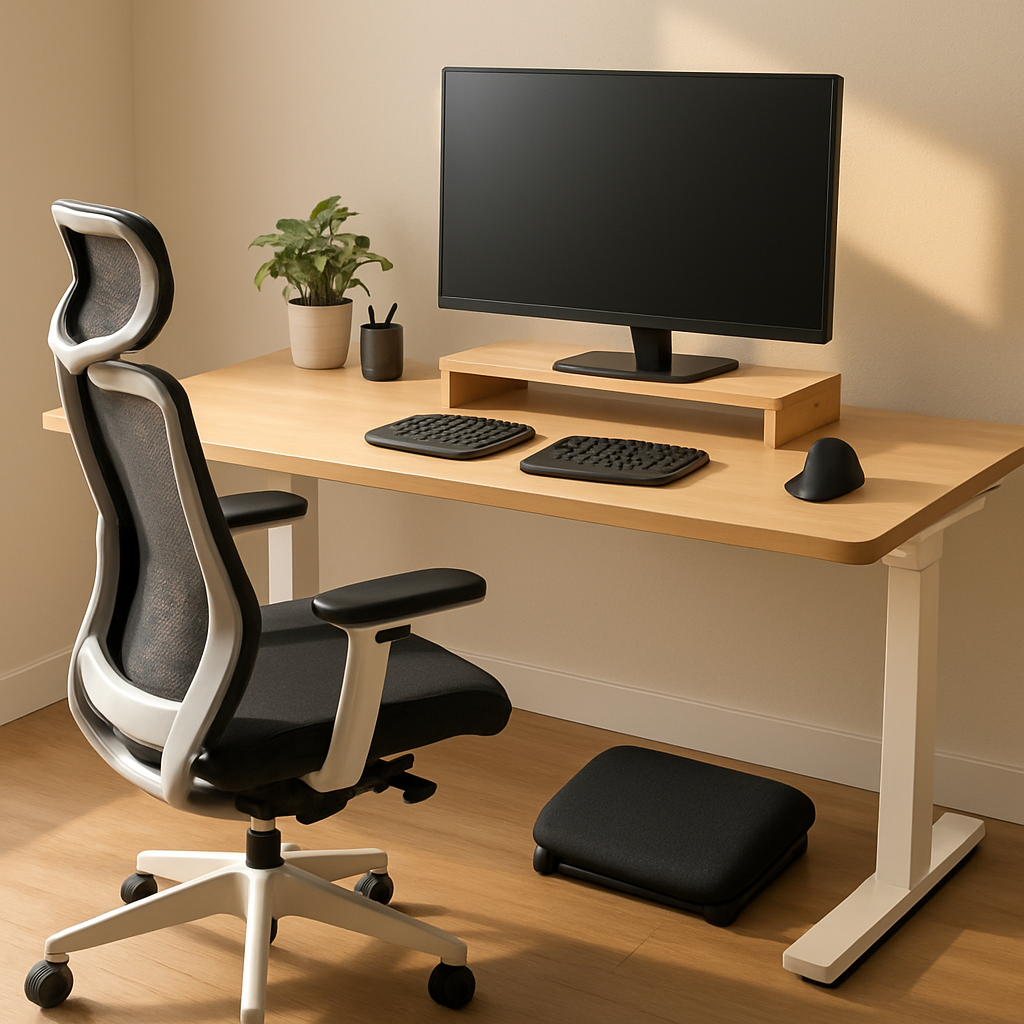
If you spend most of your day at a desk with a Mac—or any computer really—your setup has more influence on your health than you might think. Because prolonged sitting can lead to chronic discomfort and even long-term damage, it’s worth investing in ergonomics: aligning your workspace to support your body rather than strain it.
Optimize Key Hardware Elements
Desk: One of the biggest impactful changes is choosing the right desk. It should be deep enough for your monitor to sit approximately an arm’s length from your face, allowing for proper viewing without leaning forward. The height should let you rest your feet flat on the floor with knees at a right angle. Look for desks with adjustable height—ideally sit-to-stand models with memory presets—so you can switch between positions while keeping alignment consistent. For those seeking solid examples, sit-to-stand desks from brands like Flexispot are known for marrying quality and value.
Chair: Your seat influences posture and comfort every moment you’re at the desk. Adjustable armrests, sturdy back support, and a seat that supports your pelvis are non-negotiable. If comfort is lacking, a lumbar pillow can help, but ensuring proper structure in the chair itself is more effective. High-end models like the Hon Ignition 2.0 offer features aimed at minimizing fatigue during long working hours.
Footrests: Especially useful if your chair or desk height leaves your feet dangling or knees elevated. A decent footrest helps align hips and thighs, keeping your lower body in a neutral posture. Look for compact, adjustable models that still encourage movement—rocking or textured surfaces offer additional benefits for circulation and comfort.
Monitor Positioning: To avoid neck and eye strain, position your monitor so its top edge is at or slightly under eye level. If your setup uses small displays or laptops, risers or stands can help. For folks using bifocals or progressives, lowering the screen a few inches may prove more comfortable. Also remember: distance matters. Monitors should be roughly arm’s length away; larger screens need to be further back.
Peripheral Tips: Keyboard, Mouse, and More
Keyboard: Ergonomics and typing go hand in hand. Keyboards with a mild tilt are beneficial for small to average hands, while split keyboards can aid those with broader shoulders or larger hands to prevent twisting in the upper body. Laptop users often benefit most from pairing their machine with a dock and external keyboard to simulate a desktop experience. For high-end setups, consider options like the Keychron Q11 Ultra, which features wireless connectivity, Mac compatibility, and hot-swappable switches.
Mouse: The mouse is one of the most-used tools and one of the most likely to cause wrist fatigue. Ergonomic designs like vertical or sculpted models help reduce strain. However, be mindful: frequent transitions between mouse and keyboard can strain wrist, elbow, and shoulder. Sometimes the mouse choice matters just as much as technique.
Reconsider Common Add-ons
Wrist Rests: Although wrist rests might feel comfortable, especially soft gel or memory foam versions, long-term use can be risky. They may compress nerves, obstruct circulation, and force joints into unnatural positions. If you do use one, place it beneath the palms—not the wrists—to avoid direct pressure on sensitive areas.
Pillows & Cushions: Be cautious with lumbar pillows that are stuffed with memory foam chunks or styrofoam—these often collapse quickly and lose whatever support they offered. The same goes for seat cushions: soft materials can allow the hips to slide and disrupt alignment, possibly causing posture issues or poor circulation. A firm, well-designed ergonomic chair beats cushion layering every time.
Upgrading your desk setup isn’t just comfort—it’s an investment in preventing injury, preserving productivity, and supporting long-term health. The right desk, chair, and setup can reduce strain on your spine, neck, wrists, and more. The challenge is to find what fits your body and workflow best. Experimenting with small changes—like adjusting monitor height or swapping keyboard styles—can reveal what works for you. And yes, sometimes spending a bit more now pays off exponentially in your comfort and well-being down the road.