Revolutionizing iPhone Dictation: A Deep Dive into SpeakON’s AI-Powered Accessory
In the ever-evolving landscape of mobile technology, the quest for efficient and accurate voice-to-text solutions has led to the emergence of innovative tools. One such groundbreaking device is SpeakON, an AI-powered dictation accessory designed to enhance the iPhone’s transcription capabilities. Over the past few weeks, I had the opportunity to integrate SpeakON into my daily routine, exploring its features, performance, and overall impact on productivity.
Introduction to SpeakON
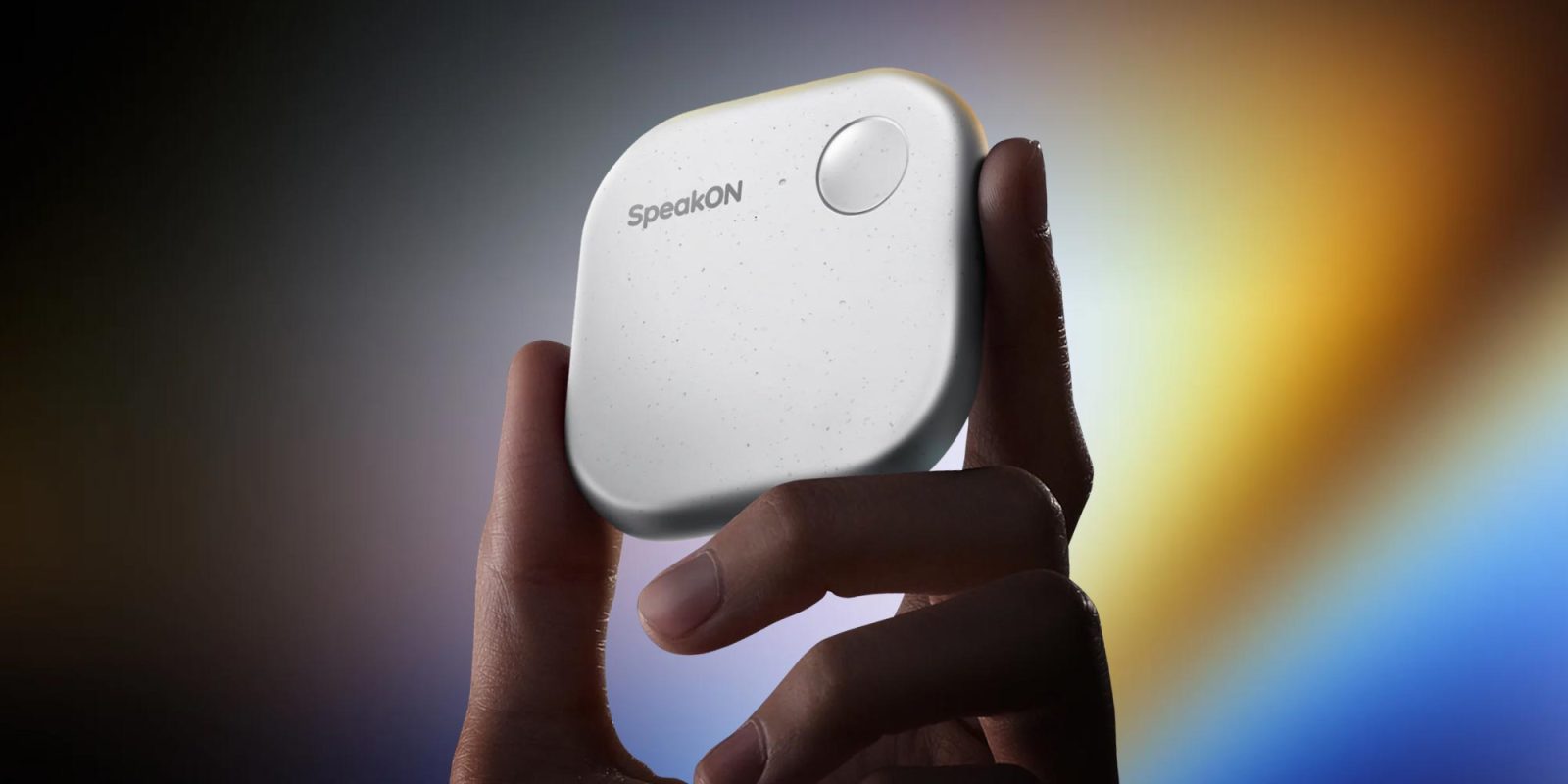
SpeakON positions itself as the world’s first voice typing device for iPhone, aiming to transform how users interact with their devices through speech. This magnetic accessory attaches seamlessly to the back of the iPhone, providing a physical shortcut for initiating voice-to-text functions across various applications. Its core promise lies in delivering real-time transcription, intelligent text refinement, and contextual adaptability based on user preferences.
Seamless Setup and Integration
The initial setup of SpeakON is remarkably straightforward. Upon unboxing, the device pairs effortlessly with the iPhone via Bluetooth. The accompanying SpeakON app guides users through a concise onboarding process, ensuring that the accessory is configured correctly and ready for use. A notable aspect of this setup is the integration of the SpeakON keyboard into the iOS system, allowing users to switch between traditional typing and voice input with ease.
Real-Time Transcription and Text Refinement
Once configured, SpeakON’s functionality becomes immediately apparent. By pressing the device’s button, users can dictate messages, emails, or notes, which are transcribed in real-time. The AI-driven system excels in cleaning up speech, eliminating filler words, correcting minor errors, and ensuring proper punctuation. This results in polished text outputs that require minimal to no manual editing, significantly enhancing the efficiency of voice-based inputs.
Adaptive Tone with Attune Feature
A standout feature of SpeakON is Attune, which allows users to adjust the tone and formality of the transcribed text based on the application in use. Users can select from presets such as Casual, Professional, or Formal, tailoring the output to suit different contexts. For instance, while composing an email in a professional setting, the Formal preset ensures the language aligns with workplace standards. Conversely, the Casual preset is ideal for informal communications, such as text messages or social media posts. This adaptability ensures that the transcribed content resonates appropriately with its intended audience.
Multilingual Support and Translation Capabilities
SpeakON extends its utility by offering robust multilingual support and translation features. Users can dictate in one language and have the text translated into another, facilitating seamless communication across language barriers. The device supports a range of languages, including English (US, UK), Japanese, Korean, Chinese (Simplified, Traditional), Spanish, French, German, Italian, Portuguese, Dutch, Russian, Arabic, and Hindi. This feature is particularly beneficial for professionals and travelers who frequently engage with diverse linguistic groups.
Performance and Accuracy
In practical use, SpeakON demonstrates impressive performance. The transcription process is swift, with minimal latency between speech input and text output. The AI algorithms effectively handle various accents and speech patterns, maintaining a high level of accuracy. Even in environments with moderate background noise, SpeakON manages to discern and transcribe speech effectively, showcasing its robustness in real-world scenarios.
Design and Ergonomics
The physical design of SpeakON complements the iPhone’s aesthetics. Its magnetic attachment ensures a secure fit without adding significant bulk to the device. The button placement is intuitive, allowing for easy activation without disrupting the natural grip of the phone. This thoughtful design ensures that the accessory enhances functionality without compromising the user experience.
Battery Life and Connectivity
SpeakON is engineered to be energy-efficient, drawing minimal power from the iPhone. Throughout the testing period, there was no noticeable impact on the iPhone’s battery life, indicating that the accessory is optimized for prolonged use. The Bluetooth connection remains stable, with no instances of unexpected disconnections or pairing issues, further contributing to a seamless user experience.
Privacy and Data Security
Given the nature of voice-to-text applications, privacy is a paramount concern. SpeakON addresses this by processing all transcriptions locally on the device, ensuring that sensitive information does not leave the user’s control. This approach aligns with best practices for data security, providing users with confidence in the confidentiality of their communications.
Comparative Analysis with Existing Solutions
When compared to existing voice-to-text solutions, such as Apple’s native dictation feature or third-party apps like Aqua Voice, SpeakON offers distinct advantages. While Aqua Voice has been lauded for its accuracy and automatic formatting capabilities, it operates as a software solution without the tactile benefits of a physical accessory. SpeakON’s hardware integration provides a dedicated, always-accessible means of initiating voice input, which can be particularly advantageous for users who prefer physical controls over on-screen interactions.
Potential Use Cases and Target Audience
SpeakON is particularly beneficial for professionals who frequently compose emails, reports, or messages on their iPhones. It also serves individuals with accessibility needs, offering an efficient alternative to traditional typing. Moreover, language learners and travelers can leverage its translation capabilities to communicate more effectively in foreign languages.
Limitations and Areas for Improvement
While SpeakON offers numerous benefits, there are areas where improvements could enhance its appeal. The reliance on a physical accessory may not suit all users, especially those who prefer minimalist setups. Additionally, the device’s functionality is currently limited to iOS, excluding potential users on other platforms. Expanding compatibility and exploring software-only versions could broaden its user base.
Conclusion
SpeakON represents a significant advancement in voice-to-text technology for iPhone users. Its combination of real-time transcription, adaptive tone settings, multilingual support, and user-friendly design positions it as a valuable tool
Article X Post:
Hashtags:
Article Key Phrase:
Category: Apple News