Raycast is evolving its AI tools with a major update that ties voice dictation into screen awareness—making it easier to interact using the exact content you’re seeing, without having to manually provide context.
What’s New: “Dictate to AI” and Smarter Context
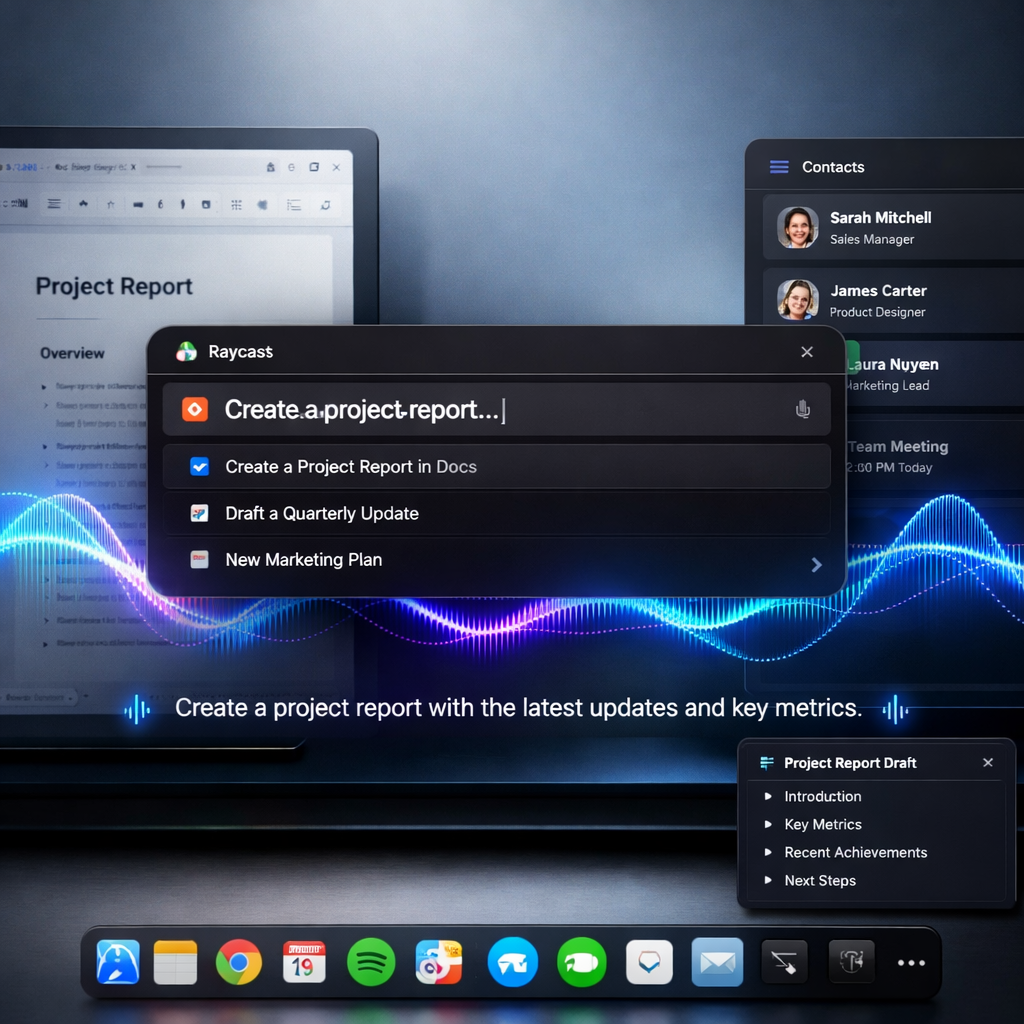
Earlier this year, Raycast introduced Screen Awareness, a feature that lets the active app or window feed context into its AI Chat—so users don’t need to copy/paste text, screenshots, or offer background info manually. Now, the app is pushing that further with a feature called Dictate to AI, which allows users to speak natural language commands that include implicit context derived from what’s on their screen.
With Dictate to AI, you can, for example, highlight a section or navigate to a particular app, then simply speak your request—such as summarizing text, translating, or creating email drafts—and Raycast handles the rest. The AI receives relevant screen content automatically, making the process smoother and faster.
Other Enhancements in Raycast v2.11
The update includes several additional tools and improvements. There’s a new Dictation AI extension that lets users manage how their spoken content appears in AI Chat, tweak styles, and receive feedback. Mac users can now track their AI activity from the menu bar by enabling “Show AI Usage” under Settings → AI.
Also new is a Contacts AI extension, enabling creation, search, updating, and deletion of contacts directly through AI Chat. On the free side, Raycast Notes now accepts images and offers unlimited note-taking for all users. Performance tweaks on Mac improve search and reduce memory usage, while iOS gets an enhanced keyboard with AI writing tools and better cloud syncing. Windows hasn’t been left behind—Screen Awareness now supports commands to send individual UI elements or even full windows into AI Chat.
Raycast’s v2.11 marks a noticeable shift toward making AI-assisted workflows more intuitive. By reducing friction—no more copying or explaining—users can stay in their flow, whether drafting emails, processing documents, or managing apps.
What this means: As productivity tools increasingly integrate AI, features that capture context automatically—like Screen Awareness—are becoming increasingly valuable. Voice dictation layered over this removes a barrier for users who might think in speech rather than typing. Going forward, success will depend on how well these tools balance privacy and accuracy, and how seamlessly context awareness works across complex app setups.