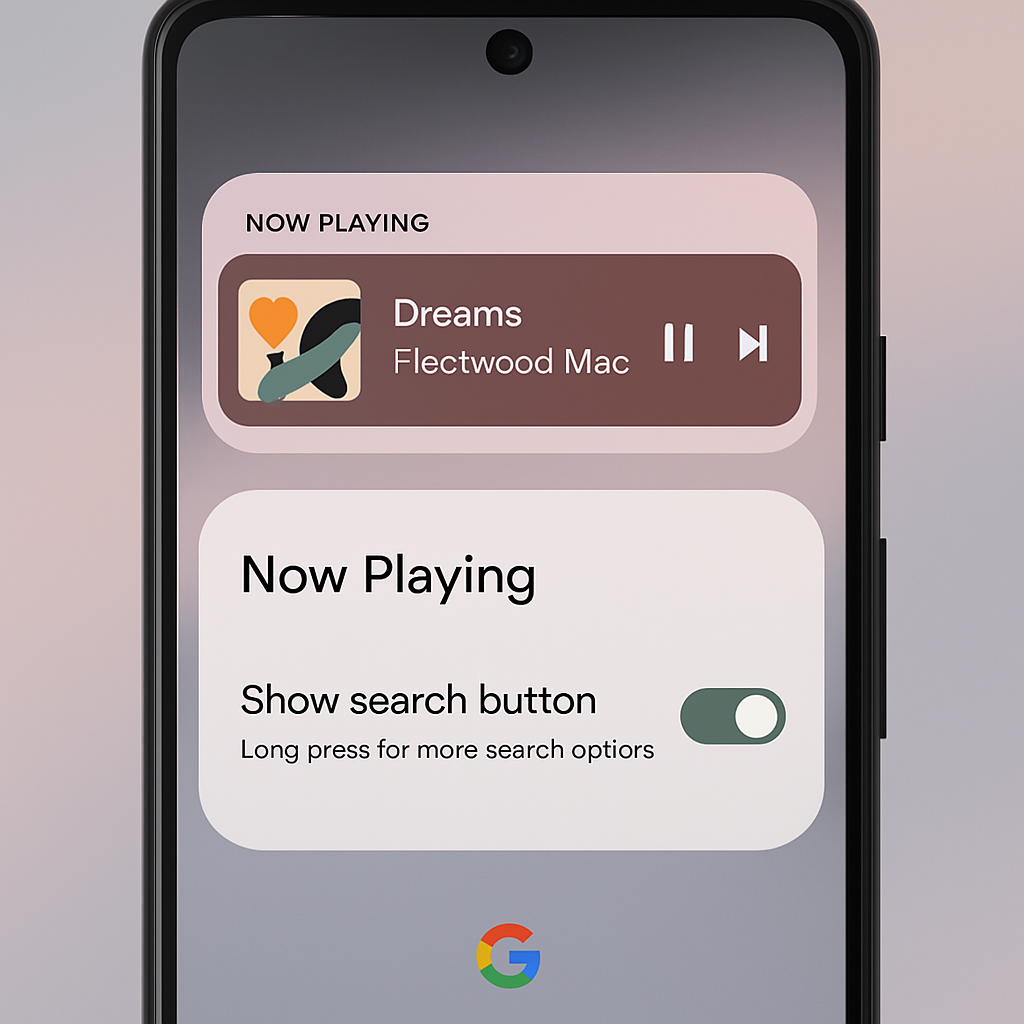
Pixel’s Now Playing feature is getting a set of subtle yet useful updates. A recent server-side rollout brought version 2026.08.27x (along with Android System Intelligence C.6) that reintroduces “Recognized Music Notifications”. These alerts appear silently when a song plays and offer quick access to your song history and favorites without forcing you to open the app or use the Quick Settings tile. They’re active by default, but you can turn them off via Settings > Now Playing > Notifications.
Another tweak relates to how you interact with identified tracks. Tapping the three-dot menu on a Now Playing song no longer summons a floating menu—it instead pulls up a bottom sheet. That slide-up panel houses buttons to share the track, add it to favorites, remove it from your history, along with play controls and any shortcuts from your music service. This format is meant to make one-handed use smoother and more intuitive.
The Favorites section has also been refined. It now shows the date and time for each entry, matching the layout of the History feed. Minor visual tweaks have appeared throughout Now Playing settings as well—icons and spacing have been polished to better align with Pixel’s UI standards.
Where This Comes From
This update is built on top of the redesigned Now Playing interface that first arrived in March. A later update in April added the “Tap to see what’s playing” shortcut on Pixel lock screens. Now, version 2026.08.27x is broadly rolling out via the Google Play Store to eligible Pixels.
Meanwhile, these changes follow a broader wave of Pixel app updates. Last month alone, Pixel Journal gained new tools, Screenshot added more filters, and icons across apps like Calculator, Clock, Pixel Magnifier, Recorder, and Weather were refreshed.
Why It Matters: These are not headline-making features, but they mark continued effort to refine the Pixel user experience. Tiny friction points—how you see what music’s playing and control it—are getting addressed. For users who rely on Now Playing often, the re-added notifications and smoother navigation make a difference. Going forward, it’ll be worth watching how Google builds on this foundation: improved lock-screen detection? More seamless media controls across devices? These updates hint at Pixel’s incremental but steady polish strategy.