Google is enhancing the Pixel 11 lineup with a new Gboard feature called “Personalized suggestions”, powered by Gemini Intelligence. This upgrade enables Gboard’s Writing Tools to offer draft suggestions curated according to your unique tone, conversation style, and typing habits.
How the Feature Works
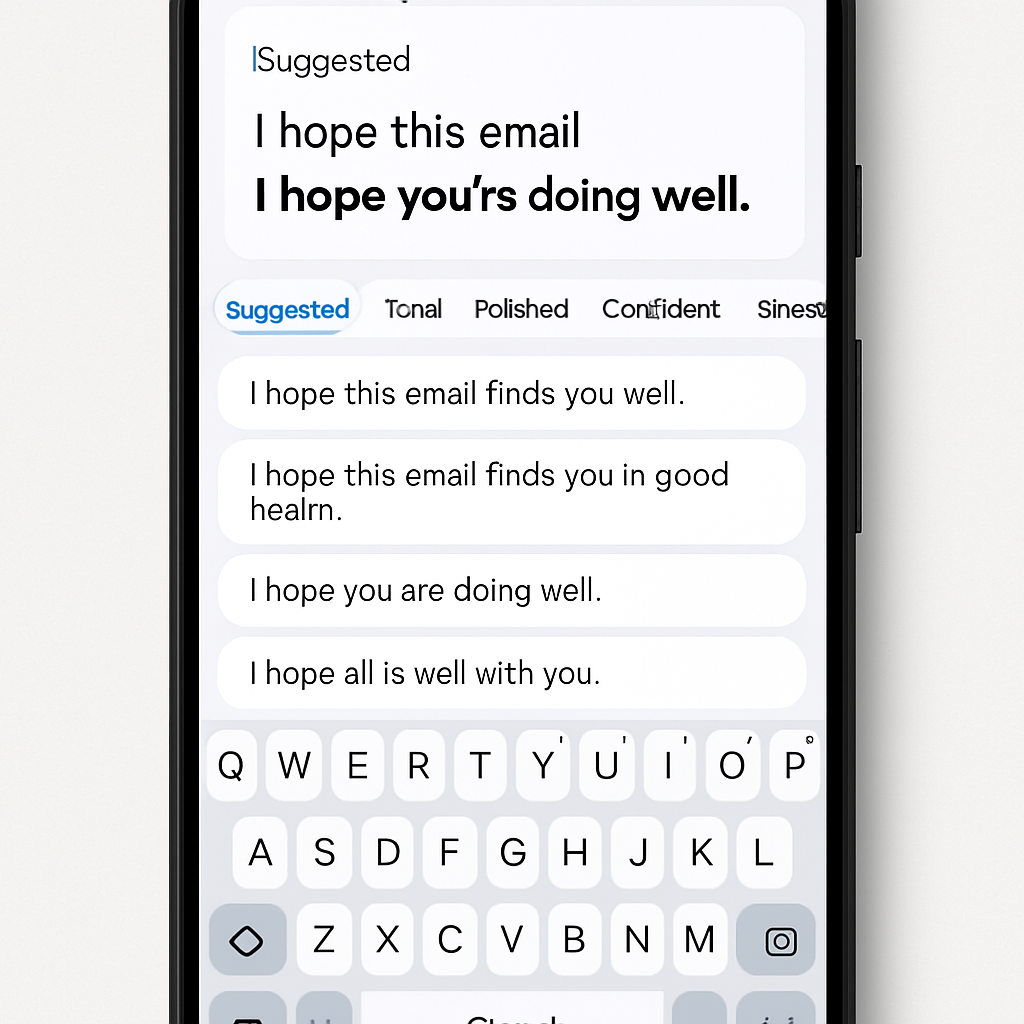
The cornerstone of this update is a new “Suggested” tab within Gboard. When composing texts in supported messaging apps, Gboard analyzes your current conversation, prior input, and typing patterns to generate suggestions that feel natural and true to your style. For example, typing a terse message like “7 PM Spanish restaurant?” could trigger a more polished recommendation such as “That sounds like a great plan! How about dinner on Thursday at 7 PM at the Spanish restaurant?”
To enable this, Gboard draws on your typing history and takes snapshots of the visible screen context in real time for both first- and third-party messaging apps. This analysis happens via Google’s Private AI Compute system, ensuring all data—both on-device and in cloud—is encrypted so that neither Google nor others can access your personal inputs. A toggle in the app’s top-right corner lets users turn Personalized suggestions on or off. If the feature isn’t compatible with the app you’re using or at that moment, the “Suggested” tab simply won’t appear.
Additional Rewriting Tools & Language Support
Alongside the Personalized suggestions, the existing predefined rewriting styles remain intact: options like Proofread, Rephrase, Professional, Friendly, Emojify, Elaborate, and Shorten still serve users who want to change tone or clarify text. A revised carousel layout now includes a “Describe your edit” button, allowing manual customization by writing brief prompts on how you’d like text to be reshaped.
The feature rollout targets messaging platforms including Google Messages, Google Chat, Line, and other compatible third-party apps. It supports a broad array of languages: English (Australia, Canada, India, UK, US), Simplified and Traditional Chinese, French (France, Canada), German, Italian, Japanese, Korean, Portuguese (Portugal, Brazil), and Spanish (US, Mexico, Spain). However, it’s unavailable in the European Economic Area (EEA), even in supported countries or regions outside that zone.
Pixel 11 users now have access to smarter, context-aware suggestions that blend writing style with conversation context—and advanced rewriting tools for tone, clarity, or brevity. The Private AI Compute model plays a key role in keeping data private. Support spans many languages and apps, though not yet every region.
What this means: This release marks a shift from generic text tools toward AI that adapts to individuals. If it lives up to its promise, this could redefine how we type daily—writing feels less like wrestling with words and more like refining intent. Key to watch: latency (how fast suggestions appear), consistency across apps, and how Google handles data transparency. If those clues are positive, this might be a leap beyond just a ‘nice to have’.