Introducing Cats Lock: The Ultimate Mac App to Prevent Feline Keyboard Mishaps
For Mac users who share their workspace with a feline friend, the scenario is all too familiar: you’re engrossed in your work when your cat decides to perch on your keyboard, leading to unintended keystrokes, altered settings, or even lost work. Recognizing this common predicament, a new application named Cats Lock has been developed to safeguard your Mac from such feline-induced disruptions.
Understanding the Need for Cats Lock
Cats are naturally drawn to the warmth of laptops and the attention their owners give to screens. This attraction often results in cats lounging on keyboards, inadvertently pressing keys and triggering unexpected actions. While placing your Mac in sleep mode is a temporary solution, it isn’t always practical, especially during active work sessions. Cats Lock offers a more efficient and user-friendly alternative to address this issue.
Key Features of Cats Lock
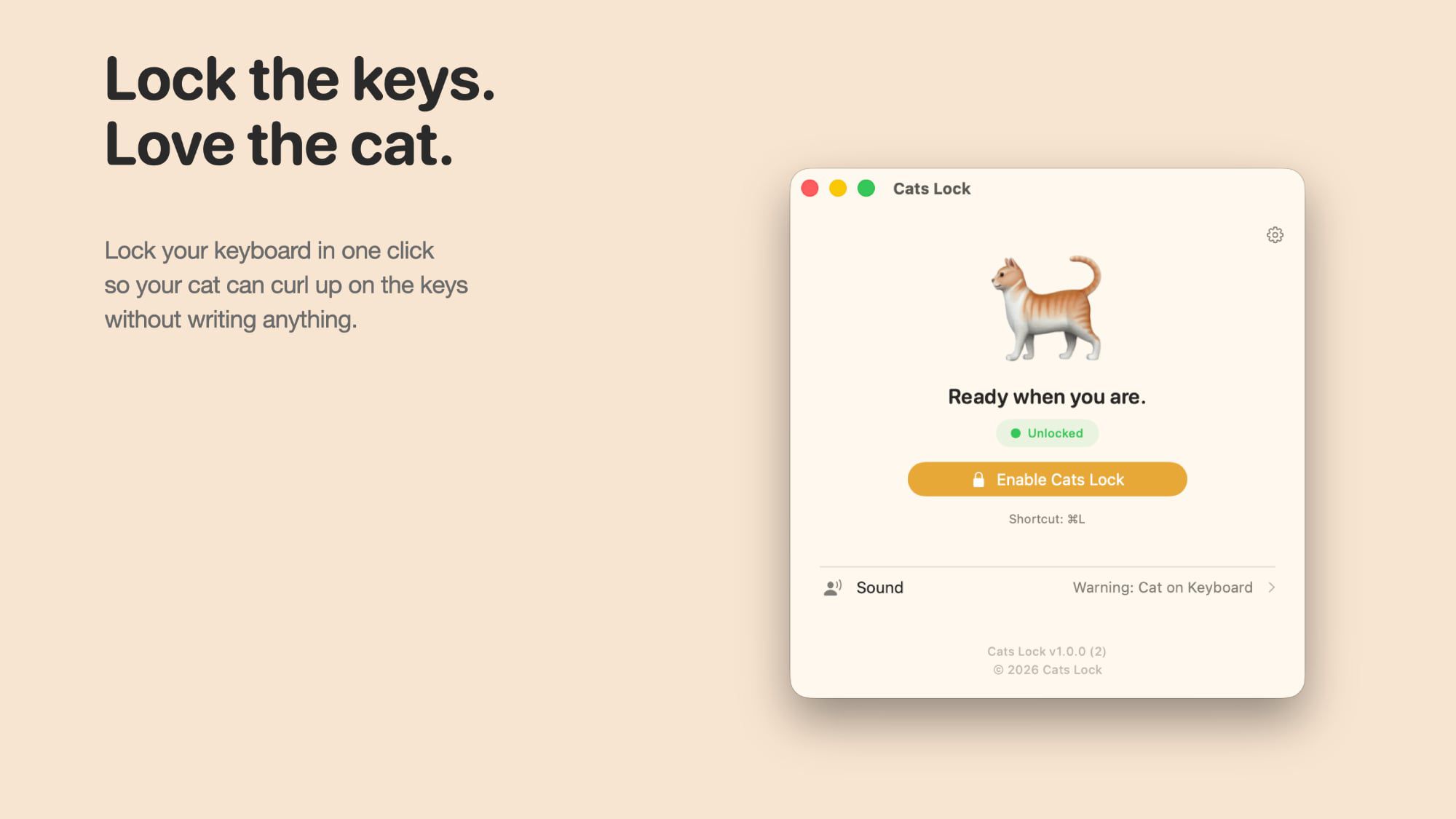
1. Keyboard Deactivation: With a simple click from the menu bar or a quick keyboard shortcut, Cats Lock disables keyboard input, ensuring that any pressure from your cat’s paws doesn’t translate into unintended commands.
2. Sound Suppression: The app includes an option to mute the keyboard, preventing the continuous beeping sounds that occur when keys are held down. This feature maintains a peaceful environment, even if your cat decides to rest on the keyboard.
3. Deterrent Alerts: Cats Lock can be configured to emit sounds designed to deter your cat from the keyboard. Built-in options include noises like a barking dog, a vacuum cleaner, or a hissing cat. Additionally, users have the flexibility to upload custom sounds that may be more effective for their specific pet.
4. Automatic Deactivation: The app remains active until your Mac enters sleep mode, at which point it automatically turns off. This ensures that you won’t be inadvertently locked out of your Mac due to the app’s activation.
User Experience and Accessibility
Cats Lock is designed with user convenience in mind. Its intuitive interface allows for quick activation and deactivation, making it easy to integrate into your daily workflow. The app’s presence in the menu bar ensures that it’s always within reach, and the customizable keyboard shortcut provides an even faster way to engage its features.
Availability and Pricing
Cats Lock is available for download from the Mac App Store at a price of $2.99. This modest investment offers peace of mind to Mac users who frequently contend with their cats’ keyboard adventures.
Conclusion
For those who have experienced the challenges of a cat’s curiosity interfering with their Mac usage, Cats Lock presents an effective and user-friendly solution. By offering features like keyboard deactivation, sound suppression, and deterrent alerts, the app ensures that your work remains uninterrupted, even when your feline companion decides to join you at your desk.