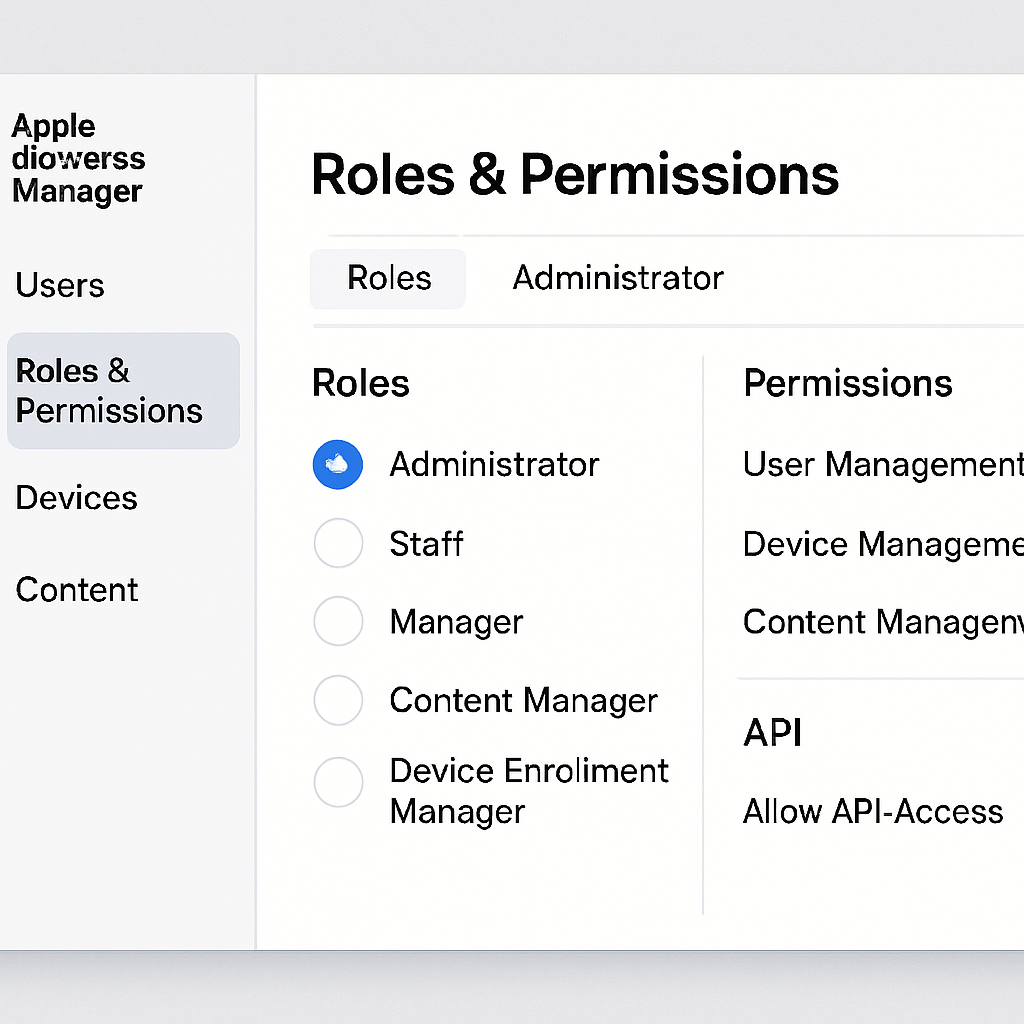
Apple’s recent expansion of the Apple Business API, announced at this year’s WWDC, offers IT administrators enhanced capabilities to retrieve device information, review audit events, and manage device assignments directly through the API. While these updates are beneficial, configuring the API correctly can present challenges, particularly concerning roles and permissions within Apple Business Manager.
Understanding Apple Business Manager Roles
Apple Business Manager provides several default roles, each with specific permissions:
- Administrator: Full access to all features and settings.
- People Manager: Manages user accounts and roles.
- Device Enrollment Manager: Oversees device enrollment processes.
- Content Manager: Handles app and book purchases and distribution.
Organizations can create up to 15 custom roles to tailor permissions to their specific needs. However, managing these roles requires careful attention to ensure users have the appropriate access levels.
Addressing API Access Issues
When utilizing the new API features, some developers have encountered a 403 Forbidden error, particularly when accessing the Audit Events API. This error indicates that the API key lacks the necessary permissions. To resolve this, it’s essential to adjust the permissions associated with the API account.
To modify permissions:
- Navigate to Settings > Roles and Permissions within Apple Business Manager.
- Create or edit a custom role, ensuring it includes the required permissions for API access.
- Assign this custom role to the API account in question.
By aligning the API account’s role with the necessary permissions, access issues can be mitigated.
Utilizing the Roles Checker Tool
Managing and verifying roles and permissions can be complex. To streamline this process, the Apple Business Roles Checker tool offers a user-friendly interface to review and adjust roles effectively. This tool simplifies the identification of required permissions and ensures that roles are configured correctly, reducing the likelihood of access errors.
As Apple continues to enhance its enterprise solutions, understanding and managing roles and permissions within Apple Business Manager becomes increasingly vital. Proper configuration ensures that organizations can fully leverage new API capabilities, leading to more efficient device management and improved operational workflows.