A new espionage operation traced to Kimsuky reveals a Chrome extension employing AI-generated code to quietly siphon Gmail messages, attachments, and other personal data. The threat targeted users in South Korea and Japan during the first half of 2026.
Attack Flow: From Phishing to Full Access
The attack begins when victims receive phishing emails containing OneDrive share links. These links lead to archives with Windows shortcut (.lnk) files. Once a victim opens the shortcut, a decoy document appears, while behind the scenes additional malware is fetched and the attackers gain entry into the system. This stage establishes remote access, allowing further compromise of local mail clients and browser profiles. ([cybersecuritynews.com](https://cybersecuritynews.com/kimsuky-ai-generated-chrome-extension/))
Security researchers from Enki tied the activity to Kimsuky through overlaps in tools, behavior, and operational targets. Enki observed fast-rotating command servers and abuse of compromised servers within Korea, which made attribution and containment more difficult. ([cybersecuritynews.com](https://cybersecuritynews.com/kimsuky-ai-generated-chrome-extension/))
AI-Generated Chrome Extension and Data Exfiltration
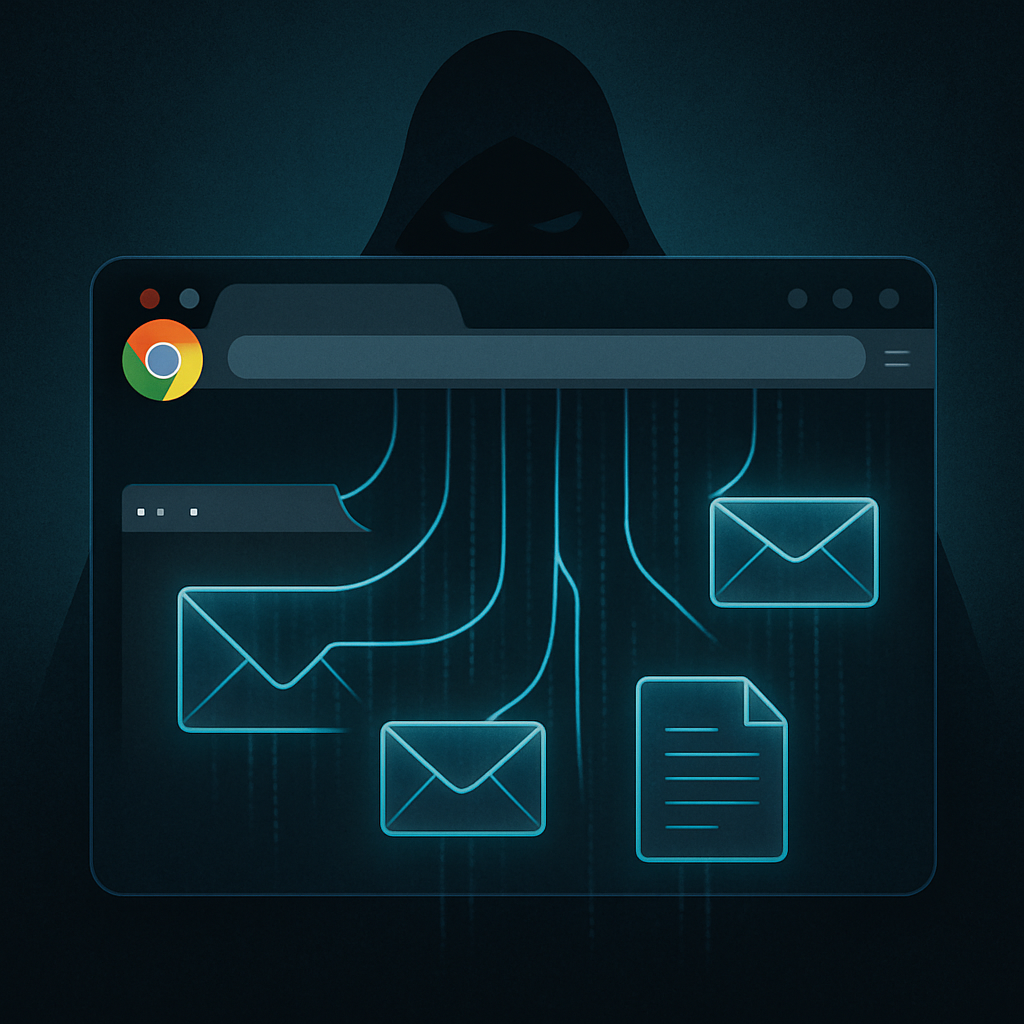
The core of the campaign revolves around a malicious Chrome extension named in Korean roughly as “Gmail automatic server uploader.” Once installed, this extension monitors both the Gmail reading pane and the Send button. Whenever the user reads or sends an email, the extension captures sender/recipient metadata, subject lines, message body text, and attachments. Attachments are retrieved via their links, encoded, and relayed to a background script. The material is then exfiltrated to an attacker-controlled server. ([cybersecuritynews.com](https://cybersecuritynews.com/kimsuky-ai-generated-chrome-extension/))
Investigators noted some striking signs in the extension’s source: Korean comments, emoji, and debugging artifacts, which strongly suggest use of generative AI tools in creating the code. Throughout, the extension requests access to all website URLs, though its active monitoring was focused on Gmail. ([cybersecuritynews.com](https://cybersecuritynews.com/kimsuky-ai-generated-chrome-extension/))
Wider System Compromise Insider Steps
Once installed via the LNK file payload, a Visual Basic script reaches out to command servers using the infected machine’s MAC address. It then runs a PowerShell script in memory. Among its persistence mechanisms is a scheduled task called “Chrome_Update,” set to execute every 15 minutes. ([cybersecuritynews.com](https://cybersecuritynews.com/kimsuky-ai-generated-chrome-extension/))
The attackers also harvested emails from local Thunderbird and Outlook clients, used keylogging to capture typed content (including passwords), and stealthily deployed remote-control tools like Chrome Remote Desktop and AnyDesk. Both tools were made more dangerous using techniques like Windows UAC bypass and hiding UI elements. ([cybersecuritynews.com](https://cybersecuritynews.com/kimsuky-ai-generated-chrome-extension/))
What Defenders Can Do
The research advises caution around unexpected OneDrive links and downloaded .lnk shortcuts—especially when the file icon shows a small arrow (marking it as a shortcut). Users should verify files before opening, routinely audit installed browser extensions, check running processes and scheduled tasks, and remove anything unfamiliar. ([cybersecuritynews.com](https://cybersecuritynews.com/kimsuky-ai-generated-chrome-extension/))
For organizations, threat hunting is essential: tracking known indicators of compromise (IoCs), blocking infrastructure used by the attackers, and inspecting hosts for the named malicious tasks and files before any damage spreads further. ([cybersecuritynews.com](https://cybersecuritynews.com/kimsuky-ai-generated-chrome-extension/))
IoCs include several MD5 hashes associated with malicious files like decoy documents, anyDesk payloads, background scripts, and tools for mail collection. A number of IPs and URLs tied to the command-and-control and exfiltration infrastructure have also been listed. ([cybersecuritynews.com](https://cybersecuritynews.com/kimsuky-ai-generated-chrome-extension/))
This campaign underscores the evolving threat vectors used by state-aligned actors like Kimsuky, combining phishing, credential theft, AI-assisted malware, and leveraging trusted tools for broader system access. ([cybersecuritynews.com](https://cybersecuritynews.com/kimsuky-ai-generated-chrome-extension/))
What this means in the larger picture is simple: browser extensions—once seen as low risk—have become powerful tools for surveillance. AI-assisted code generation accelerates their creation and helps evade detection. Going forward, vigilance over every external attachment, shortcut file, and unfamiliar extension is more critical than ever.