Apple’s upcoming iPadOS 27.3 update, currently in beta and rolling out to all users next month, introduces three key enhancements aimed at improving multitasking, AI-powered interaction, and creative collaboration on iPads.
Double-tap to resize windows
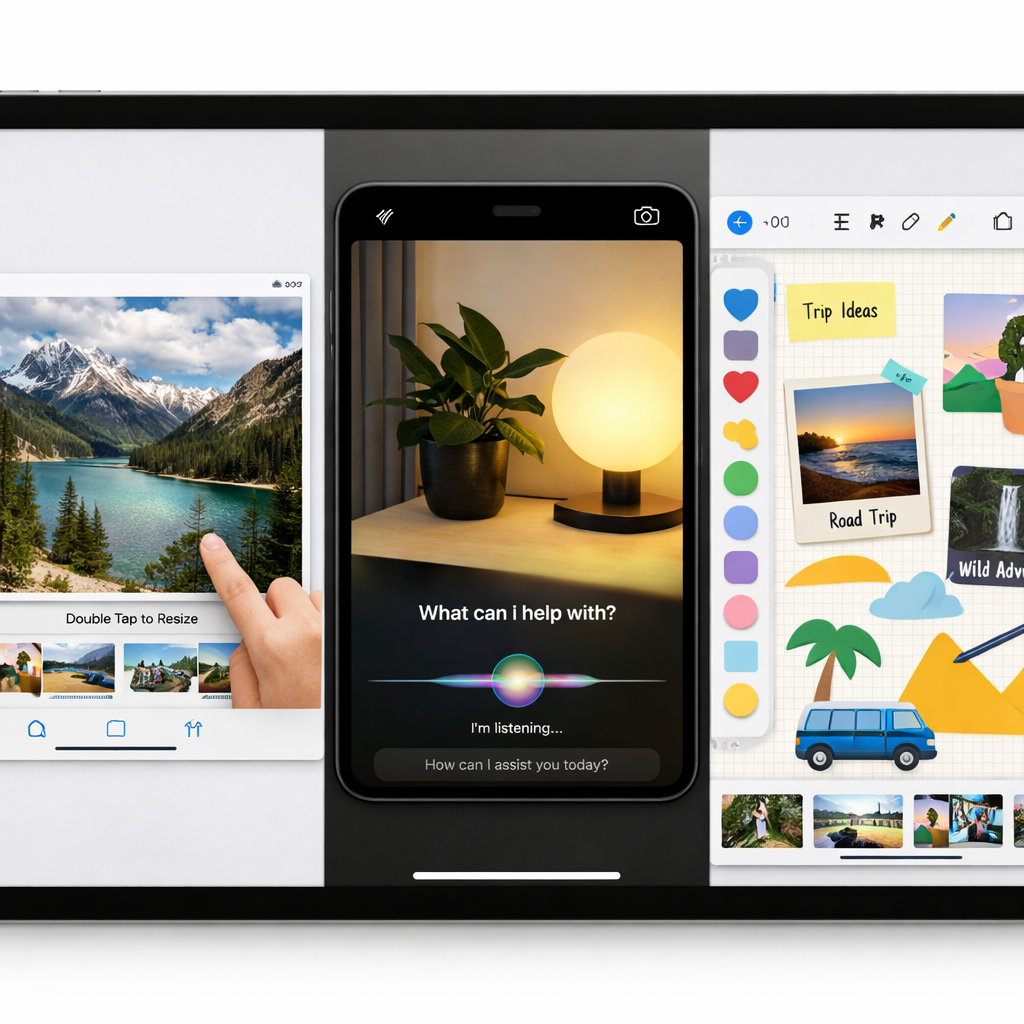
A new gesture enables resizing a window by double-tapping its title bar. With “Windowed Apps” enabled under Settings → Multitasking → Gestures, users will see a new toggle called “Double-tap Top of Window to Zoom.” This allows quickly switching a window between fullscreen and its prior size—helpful for switching between tasks or temporarily maximizing focus without losing layout context.
Siri mode lands in the Camera app
With iPadOS 27.3 comes a new Camera-based Siri mode. Though iPhones gained this visual intelligence feature earlier, it was absent from iPad until now. The upgrade lets users point the iPad’s camera at objects and ask Siri questions about them directly through a dedicated camera mode, avoiding the need for custom shortcuts or external controls. The move reflects Apple’s ongoing efforts to bring its evolving Siri AI vision features more tightly into the core user experience.
Freeform gets creative tools and smart design features
The Freeform app, already a favorite for sketching ideas and layouts, gains several capabilities. Users can edit images within third-party apps like Pixelmator Pro and preview those edits right on a Freeform board. There’s also support for creating custom shapes from text prompts, applying new text styles, and choosing from preset background colors for boards. Note: the image editing and custom shape tools require a subscription to Apple Creator Studio. These tools will also be available across macOS and iOS, but the iPad experience appears especially enhanced given its display size and touch interface.
These three features—window resizing gesture, Camera app Siri mode, and Freeform improvements—highlight a shift toward making multitasking more fluid, AI interactions more natural, and creative workflows more integrated across the Apple ecosystem.
Why this matters: These updates address longstanding gaps in iPad usability. The new double-tap resizing gives power users a quick way to adjust windows without diving into menus. Bringing Siri’s visual intelligence into the Camera app reduces friction for identifying objects and getting context. And Freeform’s richer toolset, especially for subscribers, bridges creativity with productivity—ideal for students, designers, or anyone using the iPad as a creative hub. What to watch: how well these features perform in the final release—especially gestures and AI scene recognition—and whether they arrive smoothly across older iPad models without performance lag.