Apple’s Mail app in iOS 27 is getting its biggest overhaul yet, with improvements that make search smarter, replies more personal, and Siri more deeply integrated. Email feels more responsive—both in terms of speed and context-based behavior—while cleaner UX tweaks help surface the right actions when you need them.
Smarter Search Gets Real
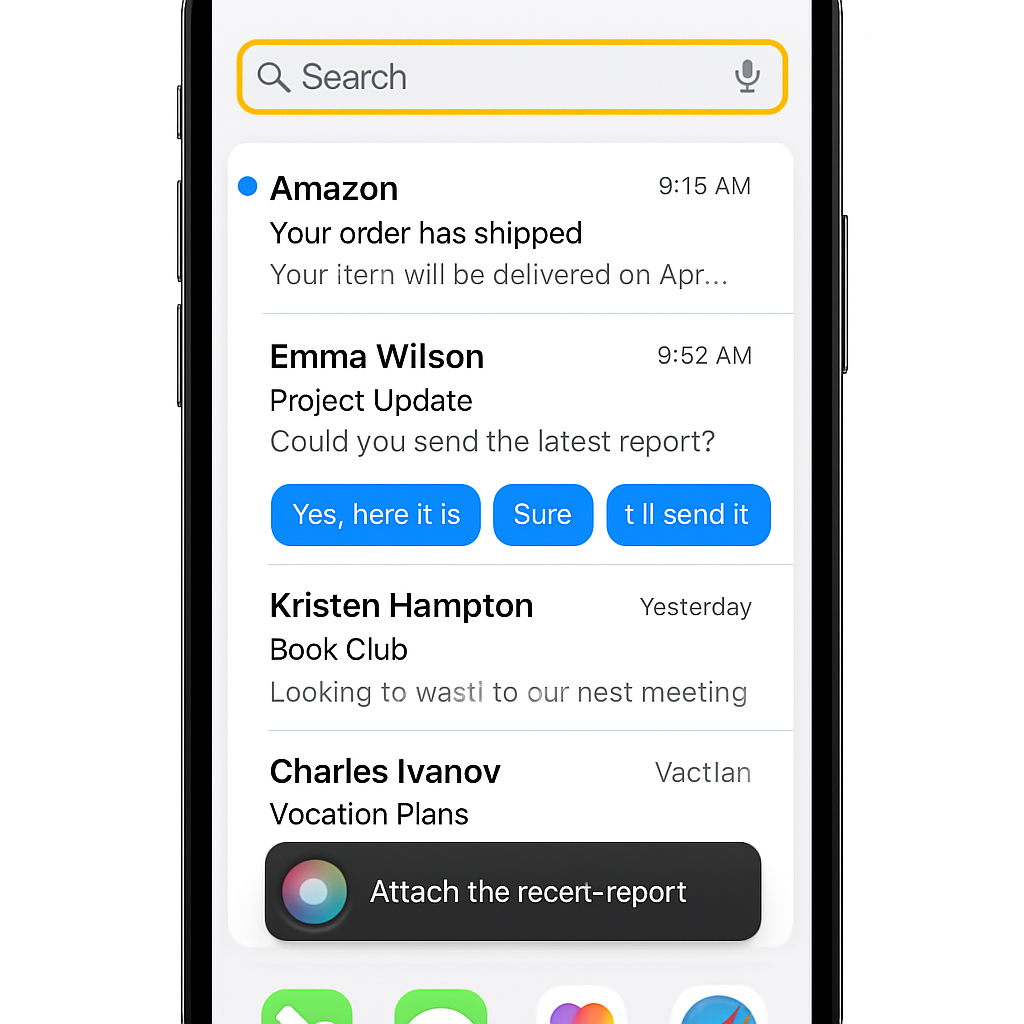
One of Mail’s biggest pain points has historically been its weak search—but iOS 27 is changing that. A revamped ranking system now prioritizes the most relevant emails, even those buried deep in your inbox. Searching for that long-lost thread? Chances are it’ll surface with ease now. More reliable indexing and a faster message-loading experience supplement the upgrade, addressing perennial snags such as slow retrieval and haphazard unread badge behavior.
Suggestions, Replies & Third-Party Insights
The familiar “suggestions” box now supports third-party apps. Got a tracking number in an email? In addition to Apple Wallet, other apps installed on your device can now prompt actions. With multiple relevant apps, you’ll see a drop-down menu to choose from. The idea: more flexibility in how you act on what you read.
Replying feels more yours. The improved Smart Reply feature adapts to your personal writing style, moving beyond generic canned responses. It tailors suggestions so replies reflect how you actually communicate, rather than sounding like templates.
Siri Learns to Do More in Mail
Apple is embedding AI-driven Siri functionality throughout Mail. For example, you can ask Siri to delete all messages from a given sender that overwhelms your inbox with spam. Across the app, “Ask Siri” buttons appear at logical points to let you issue commands or requests without leaving your message view. Siri in Mail is now more than voice-assist—it’s a workflow helper.
Polished Under the Hood
Beyond the headline features, the Mail app is smoother in day-to-day use. Bug fixes in iOS 27 touch multiple areas: message loading is visibly quicker; search indexing behaves more predictably; list formatting is cleaner; and the unread badge count is more accurate. It’s not flashy, but these enhancements matter when you use email dozens of times a day.
These upgrades come as part of Apple’s broader strategy of infusing its apps with more intelligence, better responsiveness, and deeper app integration across iOS. For Mail users, it means less time hunting messages or fighting with outdated UI behaviors.
What it means: if you rely heavily on Apple Mail for personal or work use, iOS 27’s update can streamline your workflow significantly. Smart Search and Smart Reply reduce friction; third-party suggestions unlock richer possibilities; Siri integrations give you hands-free control. What to watch: how well the new ranking handles huge inboxes, how seamlessly third-party app suggestions work without being annoying, and whether Siri earns your trust as a reliable assistant rather than a novelty.