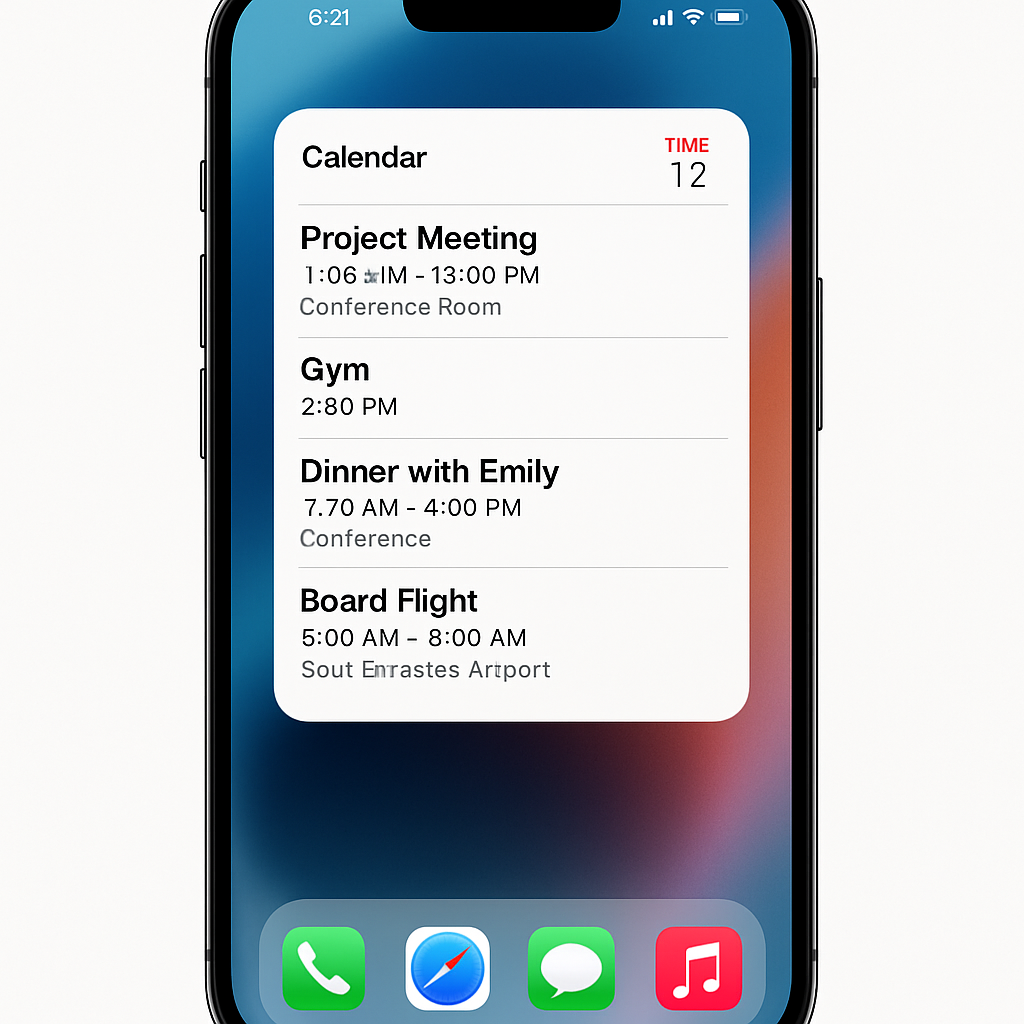
Apple’s iOS 27 introduces significant enhancements to the Home Screen experience, notably through the addition of extra-large widgets for various native applications. Among these, the Apple Calendar app stands out with two new expansive widget options designed to provide users with a more comprehensive view of their schedules directly from the Home Screen.
The first of these widgets, termed ‘List,’ offers a compact yet detailed overview of upcoming events. This format is particularly beneficial for users who prefer a concise display of their schedule without the need to open the full Calendar app. The second widget, ‘Up Next,’ focuses on highlighting imminent events and meetings, ensuring that users are promptly informed about their immediate commitments.
These extra-large widgets occupy a 4×6 grid space on the Home Screen, approximately equivalent to an entire page. This substantial size allows for the display of extensive information, making it easier for users to stay organized and informed about their schedules at a glance. For those who may not wish to dedicate a full Home Screen page to these widgets, integrating them into the Today View offers a practical alternative, providing the same benefits without occupying additional space.
The introduction of these widgets aligns with Apple’s broader initiative to enhance user interaction and personalization on iOS devices. By offering more substantial and informative widgets, Apple aims to streamline the user experience, reducing the need to open individual apps for routine information checks. This development is particularly timely, considering the anticipated release of the iPhone Ultra, which is expected to feature a larger display, thereby accommodating these expansive widgets more comfortably.
Incorporating these new widgets into daily use can significantly improve productivity and time management. Users can now access a comprehensive view of their upcoming events and reminders directly from the Home Screen, facilitating better planning and organization. This enhancement reflects Apple’s commitment to evolving its ecosystem to meet user needs, emphasizing convenience and efficiency.
As iOS continues to evolve, the focus on customizable and informative widgets suggests a trend towards more personalized and user-centric design. This shift not only enhances the aesthetic appeal of the Home Screen but also contributes to a more intuitive and efficient user experience. Users are encouraged to explore these new widget options to fully leverage the capabilities of iOS 27 and optimize their daily routines.