Apple has released the fifth beta of iOS 27, bringing a series of refinements and new features as the official launch approaches. This update focuses on enhancing user experience through visual updates and expanded customization options.
Revamped App Icons
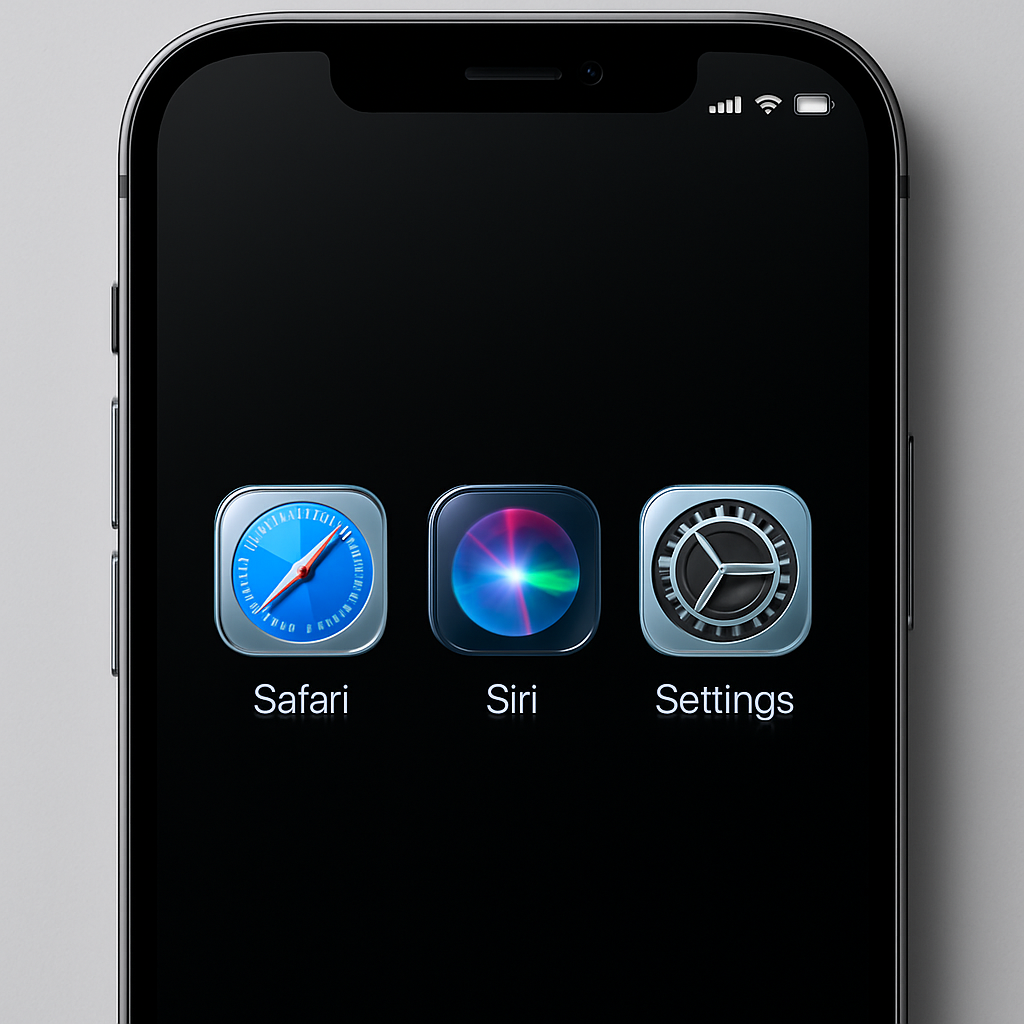
Several native applications have received updated icons featuring the Liquid Glass design. Notably, Safari, Siri, Settings, Remote, App Store, and Preview have undergone visual transformations. Some icons have been completely redesigned, while others now display increased detail, contributing to a more cohesive aesthetic across the system.
Enhanced Siri Voice Customization
Siri’s voice customization capabilities have been expanded in this beta. Users can now adjust the Pace and Expressivity settings for all seven American and four British voice options. This on-device feature is available exclusively on the iPhone 17 Pro, iPhone 17 Pro Max, and iPhone Air models.
Improved Contact Management
The Contacts app now displays associated company names directly beneath contact names in the list and search results. This enhancement allows users to quickly identify professional affiliations without needing to open individual contact cards.
Wallet App Expansion
The ‘Create a Pass’ feature within the Apple Wallet app has been extended beyond the United States, enabling users in additional regions to generate passes for various services and events directly from their devices.
Informative Splash Screens
Upon opening the Photos, Wallet, and Music apps, users are greeted with new splash screens that highlight the latest features introduced in iOS 27. These screens provide concise overviews, ensuring users are informed about recent updates.
Refined Search Functionality
The Search and Ask interfaces have received subtle animation improvements, resulting in a smoother user experience. Additionally, a ‘Search the Web’ option has been added at the bottom of search results, offering users a direct link to web searches. Users can now also customize the display of app results in search, choosing to show none, four, or eight apps, and toggling app shortcuts as desired.
Control Center Adjustments
When connected to Wi-Fi, the Control Center no longer displays cellular connection information, streamlining the interface and reducing potential confusion.
As Apple continues to refine iOS 27, these updates demonstrate a commitment to enhancing both the visual appeal and functional customization of the operating system. Users can anticipate a more personalized and intuitive experience upon the official release.