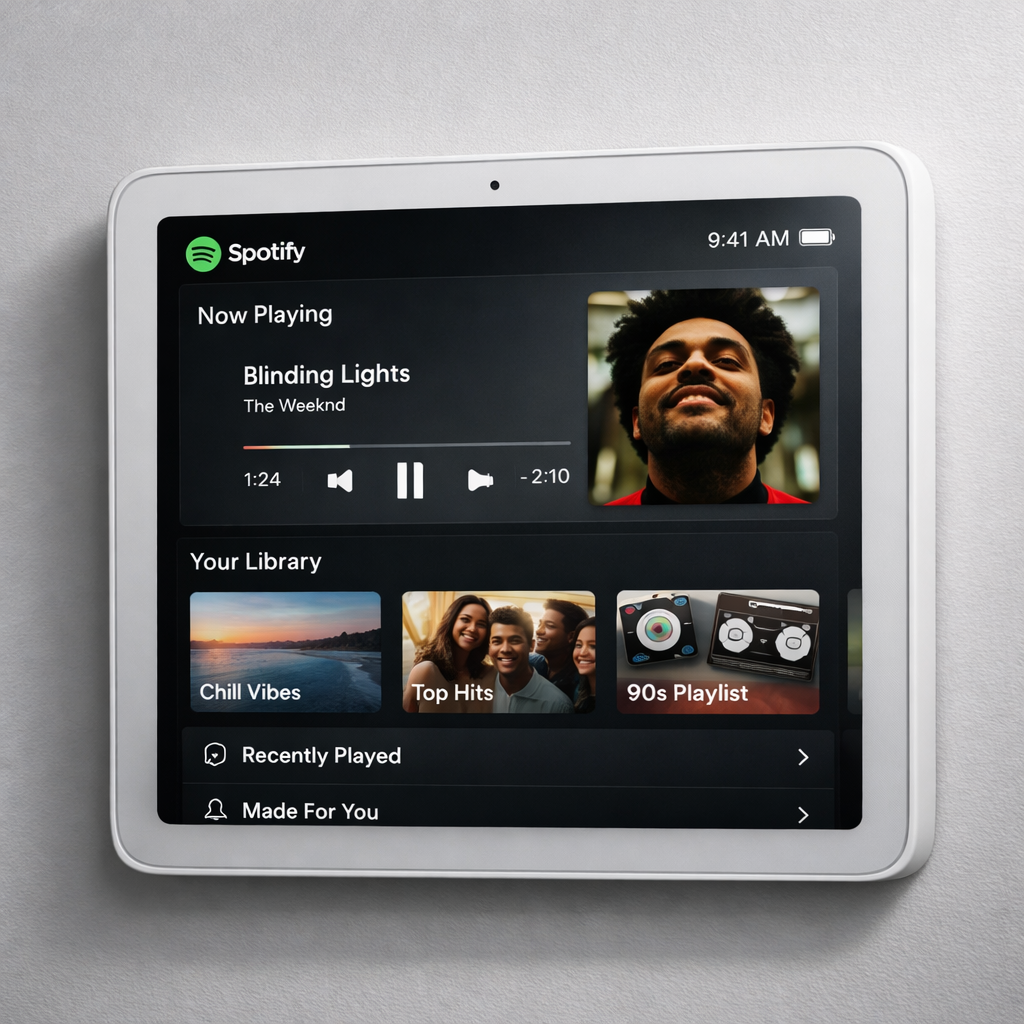
Apple’s upcoming smart home hub, HomeView, set to launch on November 13 after opening for pre-order, supports mirroring of CarPlay-enabled apps, allowing iPhones to display compatible audio and video apps—Spotify among them—without any adaptation needed. The built-in Apple apps remain familiar, including Music, Podcasts, Calendar, Weather, and several others. Third-party apps that work with CarPlay such as Spotify, however, are included under the umbrella of “supported audio and video apps.”
Mirroring vs. Native Apps
HomeView doesn’t feature an App Store. Instead, it mirrors apps from a paired iPhone that have CarPlay support. This means apps like Spotify don’t run natively but are projected from the iPhone to HomeView via CarPlay protocol. The hub essentially acts as a display extension for apps already certified for CarPlay. Apple’s first-party apps remain fully integrated directly into the HomeView.
What Spotify Looks Like and Why It Matters
Developer Steve Troughton-Smith shared a glimpse of Spotify in action on HomeView using a virtualized environment. The preview reveals that Spotify’s interface appears largely unchanged, almost identical to how it appears on CarPlay in cars, since no special redesign is required for HomeView. The visual design, navigation, and media controls mirror the CarPlay version. All functionality comes from the iPhone while HomeView shows the output and passes touch or hover interactions back.
Built-In Apps vs. Supported Third-Party Apps
Apple ships HomeView with a suite of first-party apps: Alarms, Calendar, FaceTime, Find My, Home, Intercom, Messages, Music, Podcasts, Reminders, Safari, Settings, Timers, Weather, and World Clock. Third-party apps included in the “CarPlay-enabled” category are Apple News, Apple Music Classical, Apple TV, Audiobooks, and “supported … audio and video apps like Spotify.” These third-party titles rely on the same CarPlay compatibility to show up on HomeView.
Release and Availability
HomeView is up for pre-orders now. It officially hits the market on Friday, November 13. At that point, users with iPhones that support CarPlay can use HomeView to display their compatible apps such as Spotify via mirroring.
While HomeView isn’t specially optimized for each third-party app’s interface, this approach still brings a variety of media services—Spotify included—into the smart home ecosystem with minimal overhead. For users already embedded in Apple’s ecosystem who often use CarPlay, it offers a straightforward extension of what they’re already doing in their cars.
Analysis: Apple’s strategy with HomeView looks to prioritize consistency and simplicity over customizing each app for a home dashboard. By leaning on CarPlay compatibility, Apple avoids the complexity of maintaining a full App Store experience while ensuring major third-party services like Spotify are accessible from day one. What to watch: how responsive these mirrored apps feel in daily use, latency, and whether more third-party apps beyond the usual suspects adopt CarPlay-support to be HomeView-ready. If performance issues arise, demand may grow for a native app model or more optimized user interfaces.