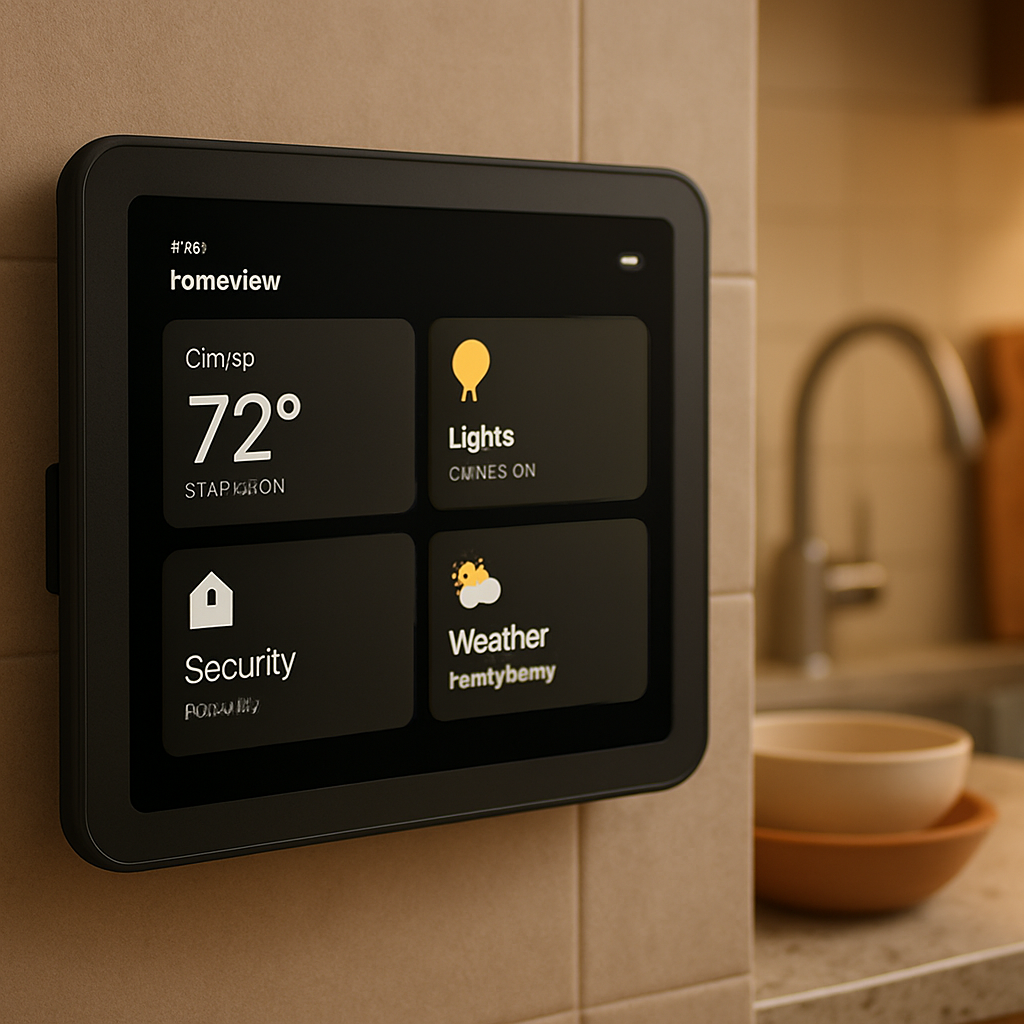
Apple’s newly revealed HomeView device earns praise for its sleek design and smart-home integration—but it comes with a glaring shortcoming: there’s no App Store, and users can’t install third-party apps. Stock apps might be supported, but for anyone hoping to use productivity tools like OmniFocus, Paprika, or Fantastical on the HomeView, those remain out of reach. Right now it’s nothing more than a hub for widgets and Apple’s own apps.
Hardware Innovation, Software Limitations
HomeView introduces a new form factor at a new screen size in Apple’s lineup—one smaller than even an iPad. While Apple’s iOS has adapted for other device types in recent years, those devices still lean heavily on the App Store and allow installs from third-party developers. HomeView, by contrast, effectively forces users into Apple’s ecosystem—if you want more than a set of built-in tools, you’re out of luck.
The product leans heavily on the upgraded Siri AI, making it central to most interactions with HomeView. But despite advances, the experience remains imperfect. Users are running into odd missteps from Siri—asking for a route but being prompted to call someone instead of getting directions, or having messages prefixed unnecessarily. These issues highlight that reliance on Siri alone still presents barriers for a seamless user experience.
Real-World Needs vs Ideal Use Cases
Many early adopters see HomeView as a potential kitchen companion. In ovens and pantries, having access to apps like Paprika for recipes or dynamic tools like Fantastical for calendar and reminders would make the device useful in ways Apple’s substitutes can’t match. But with those apps unavailable and only widgets or limited Apple apps to show, HomeView feels more like a fixed display than a fully capable assistant.
Even the built-in hardware—sensors, screens, clock functionality—promises enough for many goals. But when software flexibility is sacrificed, so is adoption. Optimally, HomeView could replace things like mounted iPads, smart wall clocks, or kitchen displays. For now, those looking for such flexibility will likely stick with more versatile devices.
Apple hasn’t explained why the App Store isn’t part of HomeView’s launch. Perhaps the company feels the device’s use cases don’t yet demand it. But as soon as people try using HomeView in a household—not just as a novelty—a missing app store will be one of its first limitations.
HomeView’s design and AI suggest Apple is experimenting with a new category—something between smart home display and personal assistant. It could shine in shared spaces like kitchens, living rooms, or bedstands. But without support for third-party apps, the device’s value will be constrained by what Apple includes, rather than what developers can add.
Ultimately, HomeView’s lack of an app marketplace may prevent it from being the complete home hub many users want. If Apple introduces an App Store later, it would unlock much of its potential. For the moment, the device’s “Achilles’ heel” is precisely that: its software limitations. It’s good hardware with a rigid ecosystem—but for a device intended for the heart of the home, that rigidity may be its biggest flaw.