Apple is putting a new spin on wearable AI with its freshly introduced Audio Intelligencefeatures in the first developer beta of iOS 27.3 and watchOS 27.3. Users of Apple Watch Series 12 (and Ultra 4) now have access to tools that don’t just listen, they try to make sense of what’s heard—offering summaries of conversations via Siri Recaps, letting you rewind recent speech, detect background sounds, and identify songs. It’s impressive work—but it also raises uncomfortable questions.
What’s New: Beyond Song and Siren
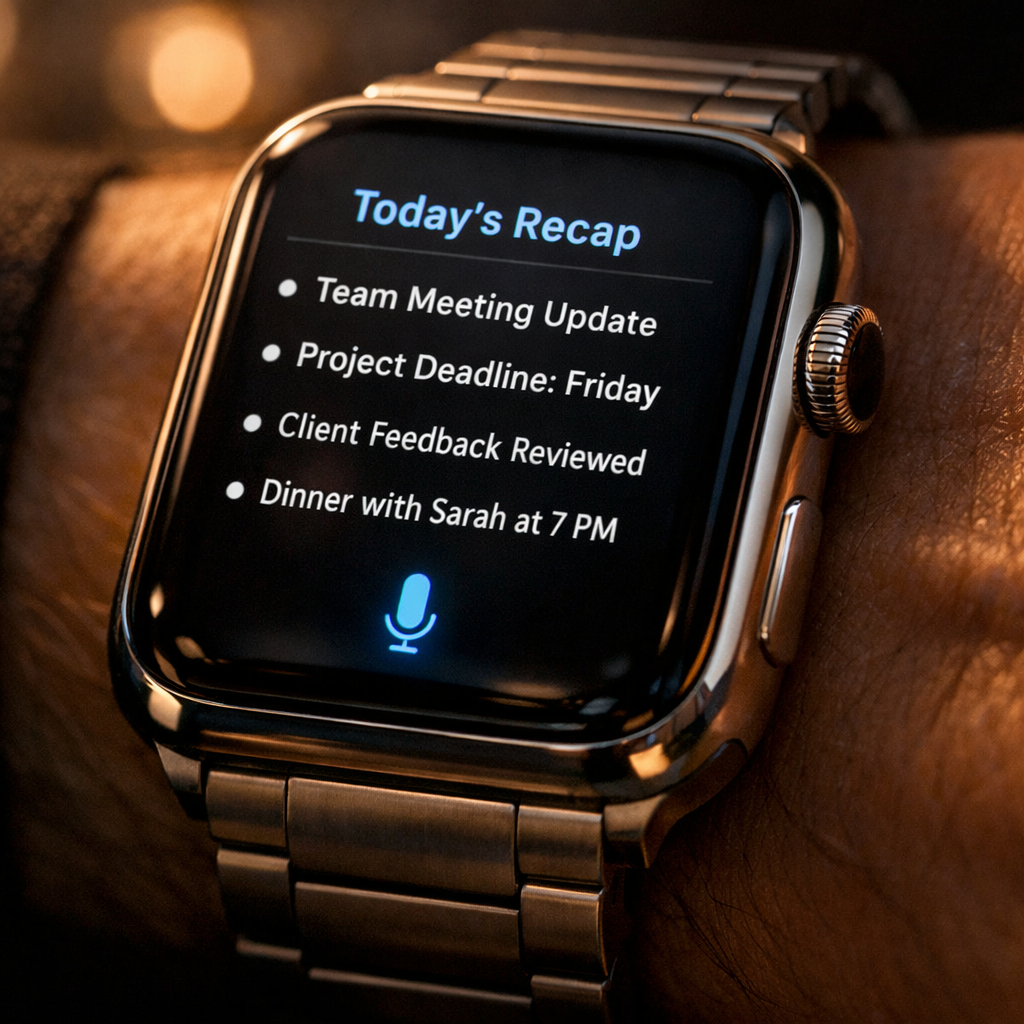
The suite of four features consists of Sound Recognition (alerts for alarms, doorbells, sirens, etc.), Music Recognition powered by Shazam, Live Rewind, and Siri Recap. The first two are more familiar: your Watch can now spot important sounds even when your iPhone is elsewhere, and detect what song is playing nearby—both quietly useful for staying aware. Live Rewind, though, is more novel: by double-pressing the Digital Crown, you get a 15-second text snippet of something just said, in case you missed it. Siri Recap is the most ambitious: it ambiently listens during your day and generates high-level summaries—titles, bullet points, key takeaways—that you can later review. If enabled, it auto-deletes recaps after seven days unless you save them. None of these are default; all are opt-in.
Privacy & Control: Guardrails, But Gaps Remain
Apple claims these tools are designed with “privacy by design.” Raw audio is never stored or accessible—it’s processed in a secure hardware Exclave in the S11 chip, then deleted. Live Rewind text snippets are only shown upon request and automatically vanish after roughly 30 seconds unless saved. Siri Recaps summaries are created using Private Cloud Compute, which handles encrypted, condensed conversation transcripts. Also, these summaries don’t attribute speakers or include full transcripts, and they’re filtered to exclude sensitive content: financial data, account numbers, government IDs, hateful or self-harm language, and other personal identifiers. You decide when and where Recaps activate—always, by schedule, location, or even off at night. Everything you save is end-to-end encrypted across devices.
Still, using Recaps means you’re letting your watch listen in a lot—and that can feel invasive. During testing, Siri Recaps picked up details you’d rather not memorialize—what show you plan to watch, casual family talk, or conversational filler. And when things get mixed together—car repair prices alongside errand lists, for example—it can get noisy. Also, editing or deleting junk content is tedious: swiping to remove a bullet-point isn’t possible currently; exporting notes to Notes app requires extra effort.
For anyone like me who often misses quick verbal details—time frames, pickup policies, or pricing—Siri Recaps delivers undeniable practical value. In one episode, while dropping off a car and dealing with rentals, the Watch recalled deductible amounts, repair dates, and fuel policies without me scrabbling for pen and paper. But the surrounding chatter ended up in those recaps as well—some irrelevant, some private. That tug of usefulness versus discomfort is real.
Live Rewind is less of a continuous awareness tool and more of a quick-fix for momentary gaps: miss something in conversation, press twice, read the recent snippet. I found myself preferring it for misunderstandings, rather than as something I’d use constantly. Siri Recaps, by contrast, becomes more helpful the more you rely on them—but also more prone to collecting noise.
The Android/voice assistant space is already winding through similar tensions. Amazon’s Echo buds, Google’s Recorder app, and others offer live transcription, audio capture, or ambient listening in various forms. For Apple, the question is whether this system hits the right balance between continuity, utility, and respect for privacy—a different path from recording everything, but still quite intrusive by previous norms.
Bottom line: Siri Recaps is one of those tools you might quietly thank your watch for. But you may also occasionally cringe at what it thought was worth saving. For people who want to stay in the moment without scrambling for notes—or who get frustrated asking “What did she just say?”—this could become indispensable. For others who value conversation privacy or detest having devices always listening, it may be too much.
This matters because as Apple rolls these features out beyond beta—watchOS 27.3 is expected to go public in December, alongside iOS 27.3—the decisions users make now will shape expectations around privacy and consent. Will Apple refine the ability to filter out trivial content? Add better tools for editing or dismissing picks? Make clear what’s stored, what’s ephemeral? These are the questions to watch, because they’ll define whether Audio Intelligence feels empowering—or ominous.