Google Photos has introduced a new setting that allows users to disable the ‘shimmer’ animation effect associated with its sticker creation feature. This update addresses user feedback regarding the visual distraction caused by the shimmer effect.
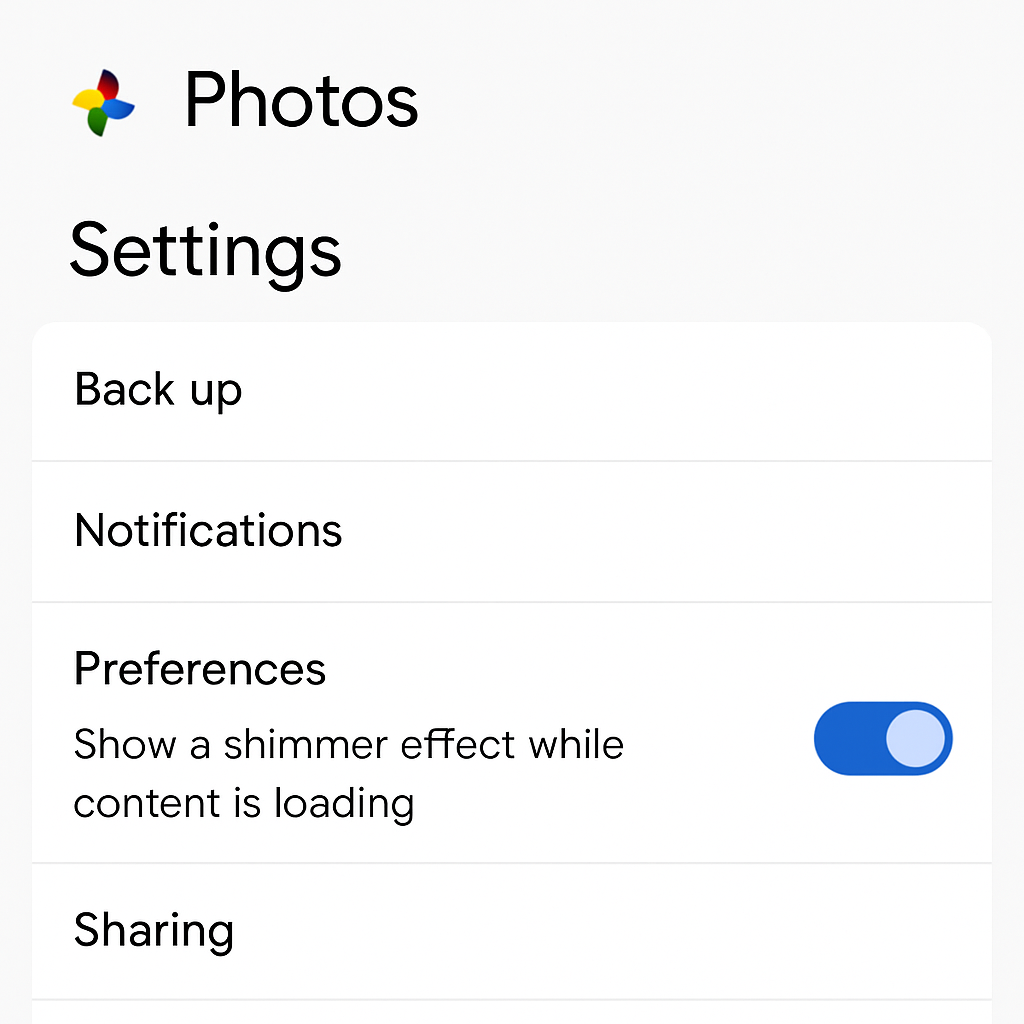
The shimmer effect highlights subjects within photos that can be converted into stickers by outlining them with a subtle animation. While this feature aids in identifying sticker-eligible subjects, some users have found it distracting. In response, Google has provided an option to turn off this animation.
To disable the shimmer effect in Google Photos, follow these steps:
- Open the Google Photos app on your device.
- Tap on your profile picture to access the menu.
- Select ‘Photos settings.’
- Navigate to ‘Preferences.’
- Under ‘Photo view,’ toggle off the ‘Show shimmer’ option.
By default, the shimmer effect is enabled, but users can now choose to disable it at any time through the settings menu.
Google Photos introduced the sticker creation feature in August 2025 for iOS users, allowing them to transform subjects from their photos into personalized stickers. This feature was later rolled out to Android devices in February 2026. The shimmer effect was implemented to assist users in identifying and selecting subjects suitable for sticker creation.
In addition to this update, Google Photos has been actively enhancing user experience by introducing features such as the ‘AI Enhance’ button for image editing and video playback speed controls, both rolled out in April 2026. These updates reflect Google’s commitment to refining its services based on user feedback and technological advancements.
Providing users with the option to disable the shimmer effect demonstrates Google’s responsiveness to user preferences, allowing for a more personalized and comfortable photo viewing experience. As Google Photos continues to evolve, users can anticipate further enhancements that balance functionality with user comfort.