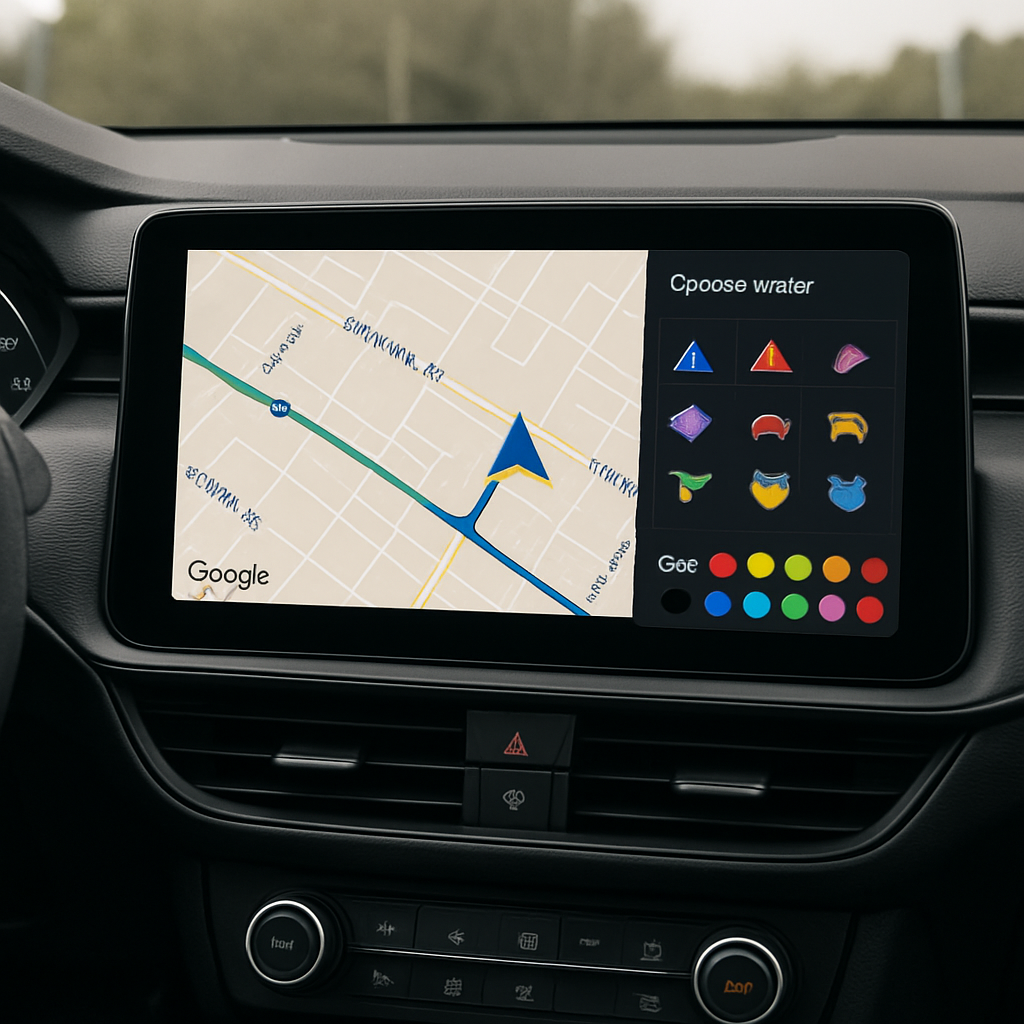
Android Auto users can now customize their Google Maps navigation icon—what Google calls the “driving avatar”—directly from their car’s display. Previously, changing this avatar required digging into settings on your phone, even though the feature had already been visible in Android Auto and CarPlay since mid-2025. About a year ago, Google introduced the ability for these custom avatars and colored navigation arrows to appear on car displays, though setup still demanded using your mobile device.
New In-Car Avatar Picker
The update rolling out now introduces a dedicated “driving avatar” setting within Android Auto’s Maps interface. It lives alongside familiar options like home/work shortcuts and alert customizations. Drivers tapping this new entry will be able to select a navigation icon and pick a color—mirroring the customization tools already available on their phones.
This change appears to be arriving via a server-side update rather than a software patch. Observers saw the feature emerge in Android Auto version 17.8.163744 and Google Maps version 26.38.01.980791571. Still, not everyone with those versions has the new avatar picker yet—indicating a rollout that’s gradual rather than universal.
What’s Also Changing
One minor but noticeable removal: the “Jimothy” Easter egg is no longer present. It was discovered during a teardown of Android Auto 17.8, and it seems never intended for widespread release. The purge of this quirky detail suggests Google is streamlining the experience as it rolls out broader customizations and UI clean-ups.
In context: Google Maps’ avatar feature has long allowed users to swap the standard blue arrow for a personalized icon and color, but only via phone settings. Enabling the same via the car dash simplifies the workflow and makes customization more accessible while driving.
What to Watch: If you have Android Auto 17.8.163744 or Maps 26.38.01.980791571 but don’t see the picker, it’s likely just a matter of time before it reaches your device. As Google leans into more integrated car display features, expect deeper dashboard controls for personalization in future versions.
This change may seem small, but it underscores how incremental interface improvements can make a difference on the road. Direct avatar editing keeps drivers’ attention where it belongs—on navigating, not fumbling with settings on a phone. Keep an eye on Android Auto version updates, server-side flags, and announcements from Google for similar feature rollouts.