Google Introduces AI Edge Gallery for macOS, Enabling Local Execution of Gemini Models
Google has expanded its AI capabilities to macOS with the launch of the AI Edge Gallery, allowing Mac users to run Gemini models directly on their devices. This development offers enhanced privacy, offline functionality, and improved performance for AI tasks.
Background on Local AI Models
Traditionally, large language models (LLMs) like ChatGPT, Claude, and Gemini operate via cloud services, requiring an internet connection and raising potential privacy concerns. Local models, in contrast, run directly on a user’s device, offering several advantages:
– Privacy: Data remains on the device, reducing exposure to external servers.
– Offline Access: AI functionalities are available without an internet connection.
– Performance: Utilizing the device’s processing power can lead to faster responses, especially on high-performance hardware.
While local models may be smaller and less complex than their cloud-based counterparts, they are still highly effective for many applications.
Introducing Google AI Edge Gallery for macOS
Google’s AI Edge Gallery, previously available for Android and iOS, is now accessible to macOS users. This platform enables the execution of AI models locally on Mac computers, aligning with the growing demand for on-device AI processing.
Key Features of AI Edge Gallery:
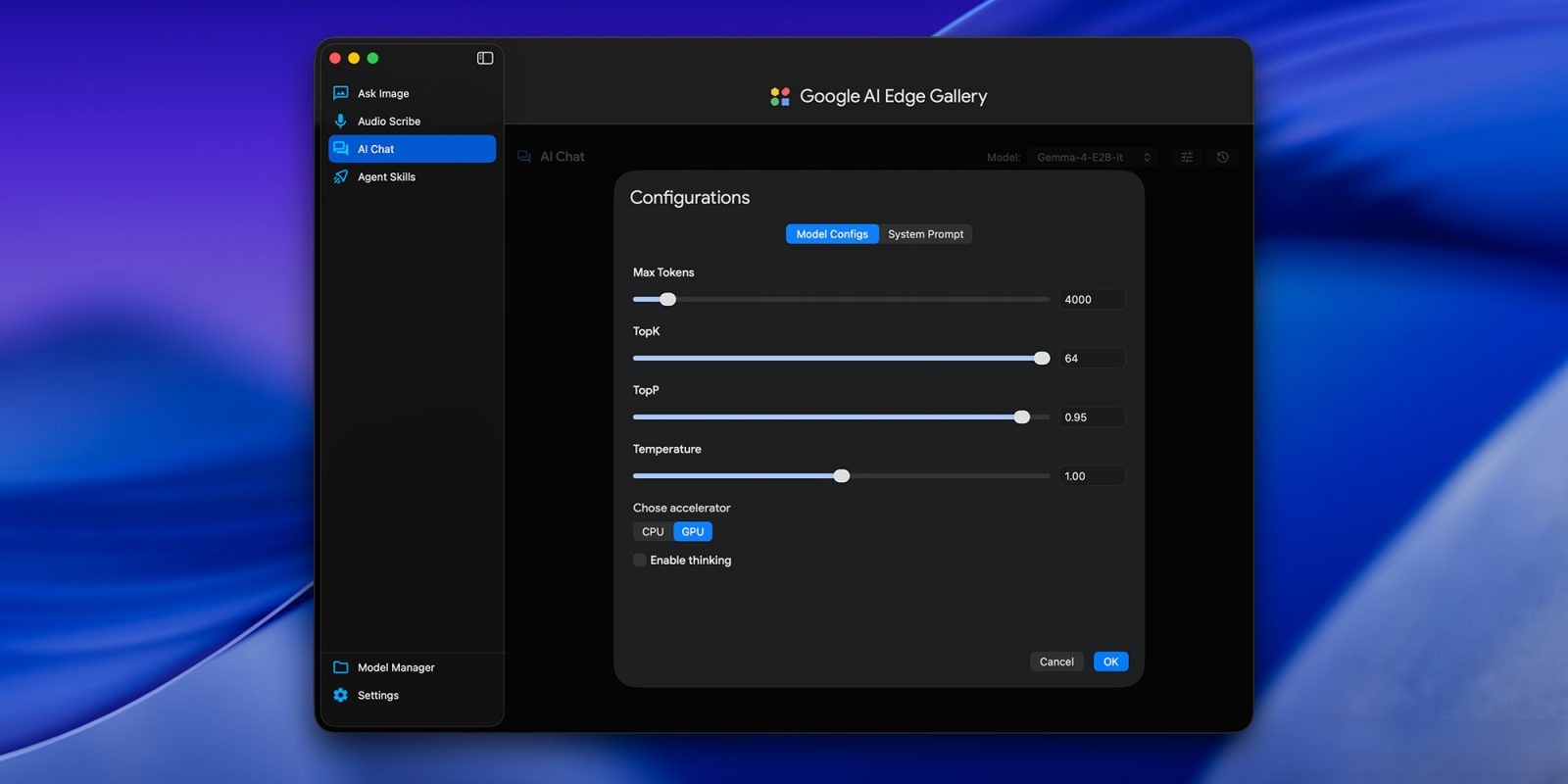
– Model Selection: Users can choose from five of Google’s proprietary models, each tailored for specific tasks:
– Gemma-4-12B-it
– Gemma-4-E2B-it
– Gemma-4-E4B-it
– Gemma-3n-E2B-it
– Gemma-3n-E4B-it
The it suffix indicates that these models are instruction-tuned, optimized to follow user directives effectively.
– Gemma 4 12B Model: A standout among these is the newly released Gemma 4 12B model. Designed for agentic, multimodal intelligence, it handles text, vision, and audio inputs. Despite its 12-billion-parameter architecture, it delivers performance comparable to larger models, making it suitable for consumer laptops with 16GB of RAM.
Advantages of Using AI Edge Gallery on macOS
– Enhanced Privacy: Running models locally ensures that sensitive data does not leave the user’s device, addressing privacy concerns associated with cloud-based AI services.
– Offline Functionality: Users can access AI features without relying on an internet connection, ensuring uninterrupted productivity.
– Optimized Performance: Leveraging the Mac’s hardware capabilities allows for efficient processing, with performance scaling according to the device’s specifications.
Getting Started with AI Edge Gallery on macOS
To utilize the AI Edge Gallery on a Mac:
1. Download and Install: Obtain the AI Edge Gallery application from Google’s official website and follow the installation instructions.
2. Select a Model: Choose from the available Gemini models based on your specific needs and hardware capabilities.
3. Configure Settings: Adjust preferences to optimize performance and resource allocation according to your Mac’s specifications.
4. Begin Usage: Start interacting with the AI models for tasks such as content generation, data analysis, coding assistance, and more.
Future Prospects
The introduction of AI Edge Gallery to macOS signifies a broader trend towards on-device AI processing. As hardware continues to advance, it’s anticipated that more sophisticated models will become accessible for local execution, further enhancing privacy and performance.
Google’s commitment to expanding AI accessibility is evident in this release, providing Mac users with powerful tools to integrate AI into their daily workflows seamlessly.