Google Transforms Chrome into an AI-Powered Workplace Assistant
In a significant advancement for enterprise productivity, Google has unveiled new AI-driven features for its Chrome browser, aiming to streamline workplace tasks and enhance user efficiency. Announced during the Google Cloud Next conference, these enhancements introduce auto browse capabilities powered by Google’s Gemini AI model, alongside robust security measures to safeguard organizational data.
Auto Browse: Revolutionizing Task Automation
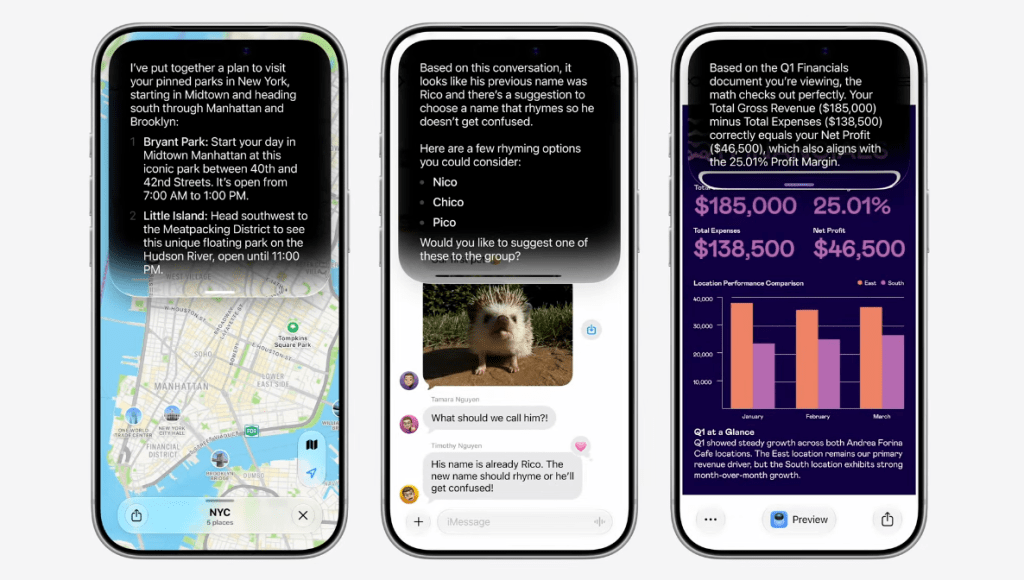
The auto browse feature leverages Gemini’s advanced AI to comprehend the context of open browser tabs, enabling it to perform a variety of tasks autonomously. Users can now delegate routine activities such as booking travel arrangements, entering data into company systems, scheduling meetings, and other web-based operations to the AI. For instance, Gemini can extract information from a Google Doc and populate it into a Customer Relationship Management (CRM) system, compare vendor prices across multiple tabs, summarize a candidate’s portfolio before an interview, or gather key data from a competitor’s product page.
Despite the automation, Google emphasizes the necessity of human oversight. Users are required to review and confirm the AI’s actions before finalizing any task, ensuring accuracy and maintaining control over the workflow. This approach aims to expedite repetitive tasks, allowing employees to focus on more strategic and value-added activities.
Skills: Customizable AI Workflows
Complementing the auto browse functionality, Google introduces Skills within Chrome. This feature allows users to save and reuse their most frequent AI prompts, transforming them into one-click tools. By typing a forward slash (/) or selecting from a menu, users can quickly access these customized workflows, enhancing productivity and reducing the time spent on repetitive tasks. The Skills library includes ready-made templates for common activities, such as meal planning or product comparison, which users can customize or expand upon.
Enhanced Security Measures
To address potential security concerns associated with AI integration, Google is expanding its Chrome Enterprise Premium capabilities. IT administrators can now detect and manage unsanctioned AI tools and compromised browser extensions within their organizations. This Shadow IT risk detection feature provides visibility into both approved and unapproved Generative AI (GenAI) and Software as a Service (SaaS) applications, enabling IT teams to monitor and control AI usage effectively.
Additionally, Google is enhancing its partnership with Okta to bolster security in the AI-driven workplace. New features aim to reduce session hijacking risks and introduce other protective measures, ensuring a secure environment for AI-assisted workflows. Integration with Microsoft Information Protection (MIP) further helps organizations enforce consistent security policies across their digital infrastructure.
Implications for the Workplace
The integration of AI into Chrome signifies a transformative shift in how employees interact with web-based tools. By automating routine tasks and providing intelligent assistance, these features have the potential to significantly boost productivity. However, the success of this integration depends on effective implementation and user adoption. Organizations must ensure that employees are adequately trained to utilize these tools and that there is a clear understanding of the balance between automation and human oversight.
Moreover, while AI promises to alleviate mundane tasks, there is a need to monitor its impact on workload and employee expectations. Studies have indicated that AI can sometimes intensify work rather than reduce it, making it crucial for organizations to manage these tools thoughtfully to truly enhance employee well-being and productivity.
Conclusion
Google’s introduction of AI-powered features in Chrome represents a significant step toward integrating intelligent automation into everyday workplace activities. By combining advanced AI capabilities with stringent security measures, Google aims to provide a seamless and secure experience for enterprise users. As these features roll out to Workspace users in the U.S., organizations have the opportunity to redefine their workflows, fostering a more efficient and innovative work environment.