Google Enhances Gemini Overlay with Dynamic Color and Integrated ‘Screen Content’ Feature
Google continues to refine the Gemini overlay on Android devices, introducing Dynamic Color theming and integrating the ‘Screen content’ feature for a more cohesive and user-friendly experience.
Dynamic Color Integration
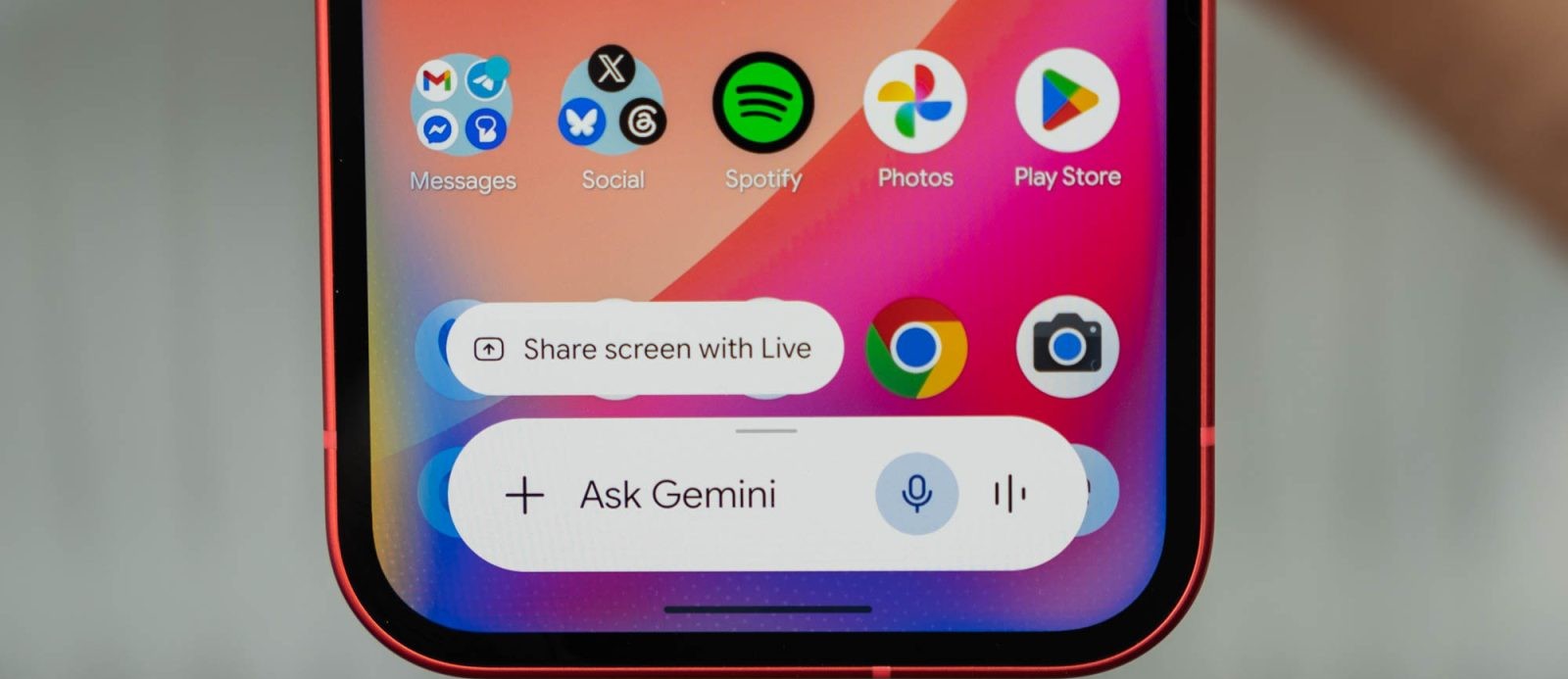
The Gemini overlay now incorporates Dynamic Color, aligning its appearance with the user’s system theme. This enhancement is particularly noticeable in dark mode, where the text field and accompanying chips have transitioned from gray to a color scheme that reflects the user’s chosen palette. In light mode, changes are subtler, primarily affecting the microphone icon and the ‘plus’ menu. The menu sheet now exhibits a tint, and carousel options are more prominently themed, providing a visually consistent interface.
This update is being rolled out with Google app beta version 17.28. Users can compare the overlay’s new appearance by opening the Gemini app, noting that Dynamic Color is currently exclusive to the overlay and not yet available in the full chat experience.
Integration of ‘Screen Content’ Feature
In addition to visual enhancements, Google has streamlined the functionality of the Gemini overlay by integrating the ‘Screen content’ option directly into the main carousel. This feature allows users to capture their current display and add it to their prompt seamlessly. Previously, ‘Screen content’ was listed among tools like Images and Personal Intelligence. Its new placement alongside Photos, Camera, Files, Drive, and Notebooks offers a more compact and efficient user experience.
This change is widely available in the stable channel with version 17.26 of the Google app. Users who do not see the update are advised to force stop the Google app to prompt the changes.
Background and Context
These updates follow Google’s significant ‘Neural Expressive’ redesign unveiled at I/O 2026. The introduction of Dynamic Color to the Gemini overlay aligns with Google’s broader initiative to implement Material You design principles across its applications, ensuring a personalized and cohesive user interface.
The ‘Screen content’ feature’s integration reflects Google’s commitment to enhancing user productivity by reducing the steps required to capture and utilize on-screen information. By placing this feature within the main carousel, users can more efficiently incorporate screen captures into their interactions with Gemini.
User Experience and Accessibility
The adoption of Dynamic Color in the Gemini overlay not only enhances aesthetic appeal but also improves accessibility. By aligning the overlay’s color scheme with the system theme, users benefit from a more intuitive and less disruptive experience. This consistency is particularly beneficial for users with visual impairments, as it reduces cognitive load and enhances readability.
The repositioning of the ‘Screen content’ feature within the main carousel simplifies the user interface, making it more accessible and reducing the time required to perform tasks. This change is indicative of Google’s user-centric approach to design, focusing on efficiency and ease of use.
Technical Implementation
The rollout of these features is managed through updates to the Google app. Users participating in the beta program receive the Dynamic Color update with version 17.28, while the integration of ‘Screen content’ into the main carousel is available in the stable release version 17.26. To ensure the updates take effect, users may need to force stop the Google app via the device’s settings.
Future Prospects
Google’s continuous refinement of the Gemini overlay suggests a commitment to evolving its AI-driven interfaces. Future updates may further integrate Material You design elements and expand the functionality of the overlay to include additional tools and features that enhance user interaction and productivity.
As Google gathers user feedback and monitors the performance of these updates, it is likely that subsequent iterations will address any identified issues and introduce new enhancements that align with user needs and preferences.
Conclusion
The recent updates to the Gemini overlay on Android devices, including the adoption of Dynamic Color and the integration of the ‘Screen content’ feature into the main carousel, reflect Google’s ongoing efforts to provide a personalized, efficient, and accessible user experience. These changes not only enhance the visual appeal of the overlay but also streamline functionality, demonstrating Google’s commitment to user-centric design and continuous improvement.