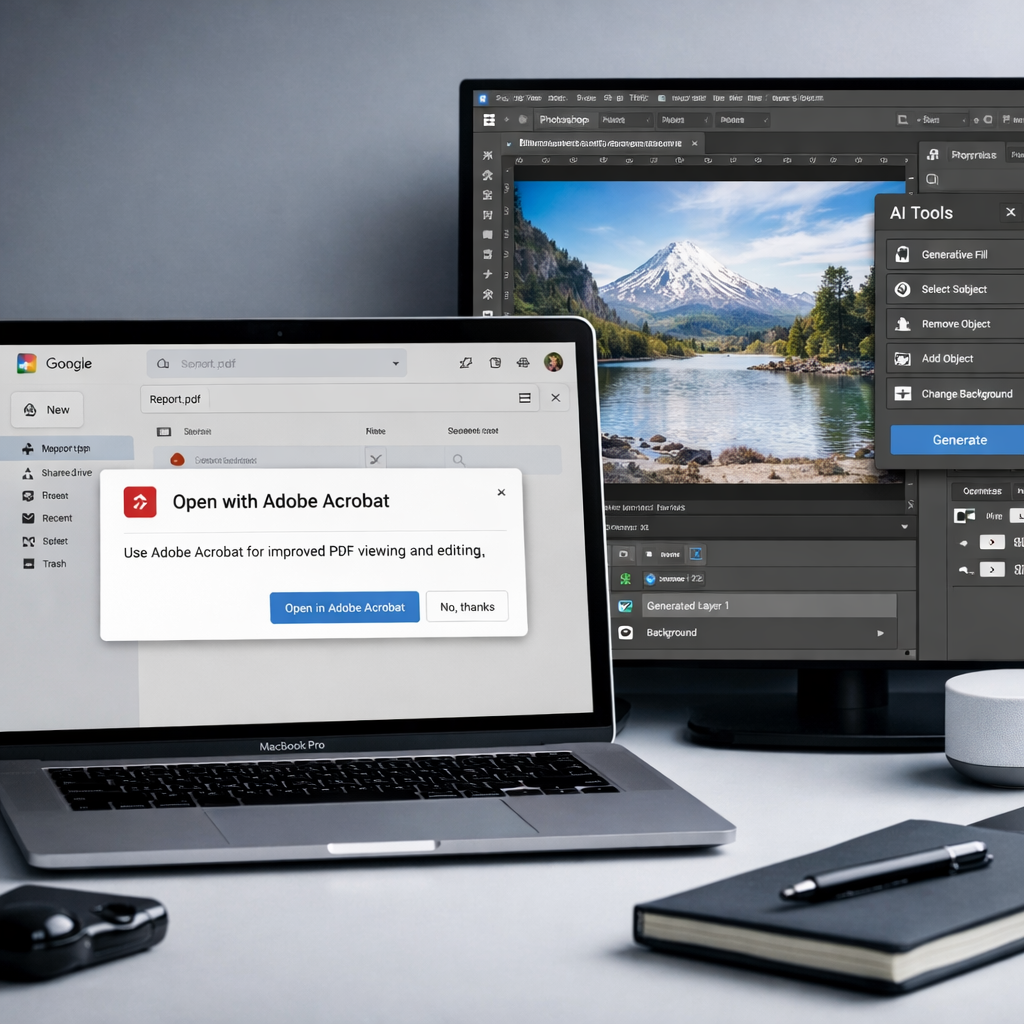
Google is forging deeper integration with Adobe to streamline how users work with PDF files and creative tools across Drive, Gmail, and its Gemini AI platform. The new partnership will prompt Google Drive and Gmail users to open PDFs in Adobe Acrobat and build functionality into Gemini and Photoshop to better edit and manipulate content—without being forced to switch apps constantly.
Starting soon, when a user accesses a PDF via Drive or Gmail, Google will suggest opening it in Adobe Acrobat, creating a near-seamless transfer rather than having to download or manually move files. This won’t bring Acrobat’s editing tools into Drive itself, but is meant to reduce friction when moving between Google’s cloud storage and Adobe’s document tools.
Gemini to Leverage Adobe’s Creative Capabilities
Beyond PDFs, this alliance reaches into Google’s AI stack. Gemini—including Gemini Enterprise and Google AI Mode in Search—will gain access to Adobe’s creative toolset. Although Google hasn’t released full details, this could allow users to edit files directly from AI-powered interfaces, managing and tweaking content from the get-go. Photoshop is also on deck for tighter integration: Google hints at future updates that could let Gemini-powered features drive image edits within Photoshop for more ambitious creative work than currently possible.
One of the more intriguing promises is evolving image editing to “near-real-time” responsiveness, though no timeline has been confirmed. Google emphasized that Acrobat suggestions in Drive and Gmail should roll out first, with Gemini-driven enhancements to follow later.
Why It Matters
This move reflects broader trends in reducing app-switching and fusing cloud storage, AI, and creative tools. Google Drive’s built-in PDF tools have often lagged behind users’ expectations, particularly when complex edits or design work is required. By linking Acrobat directly into Drive and folding Adobe’s toolbox into Gemini, Google is attempting to elevate its ecosystem for both individual creators and business users.
Adobe, once the standard for creative professionals, has been challenged by cloud-native alternatives. Aligning with Google boosts its reach into AI workflows, especially given Gemini’s growing role in search and content generation. The integration could reshape how people draft, edit, and polish content—from marketing assets to technical docs—without jumping between platforms.
What to Watch For:
- Rollout timing for Acrobat suggestions in Gmail and Drive, since those are expected first.
- Details on what “Gemini-accessible editing” in Photoshop and AI Mode will actually allow—e.g. what file types, latency, control over layers.
- How this affects subscription models: will these integrations require Adobe Creative Cloud or Acrobat Pro licenses?
- User experience shifts: whether the suggestion prompt becomes a seamless bridge or just another click.
Ultimately, this Google-Adobe collaboration marks a sharp push toward unifying storage, AI, and creative tools. If executed well, it could cut down on context-switching, speed up workflows, and redefine expectations for cloud-native editing in a world increasingly leaning on AI.