Google has revamped the Gemini app on Android with a major redesign of its in-app camera and added a new GIF creation feature. These updates aim to make image additions to prompts smoother and more flexible for users. The new camera UI has already rolled out widely in Gemini version 17.76+ (beta and stable), and users not seeing it yet may need to force-stop the Google app.
Smoother, Modern Camera Interface
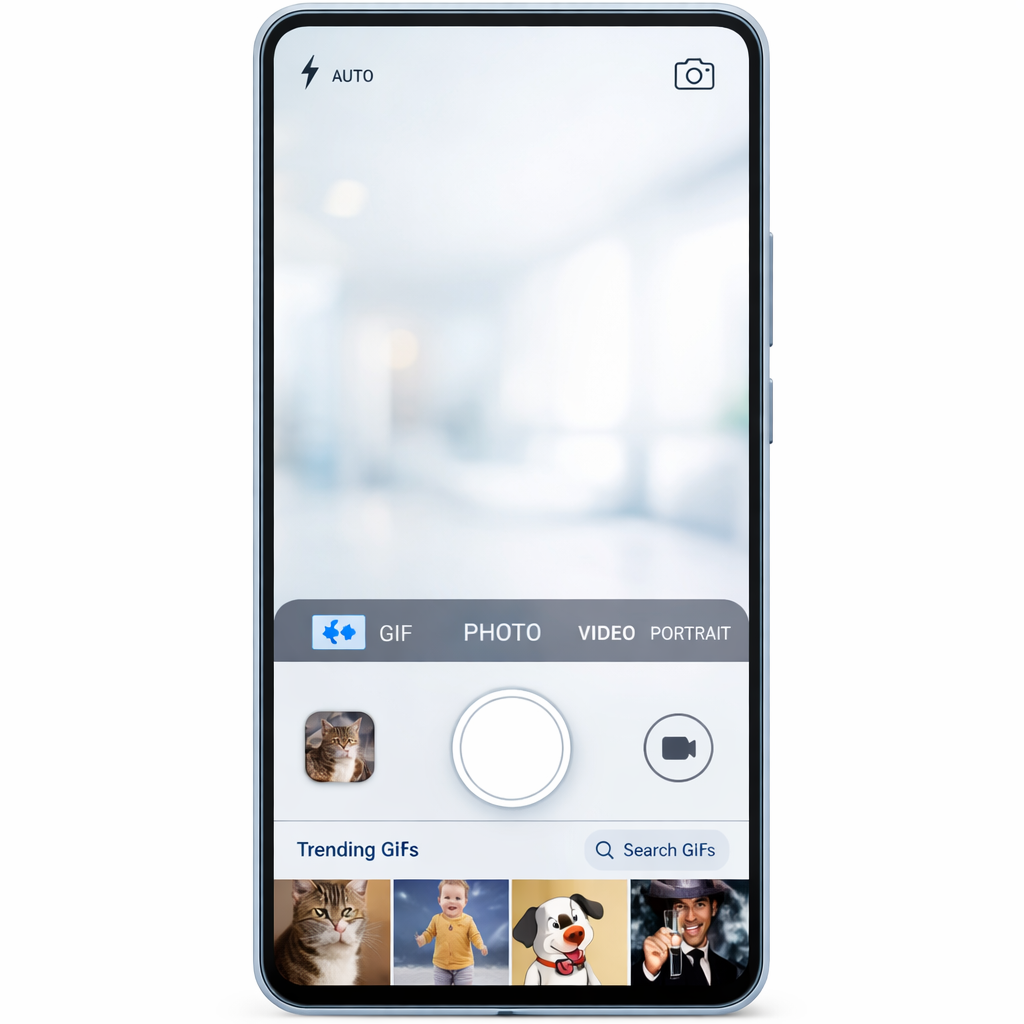
The old camera launch method—via the plus button in the prompt box—opened a fullscreen viewfinder offering nothing special beyond basic functionality. Now, the camera appears inline on Gemini’s homepage or within a conversation, popping up as a bottom sheet that you drag up, complete with a sleek animation. This design stretches the interface nearly edge-to-edge, even behind the system navigation bar, creating a much more immersive feel.
Controls have been reimagined too. There’s a three-dot menu to the right of the capture button that opens up options like flash control and toggling the front-facing camera. A back arrow sits on the opposite side, and you can also swipe down to exit. The update mirrors the version first introduced in Gemini for iOS before making its way to Android.
GIF Creation Powered by Gemini Omni 1.2 Flash
Alongside the UI refresh, Gemini has introduced a GIF-creation feature. Now users can either select GIF from a new “Format” menu or include “Create a GIF” in their prompt. This is powered by Gemini Omni 1.2 Flash, a video model designed to deliver smooth animations and consistent image quality across all frames. The feature is positioned as a substitute for searching for existing GIFs, letting users generate custom ones instead.
The GIF tool launched publicly on November 20, offering looping photo effects or meme-style visuals tailored to user input. This marks the latest step in Gemini’s ongoing push toward integrating more creative, user-generated media tools directly into the AI assistant experience.
These changes arrive as Gemini continues to evolve from a text-centric assistant into a rich, multimedia platform. With the Android camera UI now more responsive and less intrusive, and users able to make their own GIFs via Gemini Omni 1.2 Flash, the app is becoming more versatile—one that supports more creative workflows without leaving its interface. What to watch next: whether image editing, filters, or even video capture get similarly attention; and whether Gemini can keep pace with competition already strong in visual media and prompt engineering.