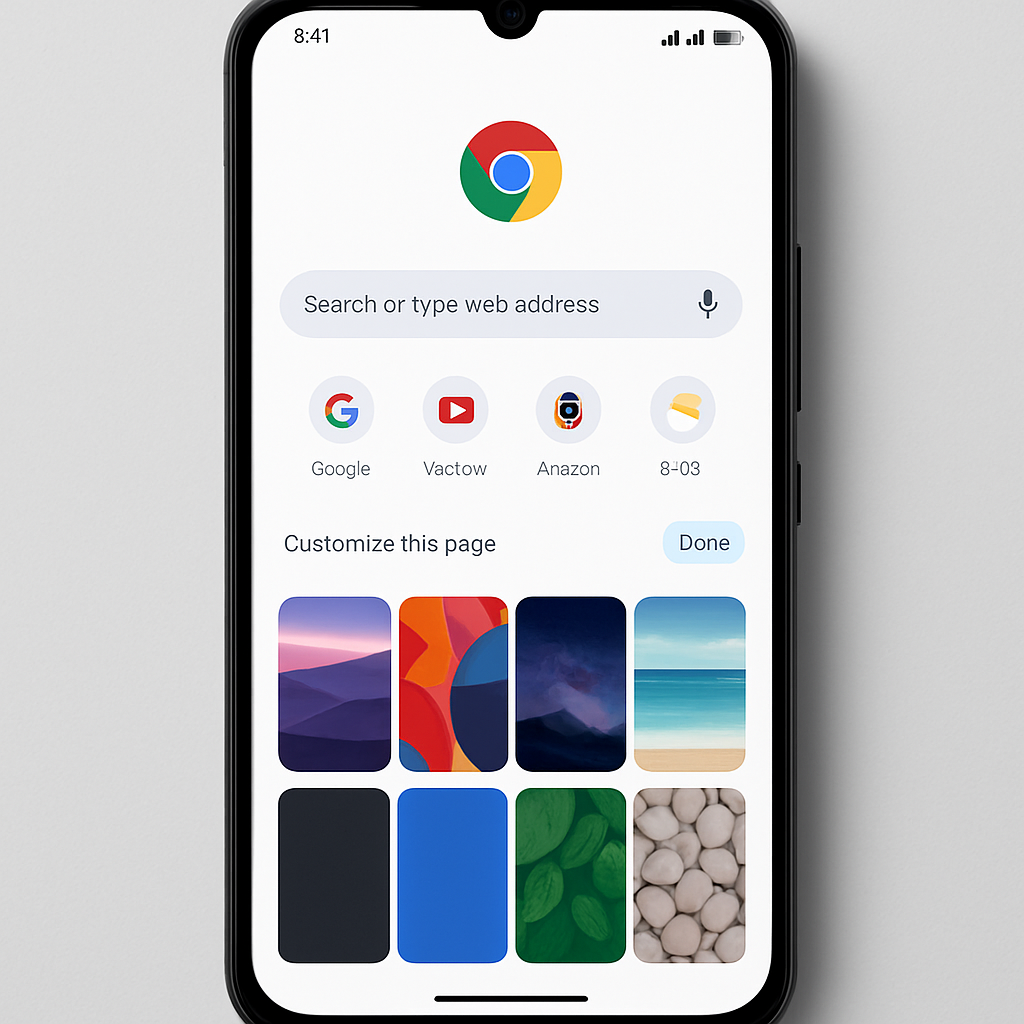
Google has enhanced Chrome for Android by introducing the ability to personalize the New Tab Page with custom backgrounds and themes, aligning the mobile experience more closely with its desktop counterpart.
To customize the New Tab Page, users can access the three-dot menu and select “Customize new tab page.” This option, previously limited to managing shortcuts, cards, and the Discover feed, now includes an “Appearance” section. Within this section, users can choose from several options:
- Chrome Default: Utilizes the Dynamic Color theme.
- Upload an Image: Allows selection of a personal image via the system file picker.
- Chrome Colors: Offers nine tri-color themes.
- Refresh Daily: Cycles through selected backgrounds daily.
Additionally, the “Theme Collections” feature provides curated categories such as Landscapes, Architecture, Earth, Patterns, Illustrations, and Gradients, each containing multiple images.
Once a background is selected, it not only updates the New Tab Page but also influences the overall Chrome interface, including the tab switcher, to maintain a cohesive aesthetic.
This customization feature is being deployed through a server-side update with Chrome version 150. Users who do not immediately see the “Now you can customize your homepage” prompt can expedite the update by force-stopping the browser via the App info settings.
Notably, this functionality was introduced to Chrome for iOS in April, and its expansion to Android signifies Google’s commitment to providing a consistent and personalized browsing experience across platforms.
The introduction of customizable backgrounds in Chrome for Android reflects a broader trend towards user personalization in software design. By allowing users to tailor their browsing environment, Google enhances user engagement and satisfaction. This feature also demonstrates the company’s dedication to aligning mobile and desktop experiences, ensuring a seamless transition for users across devices. As personalization becomes increasingly important to users, such updates are likely to become standard across various applications.