Apple’s iOS 27 brings its most ambitious CarPlay update yet—revamped voice assistant features, video app support, fresh designs, and more. If your vehicle supports the latest version, here’s what to expect.
Siri Gets Smarter—and More Like an AI Companion
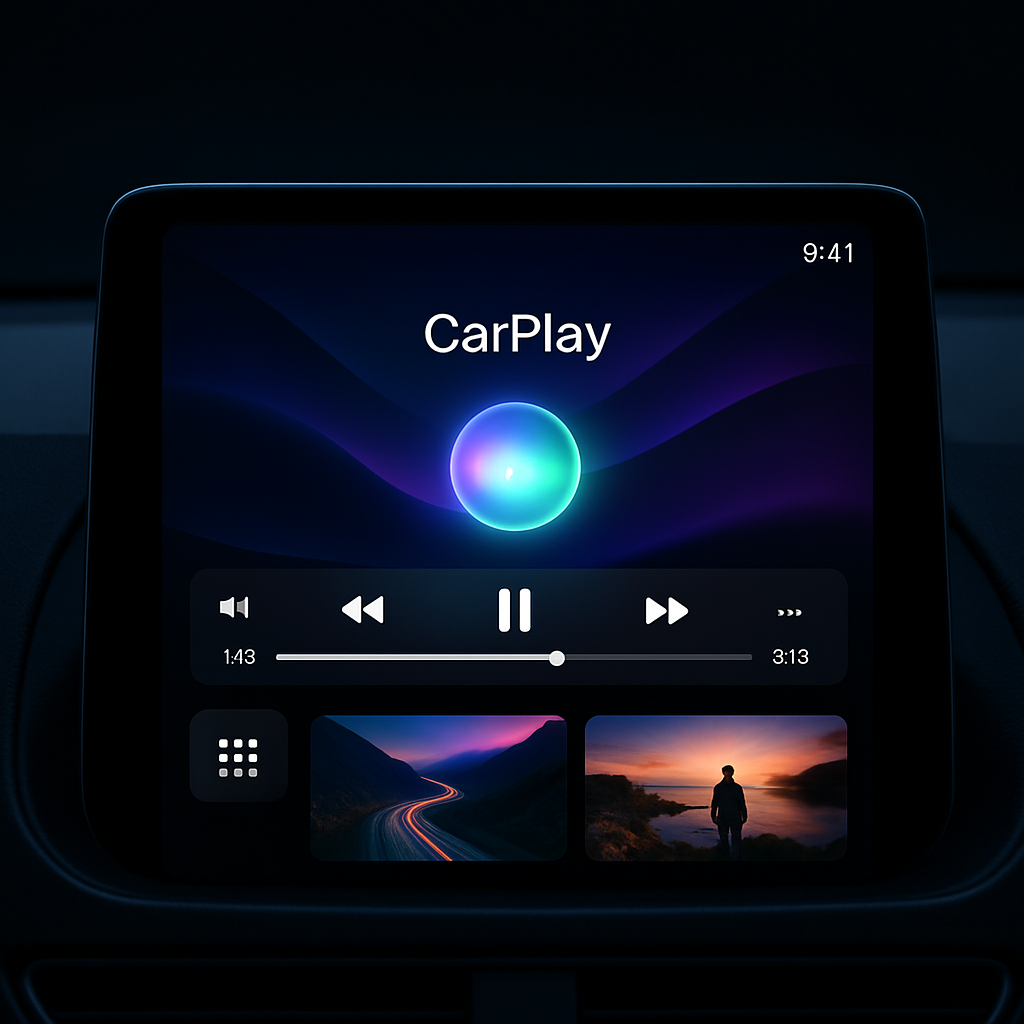
The biggest change in iOS 27 for CarPlay is the introduction of “Siri AI,” a major overhaul of Apple’s assistant. It’s now capable of handling freeform conversation more naturally—maintaining context through exchanges much better than before. Visually, Siri displays as a glowing orb at the bottom-center of the screen, a more subtle design echoing pre-iOS 18 styles.
Conversations you have with Siri while driving will be synced with the Siri app on your iPhone so you can revisit them later. CarPlay-based chats are tagged with a car icon in your history, offering continuity between your drive and your phone’s interface.
Video Goes Native—When Your Car Supports It
Previously, CarPlay users could stream content via AirPlay while parked. iOS 27 expands that by allowing developers to build dedicated video apps for CarPlay. That means you’ll now be able to browse and watch video directly from the CarPlay display—if the automaker has enabled the new video-in-car feature.
This isn’t a universal rollout: even with OS support, video apps will only appear if the vehicle’s system supports them. But for users in compatible cars, it’s a big step toward turning CarPlay into more of a full multimedia platform.
Design Tweaks and UI Refreshes
iOS 27 fine-tunes CarPlay’s visual and interactive experience. Media apps now offer a MiniPlayer in the top-right corner, showcasing album/artwork and playback controls more clearly than the previous waveform-style icon. The Now Playing screen adds larger progress bars with audio scrubbing for music, podcasts, and audiobooks.
Icons across CarPlay have also been redesigned, adopting Apple’s newer Liquid Glass style seen elsewhere in iOS 27. And, to round things out visually, new wallpapers now match the aesthetic of iOS 27 and macOS Golden Gate—bringing consistency across devices.
Apple’s improvements to CarPlay in iOS 27 reflect a broader push toward making in-car tech more capable and seamless. Smarter Siri, native video support, cleaner visuals—these all signal Apple’s intent to deepen CarPlay’s role not just as a navigation or audio hub, but as a full-fledged in-car entertainment and assistant ecosystem.
What This Means Going Forward
With these changes, CarPlay is closer to becoming a central cockpit OS. But widespread impact will hinge on carmakers embracing the new features—especially video. For users, getting iOS 27 is just the start. Whether you’ll experience the full upgrade depends on your vehicle’s compatibility and whether manufacturers sign on. Watch for automakers’ software updates or new vehicle models to unlock everything announced today.