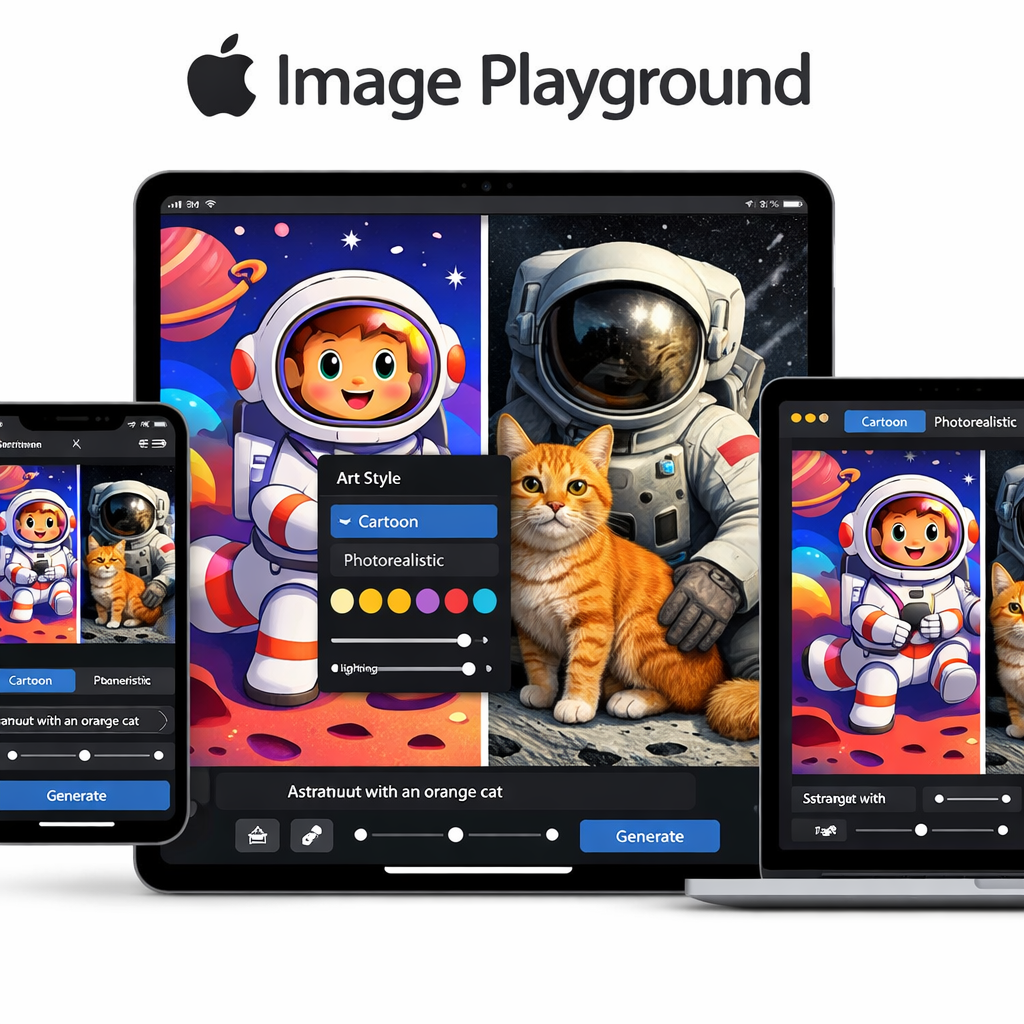
Apple’s Image Playground has undergone a major refresh and is now becoming a genuinely useful creative tool—far better than its original version. Since its debut in December 2024 bundled with Apple Intelligence on iOS 18.2, iPadOS 18.2, and macOS Sequoia 15.2, Image Playground impressed with promise but underdelivered in flexibility and realism. Its initial styles—Animation, Illustration, and Sketch—produced colorful, cartoon-like outputs that lagged behind competitors focused on photorealistic rendering. Suggestions, limited concept mixing, and constraints on photo realism made it feel more like a novelty than a serious design tool.
Substantial Upgrades: Photorealism, Native Model & Editing Powers
This changed at WWDC 2026, when Apple introduced sweeping changes in the version tied to iOS 27, iPadOS 27, and macOS 27. The tool gained a new internal generative model and now, through Apple’s Private Cloud Compute system, can produce vastly more realistic images—not just stylized illustrations. Also added: enhanced editing tools that let users tweak existing photos by describing changes via natural language. Image Playground can now make simple adjustments like amplifying colors, swapping or removing background elements, or altering specific parts of an image—no sliders or manual masking required.
The ability to select, isolate, replace, or reposition an object with a tap, brush, or selection circle brings a level of fine-grained control the earlier version lacked. A version history feature preserves previous iterations so users can revert changes or build on earlier experiments. The improved “Any Style” mode gives creators the freedom to request various visual approaches and the native model handles most requests while OpenAI’s ChatGPT model remains available as an alternate style option.
Remaining Frictions: Aspect Ratios, Prompt Limits & Cloud Trade-offs
While current presets for image proportions—square, landscape (16:9), portrait (9:16)—represent a clear step up from the fixed square output of the past, they still aren’t enough. Many use-cases like print, photography, or social graphics often require formats such as 4:3 or 3:2, which aren’t supported yet. Using presets or cropping after the fact isn’t a full solution when you’re aiming for a specific layout from the start.
Another hurdle: certain prompts remain restricted—requesting “Barbie,” for example, may be blocked or ignored, while more generic terms like “doll” work fine. Such limitations reflect content policies or trademark sensitivity. Also, more serious creative work or complex prompts sometimes reveal shortcomings in the new generative model when compared with specialized tools.
Because the photorealistic generation now runs in the cloud, user requests count toward daily usage limits. GPU resources, system demand, and complexity of requests factor into how many generations a user can perform. To address this, Apple plans added transparency in upcoming versions—iOS 27.3 will notify users as they approach their allotted usage, and iCloud+ subscribers on higher tiers will enjoy boosted allowances. An invisible watermark system called SynthID is now applied to most creations to allow detection of AI-generated or AI-modified content without visible marking.
Integration across Apple’s ecosystem is also stronger. Users can invoke Image Playground in Messages, Freeform, Pages, Keynote, Apple Invites, and certain third-party apps. iOS 27 adds support for Lock Screen wallpapers and Contact Posters. These integrations, combined with higher image quality, mean that tools once reserved for cartoon illustrations can now be used for realistic backgrounds, presentations, and invitation design—without leaving Apple’s suite of apps.
These improvements position Image Playground far beyond its early avatar-creation roots. It’s now a more credible tool for both creating new artwork and editing existing photos. But the experience isn’t perfect: more aspect ratios, greater compositional control, clearer messaging around failed prompts, and more generous usage limits could all help push it toward truly pro-level status.
Why it matters: Apple’s renewed investment in Image Playground signals a broader push to embed AI generative capabilities deeply into everyday user workflows. As mainstream users expect not just novelty but real power, tools must balance ease, flexibility, and output quality. Image Playground’s leap forward shows Apple understands that, but the coming updates will test whether the platform can fully catch up to advanced creative suites. For those watching generative AI in design, the bar has just been raised—and it’s one Apple can’t afford to miss.