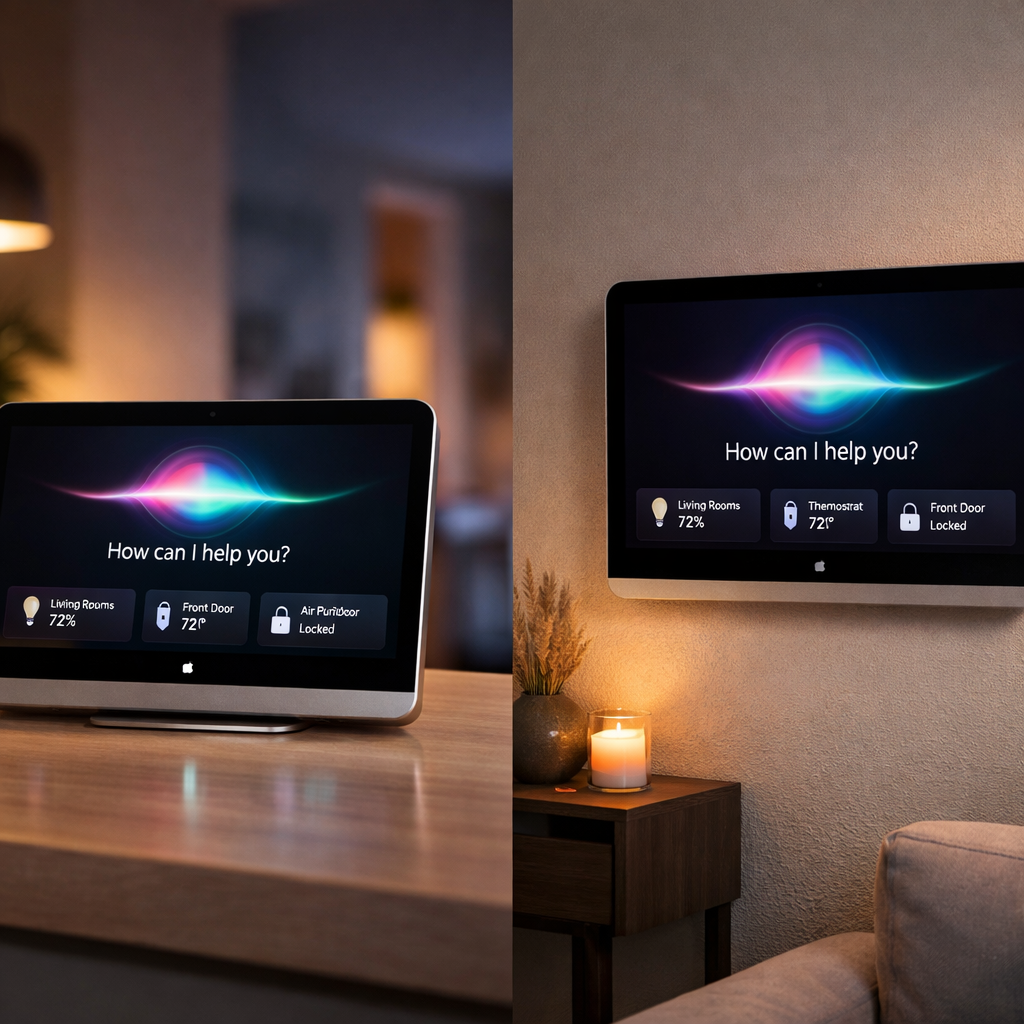
Apple has published the release notes for HomeView Software version 27.2, coinciding with the official launch of the HomeView smart display on November 13, 2026. These notes mark the first time Apple has disclosed full details about what HomeView can do and how its software protects users. Key upgrades include Siri AI improvements, stronger smart home integration, entertainment features, and expanded privacy protections.
What HomeView 27.2 Brings
HomeView 27.2 introduces a conversational version of Siri AI powered by Apple Intelligence. The assistant now leverages personal context from a paired Apple Intelligence-enabled iPhone or iPad to surface things like relevant messages, calendar entries, and help with daily tasks. For everything else, it still supports general-knowledge queries and natural language prompts. Initial support is limited to English, with additional language options promised later. Several Siri AI features—such as detailed voice control and expressive Siri voice templates—depend on matching hardware on the paired device. These features are optional extras but expand the smart assistant’s capabilities.
Entertainment features get a lift too: Apple Music on HomeView now includes animated lyrics and Spatial Audio. Podcasts offers transcripts and personalized suggestions. Third-party audio and video apps on your iPhone will show up automatically on HomeView. Multiroom audio syncs playback across HomeView, HomePod, or AirPlay-enabled speakers.
On communication and utility, HomeView includes hands-free FaceTime with Center Stage tracking, Messages controls via Siri, Intercom support, and a new Cooking mode in Safari which detects recipes and breaks them down into steps with inline timers. There’s also support for Find My and seamless handoff of media, websites, and calls between HomeView and iPhones.
Smart Home & Personalization Additions
Deep smart home integration makes HomeView a full home hub. Users get a Home Modular face for key accessory overview, a Home Camera face capable of displaying up to nine live video feeds, and a Home app dashboard to control accessories and scenes. Support for HomeKit and Matter accessories is built in, and HomeView acts as a hub when users are away. Security and sound alarms are monitored, with alerts sent to iPhones, iPads, or Watches.
The software recognizes up to six users by face and voice, delivering personalized home screens, widget layouts, content access, and more. Personal content like Messages and Calendar remains private, only revealed when HomeView confirms your identity alongside having your Apple device unlocked and on the same network. Guests—people not recognized—get limited access, such as playing media or controlling smart lights, without access to personal content.
Privacy Protections & Security Fixes
Version 27.2 carries numerous protections for camera and audio data using Secure Exclaves—isolated runtime environments that prevent other parts of the system, apps, or even Apple from accessing raw data. These are responsible for features like facial recognition, voice detection, and handling of indicators like LED lights for camera or mic usage.
The official security release lists nine specific fixes. Among them are vulnerabilities in AirPlay (e.g., Bluetooth-range pairing code bypass), Bluetooth process memory corruption risks, and two different Messages vulnerabilities: one allowing a remote party to join an iMessage group, another letting someone added to a group see prior messages. Other fixes address issues like authorization loopholes in App Intents and CoreUtilities, and memory corruption from malformed inputs. These patches apply to both tabletops and wall-mounted HomeView models.
Out of the box, HomeView units ship with an older software version (26.5). During the initial setup, users are required to download and install version 27.2 (build 24V526) in order to use the device securely. Build 24V526 is the second 27.2 build; the first was released October 30. Apple hasn’t disclosed every detail changed in this latest build, nor confirmed whether first reviews’ concerns—like voice control of garage doors or locks—are fully resolved. A follow-up update (likely 27.3) is expected to address remaining Siri AI accessory issues.
Roll-out, Region & Language Notes
At launch, Siri AI and many of HomeView’s advanced features are available only in English and only in certain regions. Some features tied to personal context will require more advanced hardware on the paired iPhone or iPad. People sharing a home must have added devices with Apple Intelligence support to unlock full recognition capabilities. European regions may see delays in support due to regulatory needs.
HomeView also includes workspace choices: it comes in table-top and wall-mounted versions, both carrying a 7-inch square display with similar software, though sound output may differ depending on design. Build 24V526 is live on November 12, and software 27.2 installs during set-up rather than post-purchase upgrade.
Analytical Angle
HomeView 27.2 reveals Apple is playing catch-up in the smart display category—but doing it with privacy at the center. By baking protections into camera, voice, and personal data workflows, Apple avoids many of the trust issues others have stumbled on. Still, critical features—especially around Siri AI and smart home control—depend heavily on pairing with newer hardware and software, which could fragment the experience. What to watch: the next updates for Siri AI accessory control, broader language support, and how seamless facial and voice recognition turn out in everyday settings. If Apple can pull those off, HomeView could set a new bar for privacy-first smart home hubs.