Wacom’s MovinkPad Pro 14 takes the classic pen display into standalone tablet territory, marrying hardware designed for professional digital artists with Android 15 under the hood. But as sleek and capable as it is, software and accessory gaps raise hard questions, especially for creators already ingrained in the Apple ecosystem.
Design, Display & Hardware Feel
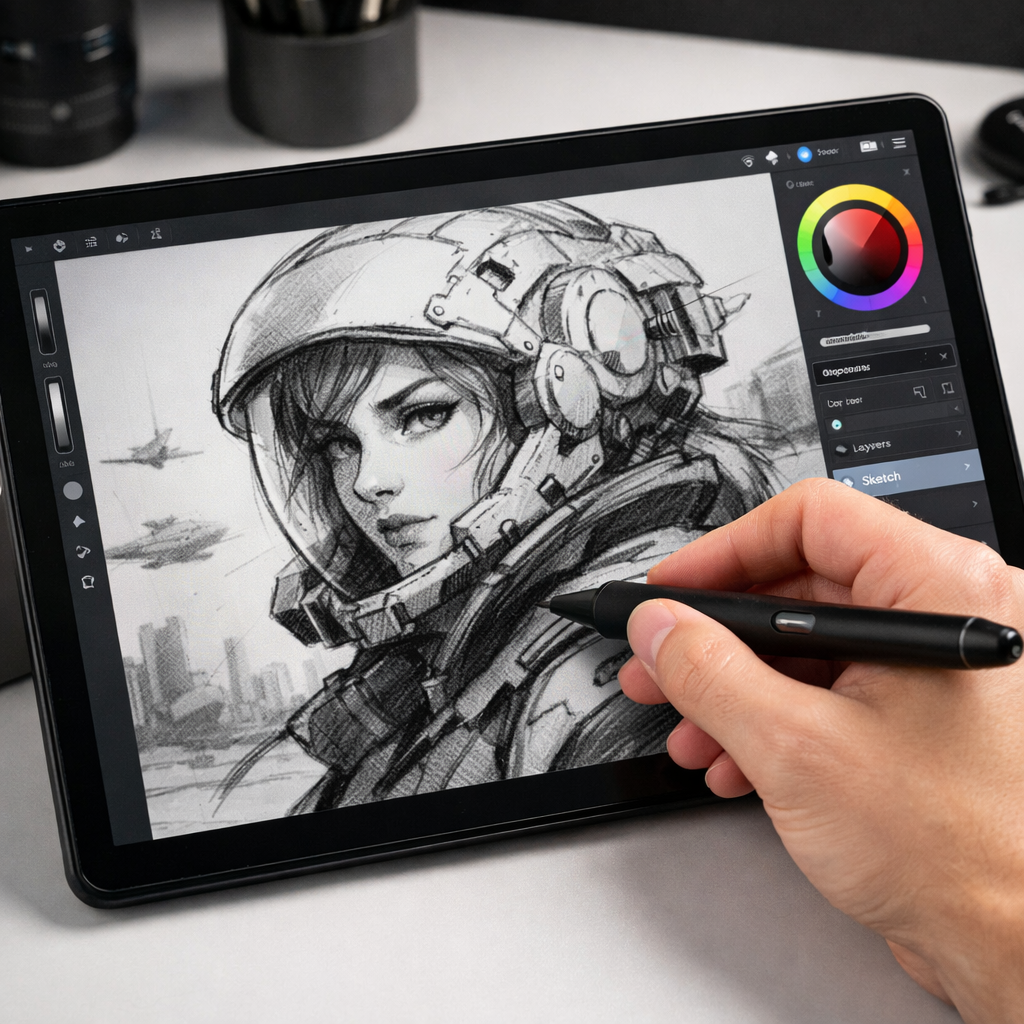
The MovinkPad Pro 14 features a 14-inch OLED display at 2880×1800 resolution with a rich 16:10 aspect ratio, delivering vivid colors across full sRGB and DCI-P3 gamut. Wacom’s premium textured glass gives the screen a matte feel that pairs superbly with the included felt nibs, producing a paper-like drag many artists will appreciate. At around 1.6 pounds, it’s solid but light enough to travel with, with a robust metal chassis that feels far from fragile.
Inside lives a Snapdragon 8s Gen3 processor, 12 GB of RAM, and 256 GB storage, plus storage expansion via microSD. Wireless options include Wi-Fi (IEEE802.11a/b/g/n/ac/ax) and Bluetooth; ports are pared down to USB-C-only—no HDMI or USB-A. The bundled Wacom Pro Pen 3 is lightweight and pressure-sensitive with 8192 levels. Tilt support (60°), pen resolution (5,080 LPI), and triple side buttons round out its credentials.
Functionality, Workflow & Usability
Being a standalone Android tablet means you don’t need a PC or Mac to begin sketching. On setup, a few quick steps—Wi-Fi, Google account, orientation—lead straight into Wacom’s Canvas sketching app. That app is minimal: basic brush and eraser choices, simple export (PNG) or transfer into Clip Studio. For users wanting more, Wacom adds a year’s license for Clip Studio Paint Debut and trial periods for other creative tools. But major apps like Adobe’s suite, Affinity, or Procreate are missing.
Art creation feels superb, thanks to the device’s pen responsiveness and display fidelity. The matte finish and felt nibs add texture without compromising accuracy or speed. Yet there are usability foibles: there’s no way to disable or reassign the three buttons on the stylus system-wide, and no tilt or angle adjustments beyond how you hold or prop the device. Posture strains creep in fast during extended sessions.
Trade-offs & Ecosystem Challenges
For those working in macOS, native file exchanges feel clumsy. You’re limited to cloud services or email when moving files between MovinkPad and a Mac, unlike the seamless integration available between Apple devices. Also, many core creative apps being iPad- or macOS-exclusive means a sizeable part of the digital artist’s toolkit may be unavailable.
When it comes to accessories, Wacom separates essentials from optional extras: the protective travel cover doesn’t come included, and there’s no built-in stand; posture improvements require add-ons. At $1,099, the MovinkPad Pro 14 undercuts a comparable 13-inch iPad Pro paired with Apple Pencil, but the savings come with compromises in software, app availability, and ergonomic flexibility.
Verdict: Strengths vs. Limitations
The MovinkPad Pro 14 is exactly what Wacom is known for at its best: excellent line quality, impressive build, beautiful screen, and an experience that on paper seems ideal for sketching or quick creative work on the move. If you operate mostly within Android or want something untethered from a computer, it’s a compelling device.
However, if your workflow depends heavily on macOS, Adobe tools, or includes long-duration work sessions, its limits are noticeable. Lack of stylus customization, no Procreate or full Adobe suite, and ergonomic strain for extended use make it a riskier purchase for many professionals.
Ultimately, Wacom delivers a powerful, portable tool with serious potential—just not a perfect one. For Android artists, it could be a dream; for those in the Apple world, compromises abound.