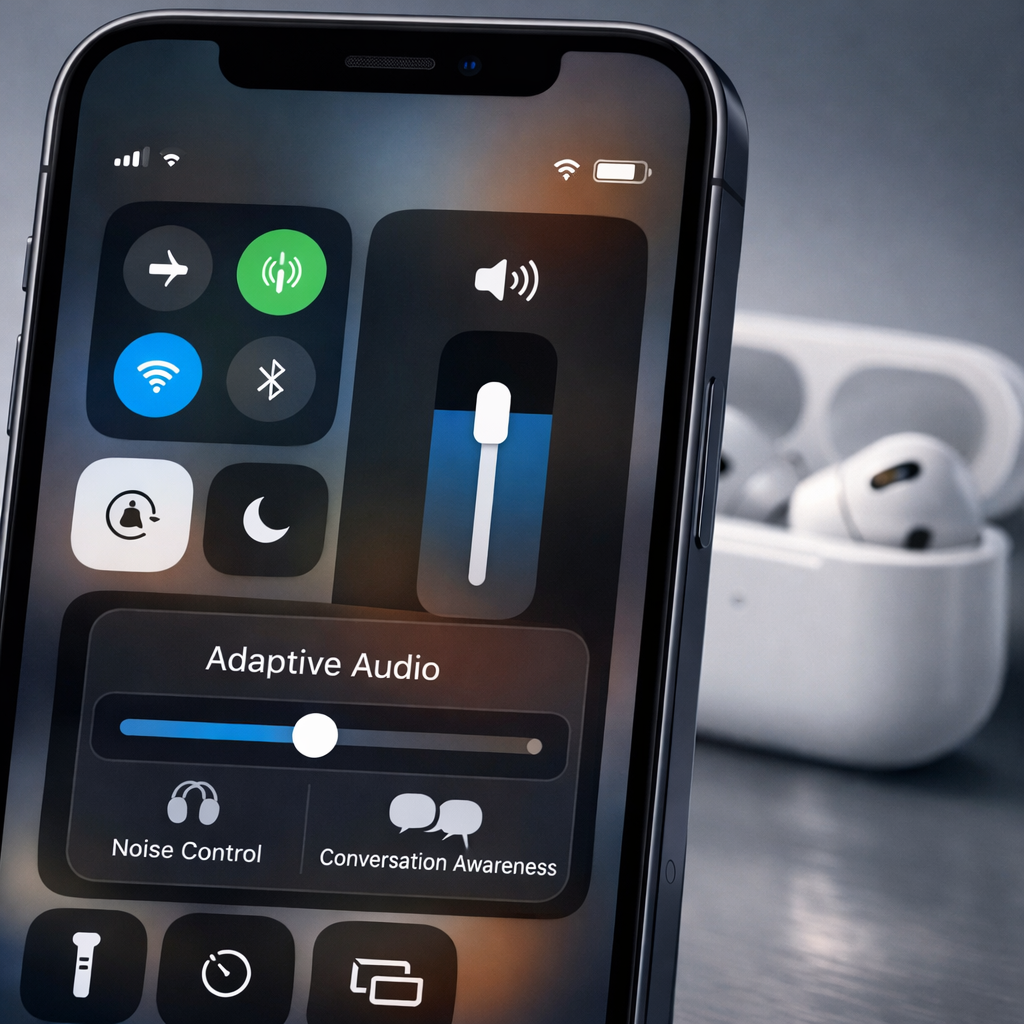
iOS 27 has quietly added a new control that gives AirPods Pro users more precise control over Adaptive Audio, the feature that intelligently blends Active Noise Cancelation (ANC) and Transparency modes in real time.
What’s new with Adaptive Audio
Until now, Adaptive Audio toggled between ANC and Transparency based on the environment, but offered no easy way to adjust how much external sound to let in. With iOS 27, a slider appears in Control Center whenever Adaptive mode is active. This slider allows users to shift gradually—moving left brings in more outside noise to mimic Transparency, sliding right leans toward stronger noise cancelation.
The new feature is accessed while wearing AirPods Pro: swipe open Control Center on your iPhone, tap the volume control, then select “Listening Mode.” Once Adaptive is selected, the Liquid Glass-style slider shows up. Rather than choosing among preset levels, you get fine-grained control over the balance between hearing the world and blocking it out.
Which models support it, and why it matters
All AirPods that already support Adaptive Audio will receive this slider with iOS 27. That includes AirPods Pro models, which already offered separate ANC and Transparency modes. The update makes switching between these modes more flexible and intuitive without going deep into settings.
This addition arrives amidst a series of enhancements for AirPods in iOS 27, which aims to make listening modes more seamless and adaptive. For users who shift between noisy streets, quiet rooms, and public transport, the ability to tune Adaptive Audio on the fly means better personal control over hearing and block-out levels.
With iOS 27, Apple has simplified what was once a static choice into something dynamic and user-tuneable, right from Control Center. No more having to commit to manual modes or rely entirely on the system to guess your wishes—this gives you the power to dial in precisely how much ambient noise you want.