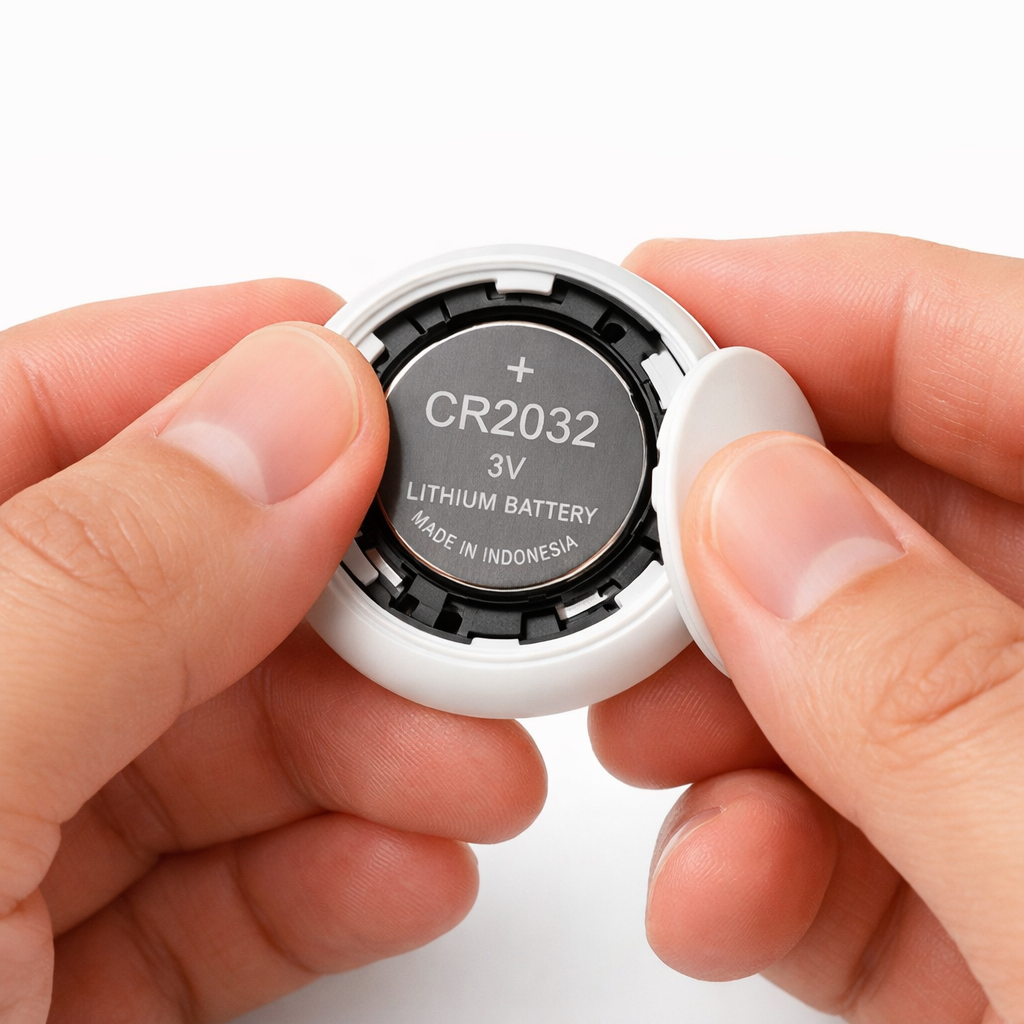
The new Pixel Tag uses a CR2032 battery designed to last about a year—but eventually it’ll need replacing. Disassembling its slick, rounded back isn’t immediately obvious. Here’s how to swap in a fresh battery without damaging your device.
First, avoid trying to open the backplate with one hand. Grip the Pixel Tag firmly: one thumb on its mid-frame or base, the other twisting the backplate counter-clockwise until it releases. The battery will then come loose. It feels tight at first due to the factory sealing, but gets easier to do again once opened once. Take care not to let the backplate slip—if it goes flying off, finding it in the carpet may be more frustrating than getting the job done.
After removing the old CR2032 cell, pop in a new one making sure it’s aligned correctly and seated flat. If the tracker doesn’t immediately reconnect in the Find Hub app after reassembly, it may be due to misalignment or the backplate not sealed properly. Simply opening and re-closing—making sure the battery lies flush—often does the trick when that happens.
If you’re unsure where to get the replacement cell, standard CR2032 batteries are widely available. Wallet-friendly options include Amazon Basics, Duracell, or off-brand multi-packs. Since it’s likely you’ll eventually need one, keeping a spare on hand can help avoid scrambling later.
Why This Matters
Repairability is still a weak spot for many tracking devices, often leading to extra cost or electronic waste. Google’s Pixel Tag offers a user-replaceable battery unlike many sealed trackers—but only if you know how to pry the back off without damaging anything. A little know-how helps preserve both battery life and device longevity.
In the long run, proper battery replacement plays a big role in keeping the Find Hub ecosystem trustworthy. Users who can easily maintain their trackers are more likely to stay in Google’s ecosystem—and that boosts the value of Find Hub itself. For anyone considering a Pixel Tag purchase or already using one, mastering this simple swap could save time, trouble, and replacement costs down the line.