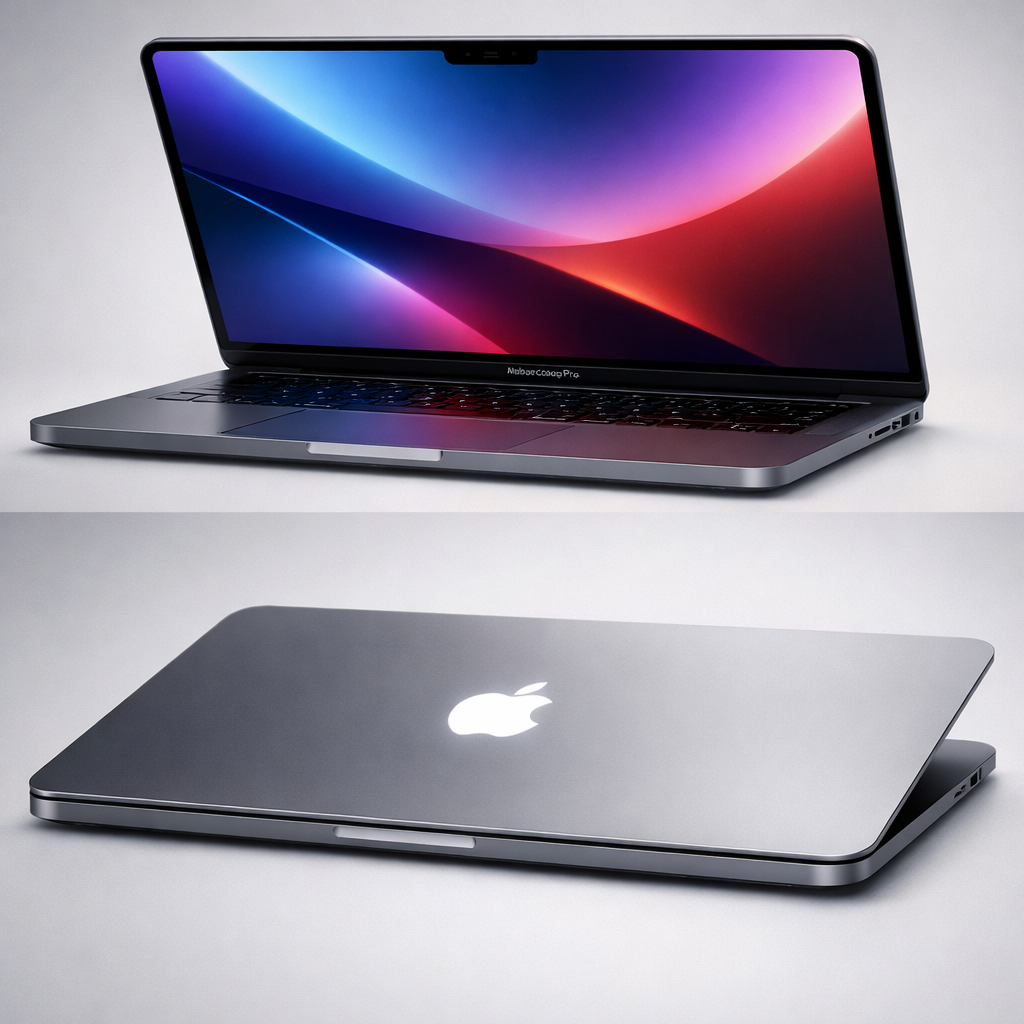
Apple’s latest MacBook Pro models, equipped with PROLED XDR displays, began reaching customers on November 6, and several intriguing design and hardware tweaks are surfacing. These changes stretch beyond the visible jump to OLED, delivering subtler refinements that impact repairability, aesthetics, and audio performance. Here’s what stands out.
Performance Consistency & Interior Overhaul
Despite moving from mini-LED to tandem OLED with the PROLED XDR display, the MacBook Pros retain the same M5 Pro and M5 Max chips as their predecessors. Benchmarks reveal almost identical multi-core CPU results between the older mini-LED 16-inch model and the new PROLED variant with M5 Max—demonstrating consistent raw performance across display technologies.
Internally, Apple has slimmed down the build in several ways. The bottom cover now uses only four pentalobe screws instead of eight, and the feet on the base plate are recessed slightly to reduce profile. The speaker system has also been reworked: inside, larger speaker enclosures have been added to deliver bass that Apple claims is 50% deeper than before.
Design Tweaks: Corners, Logo, and Repair Reality
The screen itself has received subtle but notable design polishing. All four corners of the display are rounded on the new PROLED models—previous mini-LED versions had squared bottom corners. To match the cleaner look, bezels have been made thinner and the bottom frame trimmed down as well.
One of the more nostalgic returns is the glowing Apple logo on the MacBook’s lid. Since OLED doesn’t have a backlight, this effect is now powered by a separate light source—likely a white LED. The glow’s brightness dynamically adjusts based on both display brightness and ambient lighting, echoing the behavior of older illuminated logos while blending modern hardware constraints.
On the repair front, however, there have been fewer surprises. The new PROLED models still group the keyboard, battery, and top case into a single replaceable module. Individually replaceable keyboard mechanisms—available on other recent Macs—haven’t made the cut here.
Why These Details Matter
While headline features like touch support, OLED panels, and Dynamic Island have dominated the conversation, these quieter updates offer deep insight into Apple’s design philosophy and the trade-offs in iteration. The new layouts enhance aesthetics and audio, but repair modularity remains limited—still bundled in a larger component.
For pros evaluating whether to upgrade, the visible improvements—rounded corners, thinner bezels, glowing logo—may appeal visually, while the audio upgrades provide more tangible benefit. Internally, consistent performance confirms that the display switch didn’t compromise processing power. Whether this iteration pushes enough value will depend on how much these subtleties matter in your daily work.