Apple’s recently released iOS 27.2 brings three notable customization features to iPhone users, giving more control over suggestions, profiles, and search behavior. These additions aim to make your iPhone experience feel more personal—and private.
What’s New in iPhone Personalization
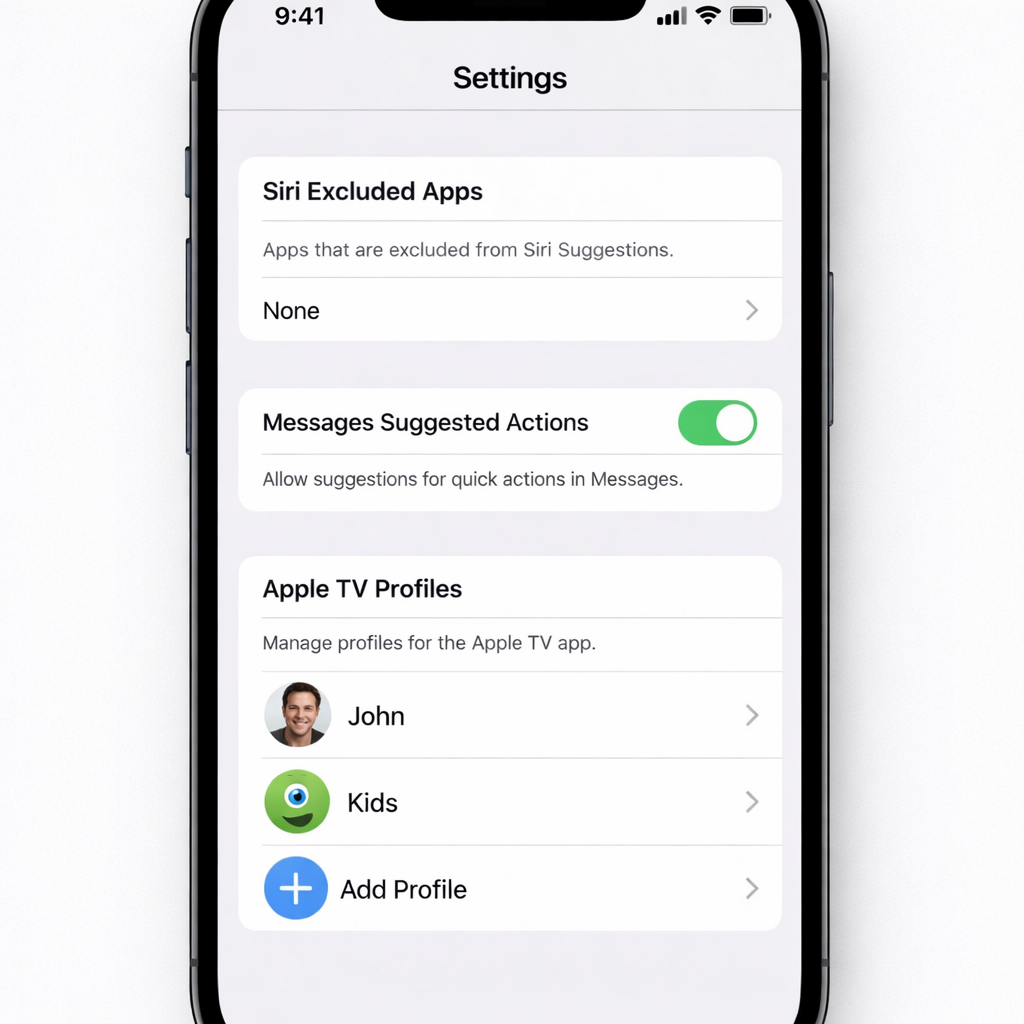
1. Exclude Specific Apps from Siri and Search: Under Settings → Siri in iOS 27.2, there’s now a section called “Excluded Apps.” From here, users can pick apps they want Siri, Search, and related suggestions to ignore. This is useful for preventing confusion when apps have overlapping names or for keeping certain apps off Siri’s radar.
2. Tailor Messages Suggestions: Messages gains a new feature named Suggestions that appears beneath a message when relevant content—like a request or reminder—pops up. By default, you’ll see suggestions such as “Add to Reminders,” “Add to Notes,” “Show in Maps,” “Add to Calendar,” and “Flights & Packages.” If some feel superfluous, head to Settings → Apps → Messages → Suggested Actions to toggle off those you don’t want.
3. Apple TV Profiles on iPhone: For the first time, Apple TV’s profile system has been extended to the iPhone. With iOS 27.2, you can set up separate profiles, so each person gets personalized recommendations and an independent “Continue Watching” list. Parental controls can also be applied when configuring a child’s profile.
These features are now live following the rollout of iOS 27.2 last week—keep your device updated to access them.
Why These Changes Matter
These customizations reflect Apple’s growing emphasis on letting users tailor their digital experience more precisely. The ability to exclude apps from system-wide features addresses both privacy concerns and usability pain points. Personalized message suggestions reduce friction in organizing tasks like calendaring or note taking without needing to switch apps.
Introducing Apple TV profiles on iPhone closes a gap between platforms, enhancing content curation and family sharing capabilities. It aligns Apple with what many streaming services have long offered, making media consumption more consistent across devices.
Looking ahead, expect further refinements in iOS’s customization capabilities—especially tied to Siri’s evolving intelligence and how notifications, suggestions, and profiles function. Users wanting a cleaner, more private, and more intuitive iPhone experience should see real benefits from these updates.