Security researchers have uncovered sophisticated tactics enabling malicious actors to craft domain names that appear authentic yet exploit subtle Unicode tricks to bypass browser safeguards. These internationalized domain names (IDNs) can masquerade as well-known brands when displayed in Chromium-based browsers — posing a serious phishing risk.
IDNs, homoglyphs, and Chromium’s current gap
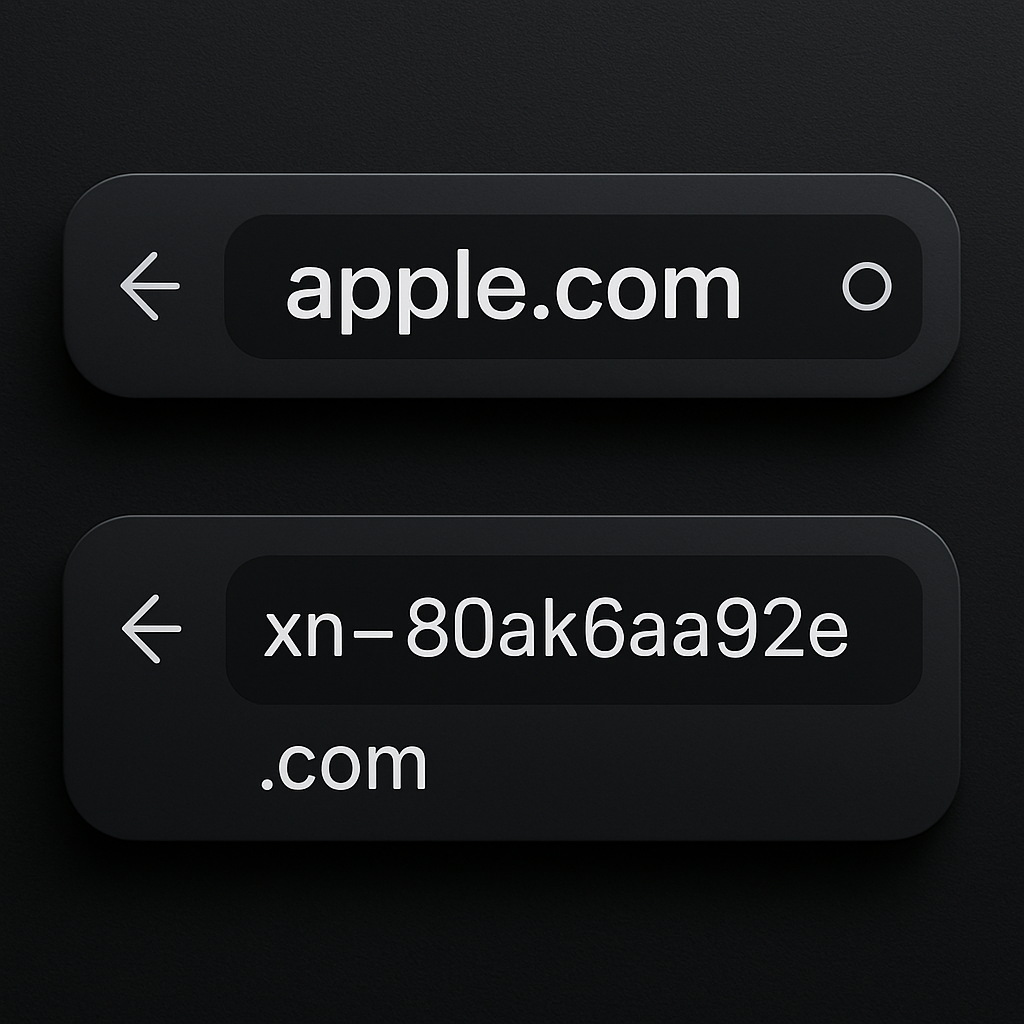
Domains with Unicode characters — letters from non-Latin scripts — can be converted using Punycode so they register just like normal ASCII names in the Domain Name System (DNS). While this allows for global diversity, it also opens the door to homograph attacks, where visually similar characters (homoglyphs) impersonate trusted domains.
Chromium browsers have built-in defenses: rules trigger Punycode display when domain names mix scripts, use suspicious symbols, or duplicate entire scripts designed to look like Latin. These measures rely heavily on a “lookalike” list and a “skeleton” comparison — transforming domains into simplified forms to detect deceptive similarity. Some approaches were introduced after past incidents like the 2017 attempt to mimic “apple.com.”
Research exposes evasion techniques
Investigators from a security group tested Chromium’s protections using proof-of-concept domains. One such domain replaced the final Cyrillic character “е” with “ө”, a character not on Chromium’s homoglyph blocklist. The browser failed to switch to Punycode display, allowing the domain to appear identical to “apple.com” despite containing non-Latin letters. The skeleton check similarly missed similarities when letters carried hooks or strokes, allowing domains like “oƙta.com” to slip through.
In controlled testing, using 20 brands — including Apple, OpenAI, Skype, Patreon, Nike, Shell and SpaceX — researchers confirmed several lookalike domains passed Chromium’s defenses at first glance. For example, one test case wasn’t flagged even in the later navigation warning, because its skeleton comparison fell beyond Chromium’s edit-distance threshold.
Wider impact: email and scale
Email systems are also vulnerable. Test domains appeared in full Unicode when displayed in Gmail Web, while Outlook Web showed only encoded ASCII (known as A-labels). In Gmail, Punycode only appeared in certain headers obscure to most users. This discrepancy makes phishing far more likely when users check sender names rather than technical headers.
A recent census of the .com registry in October 2026 found over 167 million active domains, including more than 700,000 IDNs in Punycode form. Researchers cataloged over 160,000 visual lookalike pairs involving nearly 134,000 ASCII domains — though many may be harmless or legitimate multilingual sites.
What organizations and users should do
Brands should monitor registrations of Punycode-switch domains resembling their names. Guarding certificates, enabling impersonation protection in mail systems, tagging unrecognized IDN senders, and checking DNS and proxy logs are effective defenses. Defensive domain registrations for close brand matches are also recommended.
For everyday users, the safest moves include avoiding clicking links in unexpected messages, typing known URLs directly, relying on password managers and passkeys that enforce domain matching, and keeping browsers updated. Simply reading the address bar is no longer enough to ensure domain authenticity.
The bigger picture
This research exposes a growing arms race between browser protections and attackers exploiting script and Unicode quirks. While Chromium has made strides with script-mixing rules, skeleton checks, and lookalike blocklists, what’s clear is that evasion continues as technical identifiers grow more complex. Browsers, email providers, and security teams must scrub deep into IDN rulesets and update homoglyph lists with broader script awareness.
What to watch: whether Chromium updates its definitions to include characters like “ө,” if skeleton edit-distance thresholds are tightened, or if email providers start standardizing how they present sender identities. This matters because trust on the internet depends on knowing where you are — visually and technically.