Apple has officially pushed iOS 27 to the public, delivering sweeping upgrades to Siri and landmark enhancements to Photos, while bolstering safety and usability throughout the system. Rolled out today, the new software promises smarter interactions and more capable imaging tools for compatible iPhones. Compatible devices follow the same roster as iOS 26—nothing was dropped.
Reinvented Siri Meets Apple Intelligence
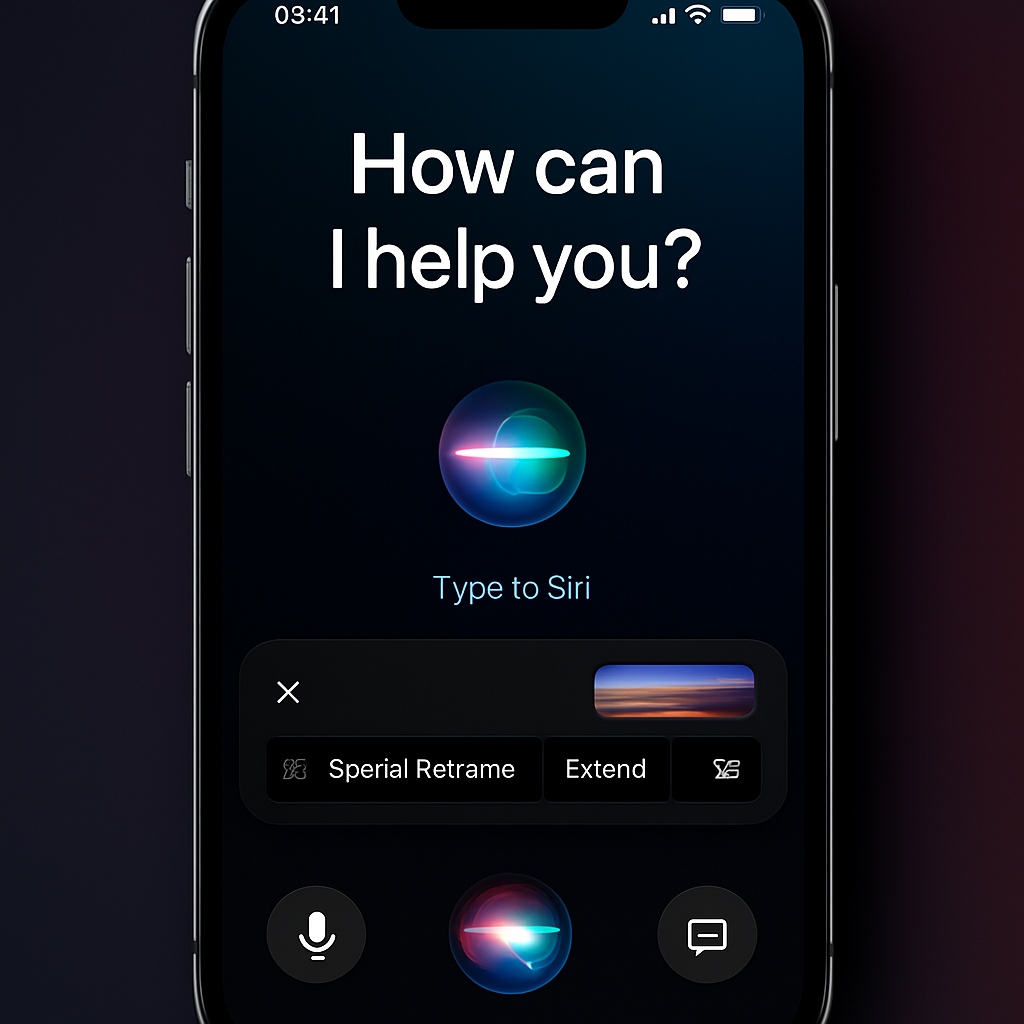
Siri has been rebuilt from the ground up and is now powered by Google’s Gemini model as part of Apple Intelligence. A fresh component called the System Orchestrator unifies Apple’s AI efforts—text, speech, and vision—into one more intelligent framework. Siri AI debuts with a redesigned “Liquid Glass” look that spans the Dynamic Island, plus both voice and text inputs. A brand-new Siri AI app archives past conversations and supports follow-ups, making interactions feel more like modern chatbots than traditional voice assistants.
This version of Siri can draw on your personal data to give richer answers: your contacts, messages, travel photos, even past discussions. Want reminders of what restaurant you discussed last week? Siri AI can reach into those threads. However, only the most capable devices—the iPhone Air and iPhone 17 Pro and newer models—will unlock Apple’s most advanced on-device model. All others will still benefit from the update, just with more limited AI muscle.
Photos, Camera & Imaging»: Creative Tools Get Smarter
The Camera app now features a Siri mode: snap a photo or take a screenshot, then prompt Siri using what’s visible in the image. That creates new ways to search and interact with your visual content without bouncing between apps.
Photos added impressive AI-driven editing tools. With Extend, you can generate new image content past the original frame. Spatial Reframe allows angle adjustments after the fact—though Apple advises modest tweaks to avoid distortion. And the revamped Image Playground, now integrating ChatGPT, lets users produce images in a wider variety of styles, including photorealistic renders.
Safer, Smarter Features Across the Board
Child safety got a refresh: account setup and app usage controls are more intuitive for parents, website access can now be requested (not just apps), and Screen Time’s Time Allowances offer finer-grained control. Communication Safety, meanwhile, now suppresses both nudity and gore.
Elsewhere, the Liquid Glass visuals have been tuned for readability with better contrast, sharper icons, and a customization slider. Health adds support for tracking heart rate during workouts using AirPods Pro 3 and enables GymKit connections to gym cardio machines. Cycle Tracking now includes alerts for signs of perimenopause. Maps improves its Flyover view and automates local recommendations. Home enhances its AI-powered search over Secure Video, can combine notifications, and supports 4K streaming and recording.
Who’s In, How To Upgrade
iOS 27 supports iPhone 11 and later devices, plus second-generation iPhone SE onwards—exactly the same list as for iOS 26. If you’ve been running the public or developer beta, the push to the final release may arrive automatically. Otherwise, head to Settings → General → Software Update to grab it. One caveat: new iPhone 18 Pro units come with iOS 27 preinstalled.
Why this matters: Siri’s transformation marks Apple’s most aggressive push yet into next-generation assistant tech. If the Siri AI overhaul delivers as promised, it could shift expectations for voice and text interaction across the industry. These smart imaging tools make editing far more accessible, and the privacy and safety moves reflect ongoing user demand. What to watch: how well the “on-device” models perform, whether battery life or responsiveness take a hit, and how dependable new AI features are when pushed to their limits.