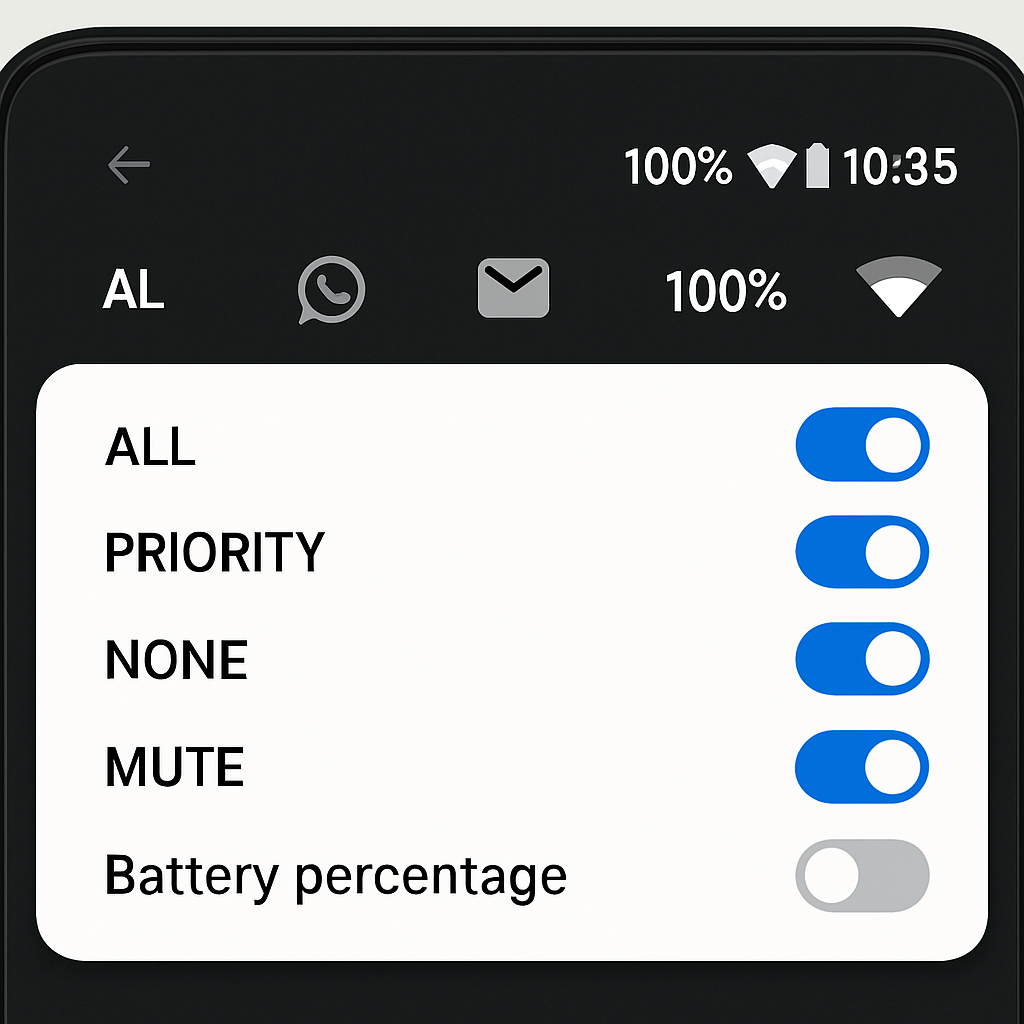
Android 17’s latest quarterly platform release, QPR2 Beta 4, introduces a revamped Status bar settings panel that grants more control over what icons users see. The new menu is tucked under Settings → System → Status bar, joining companions like Date & time and Users in the System management section.
More Options for Notification Icons and System Indicators
The Status bar settings now split into two sub-sections: one for notification icons and another for system icons. In the notification icons area, there are three choices: “All,” which shows every notification icon; “Priority only,” which is the default setting; and “None,” hiding them entirely. This lets users streamline or suppress notification clutter based on preference.
System icons get similar flexibility. Previously fewer in number or consolidated elsewhere, this section adds three toggles: one to show system icons when the device is muted, another for when it’s set to vibrate, and a third for displaying battery percentage. Some of these toggles duplicate controls users could already find in other parts of the system, but now they’re centralized in Status bar. The existing options—Battery and Vibrate—remain, but are joined by “Mute” and “Battery percentage.”
Why This Matters
This update marks a shift in Android’s design philosophy toward giving users more fine-grained control over their interface. Notification overload has been a recurring frustration for users who want minimal distractions; this design gives them clearer levers to pull. System indicators like battery percentage are often hunted down in settings—making them more accessible in one place simplifies the experience.
This isn’t a radical redesign—no new visual styles, no dramatic overhaul of the status bar—but it reflects a more modular approach to Android’s UI. Digging through settings has long been a chore for power users who tweak behavior; this update starts to roll back some of that complexity by bringing relevant controls together.
As QPR2 Beta 4 rolls out, it’s worth keeping an eye on performance and consistency. Sometimes these status bar toggles can create UI surprises—icons disappearing when needed, or communicating state poorly. If Android keeps refining this feature in response to feedback, we could see more customizable, cleaner status bars—and that’s a small change with meaningful impact.