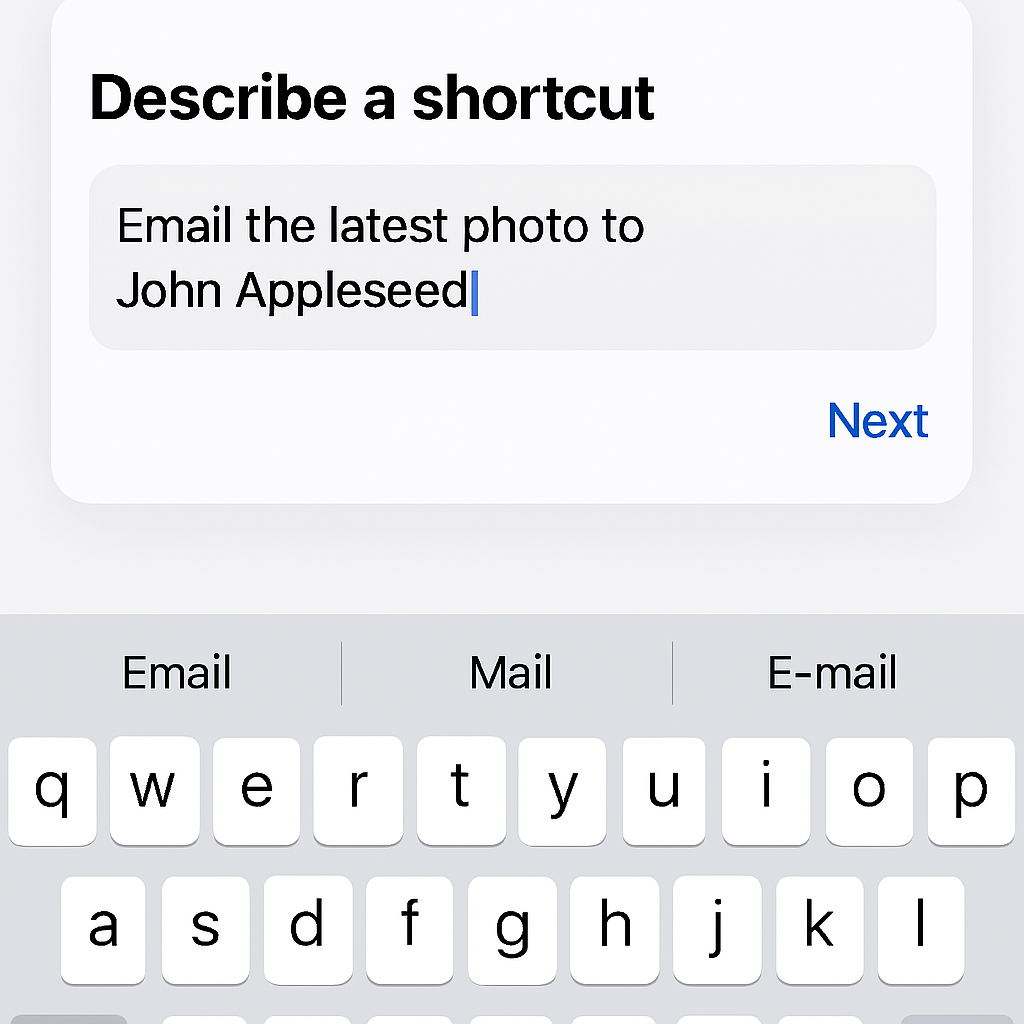
Apple’s iOS 27 introduces a significant enhancement to the Shortcuts app, leveraging Apple Intelligence to simplify the creation of automations. This update aims to make personal automation more accessible to a broader range of users.
Upon initiating a new shortcut, users are now prompted with the question, “What do you want your shortcut to do?” This allows for the input of natural language descriptions of desired tasks. The app then interprets these descriptions and constructs the corresponding shortcut automatically. For instance, a user can type, “Draft a new note,” and the app will generate the appropriate automation.
For more complex tasks, the Shortcuts app is equipped to handle detailed requests. Users can specify intricate workflows, and the app will build the necessary steps to execute them. If additional information is required, the app will prompt the user accordingly, ensuring the shortcut functions as intended. Traditional manual creation of shortcuts remains available for those who prefer it.
In addition to the ‘describe a shortcut’ feature, iOS 27 introduces new automation triggers and actions. Notable additions include triggers for when a notification is received, when a screenshot is captured, when a keyboard is connected, and when an Apple Watch workout starts. New actions encompass automating recordings in Notes, sending messages to group conversations, and enhanced photo management capabilities.
These advancements are part of Apple’s broader initiative to integrate artificial intelligence into its ecosystem, aiming to enhance user experience and streamline device interactions. By enabling users to create automations through simple language, Apple is lowering the barrier to entry for personal automation, making it more approachable for those who may have found the process daunting in the past.
While the AI-powered feature may not cover every possible automation scenario, it represents a significant step forward in making the Shortcuts app more user-friendly. As Apple continues to refine its AI capabilities, users can anticipate even more intuitive and powerful automation tools in future updates.