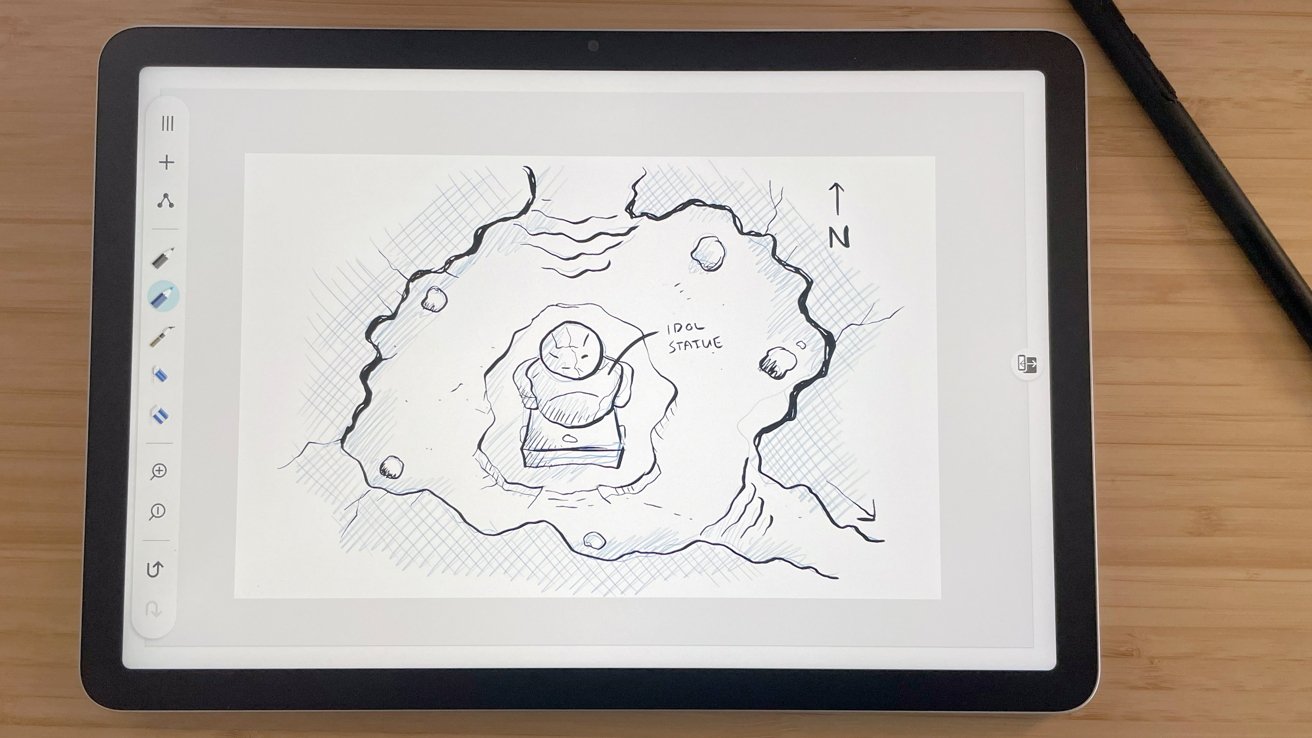
Wacom MovinkPad 11 Review: A Portable Powerhouse for Artists with Workflow Considerations
Wacom has long been a leader in digital art tools, and their latest offering, the MovinkPad 11, continues this tradition. Designed for artists who need a portable yet powerful device, the MovinkPad 11 offers a range of features that cater to creative professionals.
Design and Build Quality
The MovinkPad 11 boasts a sleek and lightweight design, making it easy to carry for on-the-go artists. Its slim profile doesn’t compromise durability, as the device feels sturdy and well-constructed. The 11-inch display provides ample workspace without being cumbersome, striking a balance between portability and usability.
Display and Pen Performance
The device features a high-resolution screen that delivers vibrant colors and sharp details, essential for precise artwork. The pen performance is exceptional, with 8,192 levels of pressure sensitivity, allowing for nuanced control over brush strokes and line weights. The pen’s ergonomic design ensures comfort during extended use, reducing fatigue during long creative sessions.
Connectivity and Compatibility
Equipped with USB-C connectivity, the MovinkPad 11 ensures fast data transfer and broad compatibility with various devices. It supports both Windows and macOS platforms, making it versatile for different workflows. However, users should be aware that some software applications may require additional configuration to fully utilize the device’s capabilities.
Software Integration
The MovinkPad 11 integrates seamlessly with popular digital art software such as Adobe Photoshop, Illustrator, and Corel Painter. This compatibility allows artists to incorporate the device into their existing workflows with minimal disruption. The customizable express keys and touch ring provide quick access to frequently used functions, enhancing productivity.
Battery Life and Portability
One of the standout features of the MovinkPad 11 is its impressive battery life. Artists can work for extended periods without needing to recharge, making it ideal for travel or working in locations without easy access to power outlets. The device’s lightweight design further enhances its portability, allowing artists to create wherever inspiration strikes.
Considerations for Workflow
While the MovinkPad 11 offers numerous advantages, artists should consider how it fits into their specific workflows. The device’s size and portability are excellent for sketching and initial concept work, but those requiring larger screens for detailed projects may find the 11-inch display limiting. Additionally, the lack of built-in storage means users must rely on external devices or cloud services to save their work, which could be a consideration for those working with large files.
Conclusion
The Wacom MovinkPad 11 is a commendable tool for artists seeking a portable and high-performing pen display. Its combination of design, display quality, and pen performance makes it a valuable asset for creative professionals. However, artists should assess their individual workflow needs to determine if the MovinkPad 11 aligns with their specific requirements.