Enhancing iPhone Experience: New Liquid Glass Customization Features in iOS 26.4
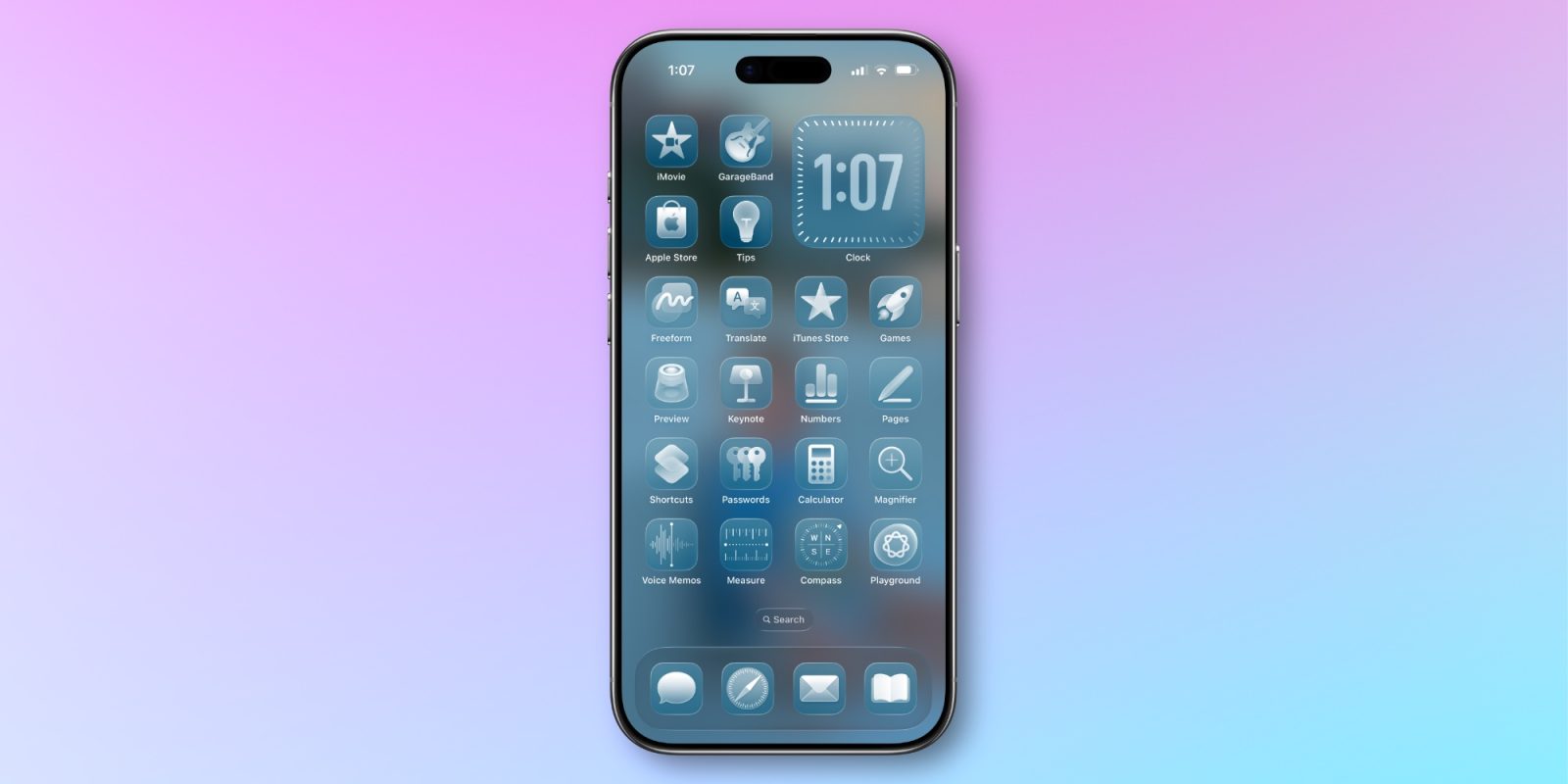
Apple’s iOS 26.4 introduces significant enhancements to the Liquid Glass interface, offering users greater control over their iPhone’s visual and interactive elements. This update includes two key features: Reduce Bright Effects and an improved Reduce Motion setting.
Understanding Liquid Glass
Liquid Glass is Apple’s innovative design language that brings a translucent, fluid aesthetic to the iPhone’s user interface. While many users appreciate its modern look, some have found certain aspects, such as bright flashing effects and dynamic animations, to be overwhelming or distracting. Recognizing this, Apple has provided options to tailor these features to individual preferences.
Introducing Reduce Bright Effects
The Reduce Bright Effects feature is a new addition in iOS 26.4, designed to minimize the intensity of flashing and highlighting effects when interacting with on-screen elements like buttons and the keyboard. This adjustment aims to create a more comfortable visual experience, particularly for users sensitive to bright, sudden flashes.
To activate this feature:
1. Open the Settings app.
2. Navigate to Accessibility.
3. Select Display & Text Size.
4. Toggle on Reduce Bright Effects.
By enabling this setting, users can achieve a more subdued interaction with their device, reducing potential visual discomfort.
Enhancements to Reduce Motion
The Reduce Motion setting, which has been part of iOS for some time, receives a significant update in iOS 26.4. This feature now more effectively diminishes the animations associated with the Liquid Glass interface, catering to users who experience discomfort with screen motion.
To access and enable this setting:
1. Open the Settings app.
2. Go to Accessibility.
3. Tap on Motion.
4. Toggle on Reduce Motion.
Activating this option results in a more static interface, which can be beneficial for users prone to motion sensitivity.
Additional Customization Options in iOS 26.4
Beyond the Liquid Glass adjustments, iOS 26.4 introduces several other customization features to enhance the user experience:
1. Automated Battery Charge Limits: Users can now set different battery charge limits based on specific conditions using the Shortcuts app. This feature allows for automation of charge limits depending on factors like location or network connection, potentially extending battery lifespan.
2. Customizable Video Subtitles: The default video player now offers options to customize subtitle styles. Users can choose from various styles such as Classic, Large Text, Outline Text, and Transparent Background, providing a more personalized viewing experience.
3. New Emoji Additions: iOS 26.4 expands the emoji library with eight new characters, including a Ballet Dancer, Distorted Face, Fight Cloud, Hairy Creature, Landslide, Orca, Trombone, and Treasure Chest, allowing users to express themselves in more diverse ways.
4. Ambient Music Widgets: New widgets for Ambient Music have been added, enabling users to quickly access music tailored to moods like Chill, Productivity, Sleep, and Wellbeing directly from the Home Screen.
5. Enhanced Reminders App: The Reminders app now includes an Urgent designation for tasks, accompanied by an alarm to ensure important tasks are not overlooked. Additionally, a new Smart List compiles all tasks marked as urgent for easy access.
6. Stolen Device Protection: This security feature is now enabled by default, requiring Face ID authentication for certain actions when away from trusted locations, adding an extra layer of security to the device.
Looking Ahead: iOS 27 Rumors
Speculation suggests that Apple may introduce a slider in iOS 27, allowing users to adjust the Liquid Glass effect’s intensity more precisely. While this remains unconfirmed, it indicates Apple’s ongoing commitment to providing users with customizable interface options.
Conclusion
The introduction of Reduce Bright Effects and the enhancement of Reduce Motion in iOS 26.4 reflect Apple’s dedication to user comfort and personalization. These features, along with other customization options, empower users to tailor their iPhone experience to their preferences, ensuring both aesthetic appeal and functional comfort.