Transforming iPhone Filmmaking: Blackmagic Camera App’s New Remote Control Features
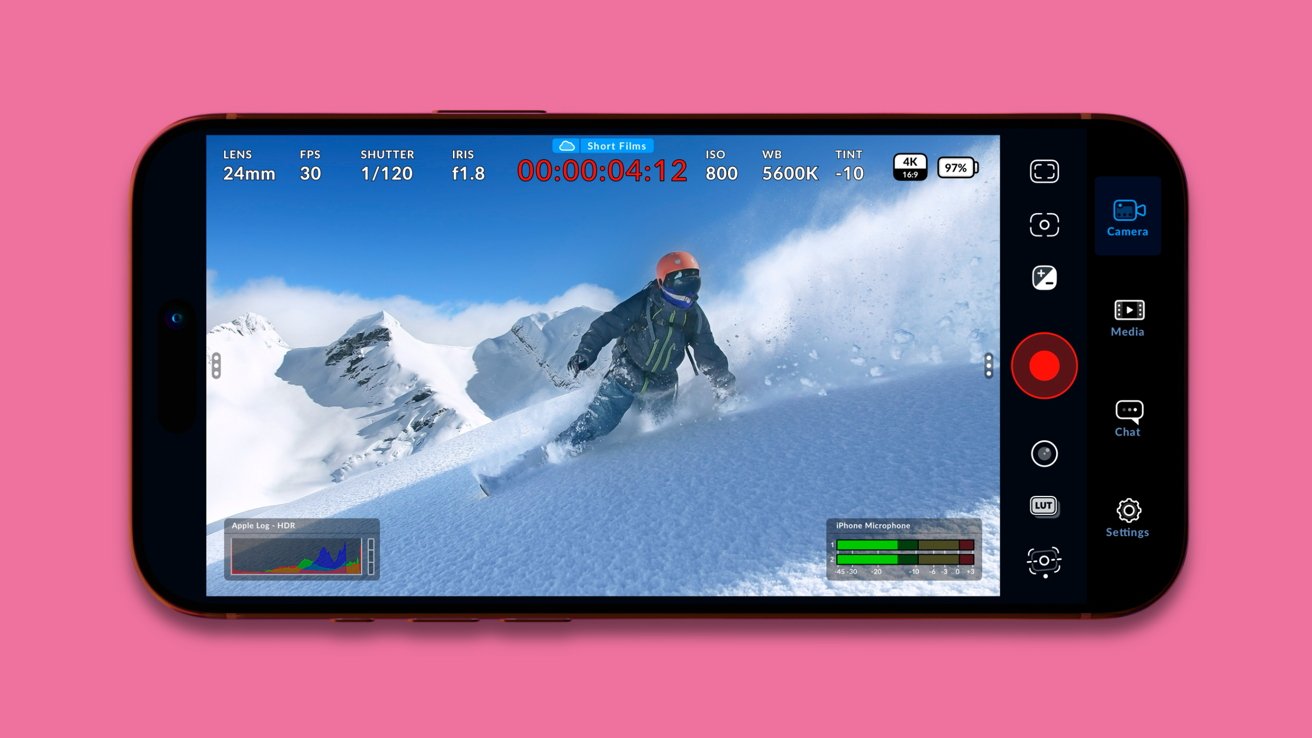
Blackmagic Design has significantly enhanced its Blackmagic Camera app for iPhone, introducing features that integrate the device into professional filmmaking workflows. The latest update introduces Apple Watch control, deeper integration with Blackmagic’s ATEM switchers, and support for dedicated hardware, positioning the iPhone as a versatile tool in coordinated production environments.
Apple Watch Integration:
A standout feature of this update is the Apple Watch companion app, enabling users to remotely control and monitor the iPhone camera. Filmmakers can start and stop recordings, adjust settings such as exposure and focus, and monitor framing and audio levels directly from their wrist. This functionality addresses common challenges when the iPhone is mounted on a tripod or rig, eliminating the need to physically touch the device and thereby reducing the risk of camera shake or disrupted shots. This seamless integration enhances the shooting experience for solo creators and small teams, streamlining workflows without necessitating additional equipment.
Enhanced ATEM Integration and Hardware Support:
Beyond Apple Watch control, Blackmagic has expanded the app’s capabilities to integrate more deeply with its ATEM Mini switchers and ProDock hardware. When connected via HDMI, the iPhone can now function as a controllable studio camera within a multi-camera setup. Operators gain remote access to adjust white balance, ISO, shutter speed, and even focus and zoom, mirroring the control available with traditional broadcast cameras. Live color correction tools are also included, facilitating on-set color matching and reducing the need for post-production adjustments. This integration transforms the iPhone from a standalone recording device into a component of a comprehensive, managed camera system.
Strategic Focus on Professional Environments:
This update underscores Blackmagic’s strategic focus on professional environments. While the Apple Watch control feature enhances usability for a broad range of iPhone users, the deeper ATEM integration and hardware support are tailored for professional settings already utilizing Blackmagic equipment. By reinforcing its end-to-end workflow, Blackmagic aims to provide a seamless ecosystem where capture, switching, and editing occur within its platform, rather than competing directly with consumer camera apps.
Compatibility and Availability:
The Blackmagic Camera app is compatible with iPhone and iPad models running iOS/iPadOS 17 or later, equipped with an A12 Bionic chip or newer. It also supports Macs with Apple Silicon (M1 or later) on macOS 14+, Apple Vision devices on visionOS 1+, and Apple Watch on watchOS 10.6 or newer. This broad compatibility ensures that a wide range of users can leverage the app’s advanced features to enhance their filmmaking capabilities.