Critical Vulnerability in Ninja Forms Plugin Exposes 50,000 WordPress Sites to Remote Code Execution
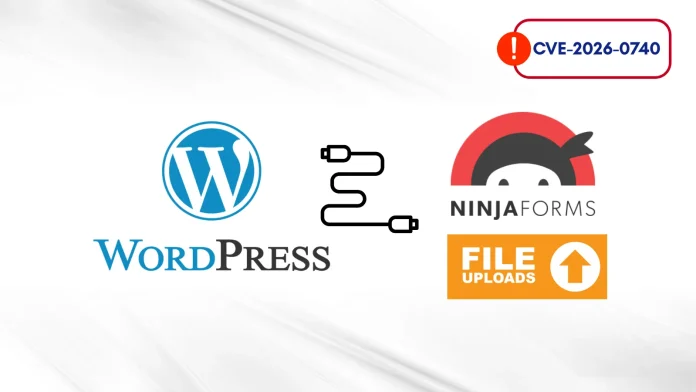
A severe security flaw has been identified in the widely used Ninja Forms – File Upload WordPress plugin, placing approximately 50,000 websites at significant risk. This vulnerability, designated as CVE-2026-0740, carries a maximum CVSS severity score of 9.8, underscoring its critical nature and the urgent need for remediation.
Discovery and Nature of the Vulnerability
Security researcher Sélim Lanouar uncovered this flaw, earning a $2,145 bug bounty for the discovery. The vulnerability is classified as an Unauthenticated Arbitrary File Upload, meaning that an attacker can upload malicious files to a target website without requiring any authentication credentials. Exploitation of this flaw can lead to Remote Code Execution (RCE), granting attackers full control over the affected web server.
Technical Details
The Ninja Forms File Upload addon facilitates user file submissions through the `handle_upload()` function. This function invokes the `_process()` method to transfer temporary uploaded files to their designated directories on the server. However, a critical oversight occurs during this process: the plugin fails to validate the file extension of the destination filename during the `move_uploaded_file()` operation. Additionally, it lacks proper sanitization of filenames.
This combination of flaws allows attackers to perform path traversal, enabling them to bypass security restrictions and upload malicious `.php` files directly into the website’s root directory. Once such a malicious PHP script, commonly referred to as a webshell, is uploaded and executed, the attacker can execute terminal commands on the web server, leading to a complete site compromise.
Potential Impact
The consequences of exploiting this vulnerability are severe. Attackers can steal sensitive database information, inject malware into legitimate pages, redirect visitors to malicious sites, or use the compromised server to launch further cyberattacks. Given that this flaw requires no authentication and is relatively straightforward to exploit, unpatched sites are particularly vulnerable to automated attacks.
Affected Versions and Mitigation
All versions of the Ninja Forms File Upload plugin up to and including version 3.3.26 are affected by this vulnerability. Wordfence, a leading WordPress security provider, received the initial bug report and promptly implemented firewall protections for premium users on January 8, 2026, extending these protections to free users by February 7.
The plugin developers addressed the issue by releasing a partial fix in version 3.3.25 and a comprehensive patch in version 3.3.27 on March 19, 2026. Website administrators using this plugin are strongly advised to update to version 3.3.27 or later immediately to mitigate the risk.
Broader Context
This incident is part of a series of recent vulnerabilities affecting WordPress plugins:
– In April 2025, over 50,000 WordPress sites using the Uncanny Automator plugin were found vulnerable to privilege escalation attacks, allowing users with minimal access to elevate their privileges to administrator status. ([cybersecuritynews.com](https://cybersecuritynews.com/50000-wordpress-sites-vulnerable/?utm_source=openai))
– In June 2025, a critical flaw in the AI Engine WordPress plugin exposed over 100,000 websites to privilege escalation attacks through the Model Context Protocol (MCP) implementation. ([cybersecuritynews.com](https://cybersecuritynews.com/100000-wordpress-sites-exposed/?utm_source=openai))
– In March 2026, a high-severity security flaw was disclosed in the Smart Slider 3 plugin, affecting over 800,000 sites and allowing attackers to access and download sensitive configuration files. ([cybersecuritynews.com](https://cybersecuritynews.com/wordpress-plugin-vulnerability-exposes/?utm_source=openai))
These incidents highlight the importance of regular updates and vigilant security practices for WordPress site administrators.
Recommendations
To protect against such vulnerabilities, WordPress site administrators should:
1. Regularly Update Plugins and Themes: Ensure all plugins and themes are updated to their latest versions to benefit from security patches.
2. Implement Security Plugins: Utilize reputable security plugins like Wordfence to provide real-time protection against emerging threats.
3. Conduct Regular Security Audits: Periodically review website security settings and configurations to identify and address potential vulnerabilities.
4. Limit Plugin Usage: Only install necessary plugins from trusted sources to reduce the attack surface.
5. Monitor Website Activity: Keep an eye on website logs and user activities to detect any unauthorized access or anomalies promptly.
By adhering to these practices, website administrators can significantly reduce the risk of exploitation and ensure the security and integrity of their WordPress sites.